
Is GetResponse Worth It in 2026? Honest Pros, Cons & Pricing Breakdown
This article contains affiliate links. If you sign up for GetResponse through a link on this page, I may earn a commission at no extra cost to you. I only recommend tools I have genuinely evaluated.
Quick Answer: Is GetResponse Worth It?
GetResponse is worth it for affiliate marketers, course creators, and content site operators who need behavioural automation, funnel building, and webinar hosting inside a single platform. It is not worth it if you only send occasional newsletters to a small list and have no plans to build automated sequences — at that use case, a free tool covers your needs. The honest verdict after using GetResponse for InnovateHub Finance across four affiliate product clusters: the platform delivers on its automation promises at the Marketer plan level, the pricing is competitive against comparable alternatives, and the integrated approach genuinely reduces the tool-stacking cost that most email marketing setups accumulate over time. Whether GetResponse is worth it for your specific situation depends on one question — are you building a conversion system or a broadcast channel?
Test GetResponse free for 30 days — no credit card required.
Who GetResponse Is Actually Built For
Understanding whether GetResponse is worth it starts with knowing who the platform was designed to serve. GetResponse is not a basic newsletter tool — it is a full marketing automation platform that has evolved significantly since its founding in 1998, adding landing pages, webinars, conversion funnels, AI email generation, and online course hosting over the past decade. It now serves over 350,000 customers across 180 countries, which is a meaningful scale signal for a platform that competes in a crowded market.
The platform is most suited to affiliate marketers running automated sequences, bloggers building lead magnet funnels, course creators using webinar-to-sale workflows, and ecommerce businesses that need abandoned cart recovery and behavioural segmentation. It is not well suited to users who want a simple, minimal interface for occasional broadcasts — Mailchimp’s free tier handles that use case without the cost. Knowing which category you fall into is the only prerequisite for deciding whether GetResponse is worth it.
For a detailed plan and cost breakdown before making a decision, read the GetResponse pricing guide.
What GetResponse Is Worth It For: 5 Genuine Strengths
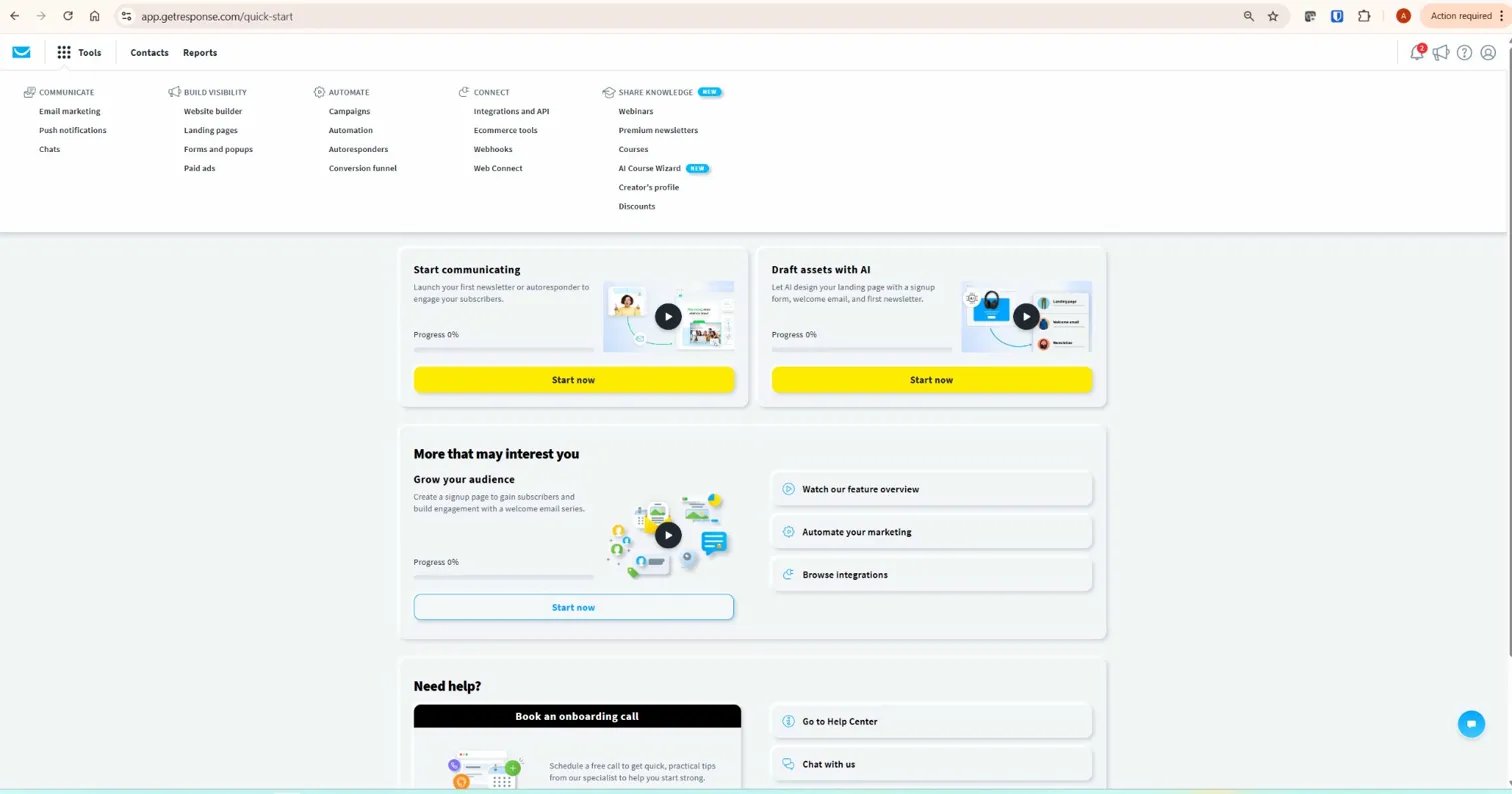
The automation builder is GetResponse’s clearest competitive advantage and the primary reason it is worth it for affiliate content site operators. The visual drag-and-drop workflow editor on the Marketer plan allows unlimited workflows with conditional branching, behavioural tagging, and lead scoring — the three mechanisms that transform a flat email list into a segmented revenue system. A subscriber who clicked an affiliate link in Email 2 can be automatically routed into a different sequence than one who did not, without any manual intervention. That logic runs continuously in the background once built, which is precisely what makes GetResponse worth it for a solo operator managing multiple affiliate product clusters simultaneously.
The integrated ecosystem is the second genuine strength. GetResponse combines email marketing, landing pages, automation workflows, webinar hosting, and funnel templates in a single platform. Most competitors offer some of these features — none offer all of them at comparable price points. A Mailchimp user running webinars and funnels pays separately for Zoom or WebinarJam and a standalone funnel builder, typically adding $100–$200 per month to their tool stack. GetResponse eliminates that overhead. Whether GetResponse is worth it financially often depends on how many tools it replaces, not its standalone subscription cost.
The webinar functionality is the third strength and the most distinctive feature in the market. No major email marketing competitor includes built-in webinar hosting. GetResponse’s webinar tool supports live and on-demand delivery, interactive features including polls and Q&A, automated registration pages, and post-webinar follow-up sequences — all connected to the email automation system without Zapier or API configuration. For businesses where webinars are a core lead generation or sales channel, GetResponse is worth it on this feature alone.
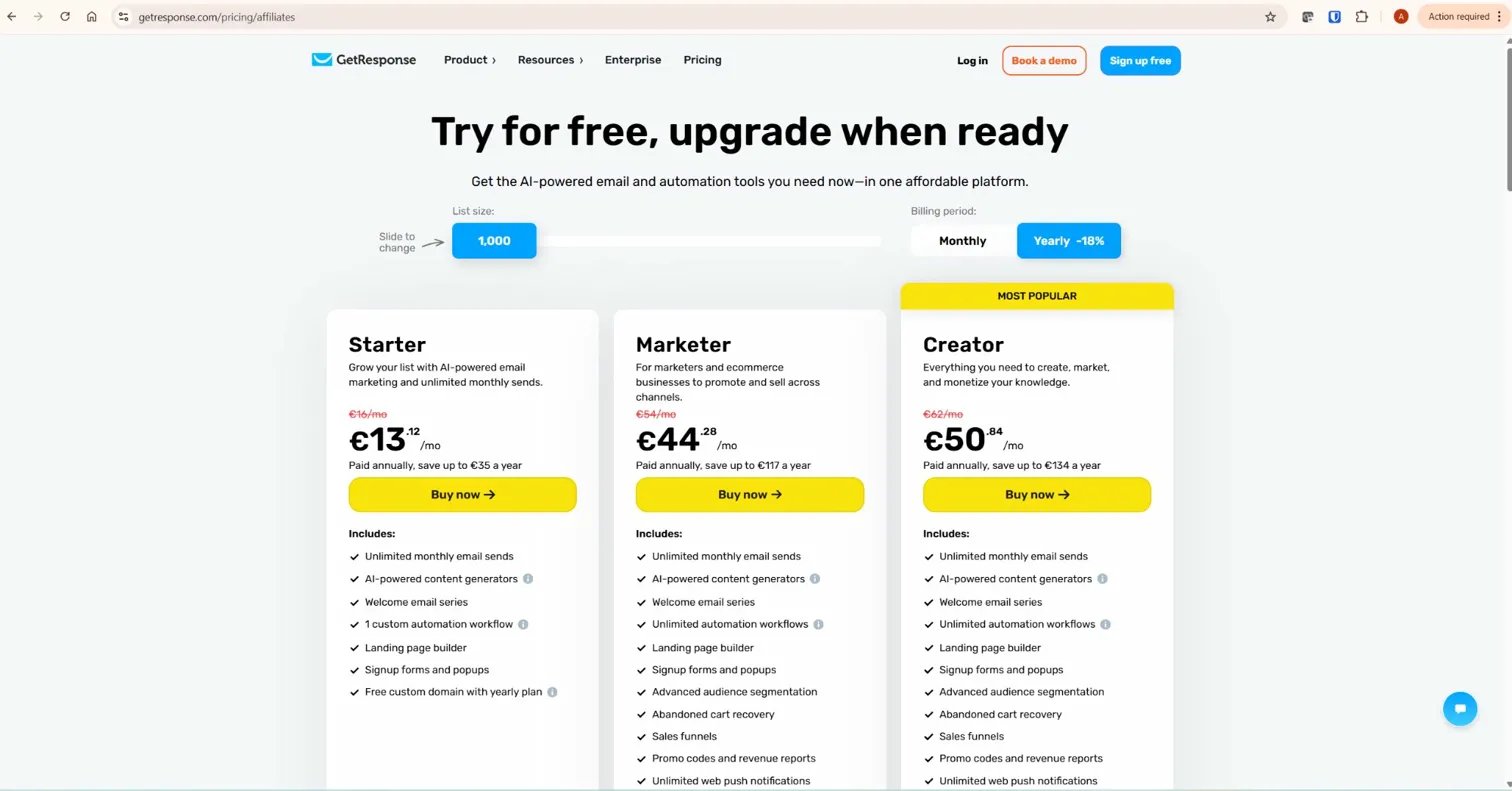
Pricing competitiveness is the fourth strength. At $59 per month for 1,000 contacts on the Marketer plan, GetResponse delivers full automation depth, unlimited workflows, tagging, scoring, and webinar access. ActiveCampaign charges $49–$149 per month for comparable automation features depending on list size and plan. Mailchimp requires its Standard plan at $45–$135 per month for advanced automation, without webinar hosting included. GetResponse is not the cheapest option in the market — but it consistently delivers more integrated functionality per pound spent than most alternatives at mid-tier pricing.
Customer support quality is the fifth strength that most reviews underweight. GetResponse holds a 4.3/5 rating on G2 from over 760 verified reviews, with ease of use and customer support quality cited most frequently as positive differentiators. The 24/7 live chat support on all paid plans — not just enterprise tiers — is a practical advantage for solo operators who encounter technical issues outside business hours.
Where GetResponse Is Not Worth It: 4 Honest Limitations
GetResponse’s automation depth trails ActiveCampaign’s at the upper end of complexity. If your marketing strategy requires deeply nested conditional logic, multi-dimensional lead scoring with CRM pipeline integration, and granular A/B testing across simultaneous automated sequences, ActiveCampaign provides more controls. For an affiliate content site under 10,000 subscribers using GetResponse for behavioural segmentation and affiliate recommendations, this gap is not a practical issue. For a B2B SaaS company managing complex multi-touch attribution models, it matters.
The landing page builder is functional but not best-in-class. GetResponse’s 190+ landing page templates cover the standard use cases well, but the design quality and customisation flexibility trail dedicated tools like Unbounce or Leadpages. For an affiliate content site where landing pages serve a specific funnel purpose — lead magnet capture, opt-in confirmation, webinar registration — GetResponse’s built-in landing pages are adequate. For a business where landing page design is a primary conversion optimisation focus, a specialist tool performs better.
The free plan is limited in a way that can mislead users evaluating the platform. The permanent free tier caps at 500 contacts and 2,500 sends per month, with a single automation workflow and no tagging or lead scoring. A user who evaluates GetResponse on the free plan is not evaluating the platform that makes it worth it — they are evaluating a deliberately restricted version. The 30-day free trial, which provides full access to all paid features, is the correct evaluation path. Do not judge GetResponse worth it or not based on the free plan experience alone.
The duplicate contact billing model catches users off guard. If the same subscriber appears on multiple lists in your account, GetResponse counts them multiple times toward your plan limit. This is manageable — the solution is to use tags rather than multiple lists for segmentation — but it is a genuine pricing consideration that affects accounts running separate lists for different audience segments. Regular list hygiene, removing unsubscribes and hard bounces, is also essential because these contacts count toward your total until actively deleted.

Is GetResponse Worth It for Affiliate Marketers Specifically?
Yes — and more specifically than most reviews acknowledge. Affiliate marketing depends on three email capabilities that GetResponse delivers at the Marketer plan level: source-based segmentation (knowing which lead magnet or article brought each subscriber in), behavioural branching (routing subscribers differently based on what they click), and cross-product targeting (sending different affiliate recommendations to different audience segments without managing separate accounts).
I have used GetResponse for InnovateHub Finance, which runs affiliate sequences for TradingView, Koinly, GetResponse, and Semrush from a single account. Each cluster has its own entry tag, its own welcome sequence, and its own affiliate introduction email triggered by engagement signals. The Marketer plan handles all four simultaneously without complexity or additional cost. That is the practical answer to whether GetResponse is worth it for affiliate content site operators: it is the minimum viable platform for running multi-product affiliate email marketing properly, and it delivers that capability at a price point that is justified by a relatively small number of affiliate conversions per month.
For a step-by-step guide to building the automation sequences described above, read how to use GetResponse automation for affiliate marketing.
GetResponse Worth It: ROI Framework for Affiliate Content Sites
With 30 years of evaluating financial tools and investment decisions, I apply the same framework to platform subscriptions that I apply to any capital allocation decision: what is the return per unit invested, and does that return compound over time?
| List Size | Marketer Plan Cost | Conversions Needed to Break Even | At $50 Commission | At $100 Commission |
|---|---|---|---|---|
| 1,000 contacts | $59/month | 2 sales | $100 revenue | $200 revenue |
| 5,000 contacts | $89/month | 2 sales | $100 revenue | $200 revenue |
| 10,000 contacts | $114/month | 3 sales | $150 revenue | $300 revenue |
| 25,000 contacts | $219/month | 5 sales | $250 revenue | $500 revenue |
At every list size, the break-even point for GetResponse worth it is a small number of affiliate conversions per month. A list of 5,000 subscribers with a 0.1% conversion rate on a $50 commission generates five sales — $250 in revenue against an $89 platform cost. At 1% conversion, that is fifty sales and $2,500 in revenue. The platform cost is not the variable that determines whether GetResponse is worth it. The quality of the automation sequences running on it is.
The ROI calculation also improves as list quality improves. A list of 5,000 highly engaged subscribers who have been properly tagged and segmented from entry will outperform a list of 15,000 untagged, unmanaged contacts on every metric that matters — open rate, click rate, and conversion rate. This is the compounding effect of building the automation architecture correctly from the start. GetResponse worth it is not a static question — the answer gets stronger over time as your sequences mature, your tagging structure accumulates behavioural data, and your split testing reveals which email angles convert at the highest rate for each audience segment.
Email marketing consistently delivers one of the highest returns of any digital marketing channel — and that return is amplified by the behavioural automation that separates engaged subscribers from passive ones and routes each group appropriately. GetResponse is worth it when that automation is built and running. It is not worth it when the platform subscription runs but the workflows are empty.
GetResponse vs Competitors: Is It Worth It Compared to Alternatives?
Against Mailchimp, GetResponse is worth it for any user who needs full automation depth, tagging, and conditional branching — all of which require Mailchimp’s Standard plan or above, at which point GetResponse delivers more functionality for comparable or lower cost. Mailchimp wins on ease of use for beginners and on the permanent free tier. For a direct comparison, see GetResponse vs Mailchimp.
Against ActiveCampaign, GetResponse is worth it for users who prioritise the integrated webinar and funnel tools over CRM depth and advanced automation granularity. ActiveCampaign’s automation engine is more sophisticated at the upper end of complexity. GetResponse’s integrated ecosystem — webinars, funnels, landing pages, email — delivers more out-of-the-box value for businesses that need breadth rather than depth in a single automation feature. For a direct comparison, see GetResponse vs ActiveCampaign.
One additional comparison worth addressing: GetResponse versus dedicated funnel builders like ClickFunnels. ClickFunnels is purpose-built for sales funnels and outperforms GetResponse on funnel design depth and upsell logic. However, ClickFunnels starts at $97 per month and does not include email marketing natively — you still need a separate email platform. GetResponse at $59 per month on the Marketer plan delivers adequate funnel functionality alongside full email automation, which makes it worth it for affiliate content site operators who need both capabilities without paying separately for each.
Against ConvertKit (now Kit), GetResponse is worth it for users who need webinar hosting and funnel templates alongside email automation. ConvertKit is better suited to content creators who want a minimal, clean interface for newsletter publishing with basic tagging. GetResponse serves the same audience but with significantly more marketing infrastructure around it — which is either a feature or unnecessary complexity depending on your actual requirements.
What to Do Next
The most accurate way to evaluate whether GetResponse is worth it for your specific situation is to test it properly. Start the 30-day free trial, which provides full access to all Marketer plan features including the complete automation builder, tagging, and webinars. During the trial, build one complete workflow — trigger, source tag, lead magnet delivery, value email, conditional branch, affiliate introduction. If that workflow runs correctly and the builder feels manageable within a week of use, GetResponse is worth it for your setup. If the complexity feels excessive for what you actually need to do, a simpler platform serves you better.
Do not evaluate GetResponse worth it on the free plan features after the trial ends — the permanent free tier is a stripped-down version that does not represent the platform. The trial is the correct evaluation, and thirty days is sufficient time to build and test a complete affiliate automation sequence from scratch.
Start your 30-day GetResponse free trial here — no credit card required.
Frequently Asked Questions
Is GetResponse worth it for beginners?
Yes, with a qualification. GetResponse is worth it for beginners who are building a list with the intention of monetising through automation — affiliate marketing, lead magnet funnels, or digital product sales. For a complete beginner who wants to send one newsletter per month to a small list with no monetisation plan, the Starter plan at $19 per month is functional but Mailchimp’s free tier covers the same use case at no cost. The question is not whether you are a beginner — it is whether you are building a system or just broadcasting.
How long does it take to see ROI from GetResponse?
With a structured automation sequence and active traffic to your opt-in pages, measurable affiliate revenue from GetResponse sequences typically appears within 30–90 days. The timeline depends on three variables: how quickly you drive subscribers into the funnel, how well-optimised your automation sequence is, and what affiliate commission rates you are working with. A list growing at 100 new subscribers per month with a well-built five-email sequence and a $50 affiliate product can break even on platform cost within the first month of the sequence going live.
Is GetResponse worth it compared to free alternatives?
For basic newsletter broadcasting, free alternatives cover the use case adequately and GetResponse is not worth it. For affiliate marketing with behavioural automation, conditional branching, and multi-product segmentation, no free platform delivers the required functionality. The GetResponse Marketer plan at $59 per month is the entry point for serious affiliate email marketing — and at that price, two or three affiliate conversions per month at typical commission rates cover the subscription cost entirely.
Does GetResponse work for affiliate marketing?
Yes. GetResponse is specifically well-suited to affiliate marketing because its automation builder, tagging system, and conditional workflow logic are designed for exactly the kind of behavioural sequencing that affiliate marketing requires — delivering different recommendations to different audience segments based on what they have clicked, opened, and engaged with. The platform’s acceptable use policy permits affiliate marketing provided campaigns follow value-driven, permission-based practices, which is consistent with good list management regardless of the platform used.
What is the biggest reason GetResponse might not be worth it?
The platform subscription running while the automation workflows sit empty. GetResponse’s value is entirely in its automation depth — if you are paying for the Marketer plan and only using it to send manual broadcasts, you are paying for capability you are not accessing. The platform is worth it in direct proportion to how much of its automation functionality you actually use. A user running three active workflows with proper tagging and conditional branching gets full value. A user sending one newsletter per month gets almost none.
