
GetResponse vs Mailchimp: Honest Comparison 2026
This article contains affiliate links. If you sign up for GetResponse through a link on this page, I may earn a commission at no extra cost to you. I only recommend tools I have genuinely evaluated.
Quick Answer: GetResponse vs Mailchimp
GetResponse is the stronger choice for affiliate marketers, funnel builders, and anyone who needs behavioural automation, lead scoring, and webinar hosting inside a single platform. Mailchimp is the better option if you are sending simple newsletters, want a permanent free tier to test with, and have no immediate plans to build automated sequences. The core difference is not features — it is philosophy. GetResponse is built around conversion systems. Mailchimp is built around ease of broadcasting. If your email list is a revenue asset rather than a communication tool, GetResponse wins on depth and long-term value. If you are just starting and want the lowest possible barrier to entry, Mailchimp’s free plan gives you that.
GetResponse’s free trial requires no credit card — test the full platform before committing.
GetResponse vs Mailchimp: Head-to-Head Comparison
| Feature | GetResponse | Mailchimp | Verdict |
|---|---|---|---|
| Free Plan | 30-day trial only | Permanent free tier (500 contacts) | Mailchimp |
| Starter Pricing (1,000 contacts) | $19/month | $26.50/month | GetResponse |
| Automation Builder | Visual, unlimited workflows, conditional branching | Basic on lower tiers, advanced on Premium | GetResponse |
| Webinar Hosting | Built-in (Creator plan) | Not included | GetResponse |
| Landing Pages | All plans, A/B testing included | All plans, fewer templates | GetResponse |
| Email Templates | 100+ on all plans | 137 templates, limited on free | Draw |
| Deliverability | ~89.7% inbox placement | ~92.6% inbox placement | Mailchimp (slight edge) |
| Integrations | 170+ direct integrations | 800+ direct integrations | Mailchimp |
| Best For | Affiliate marketers, funnel builders, course creators | Beginners, simple newsletters, small businesses | Depends on use case |
Why This Comparison Matters for Affiliate Marketers
Choosing the wrong email platform at the start of building an affiliate content site is an expensive mistake — not because of the monthly fee, but because of the migration cost six months later when you outgrow it. I have evaluated both platforms extensively over 30 years of working with financial tools and marketing systems, and the GetResponse vs Mailchimp decision is not as close as most comparison articles suggest once you factor in what affiliate marketing actually requires.
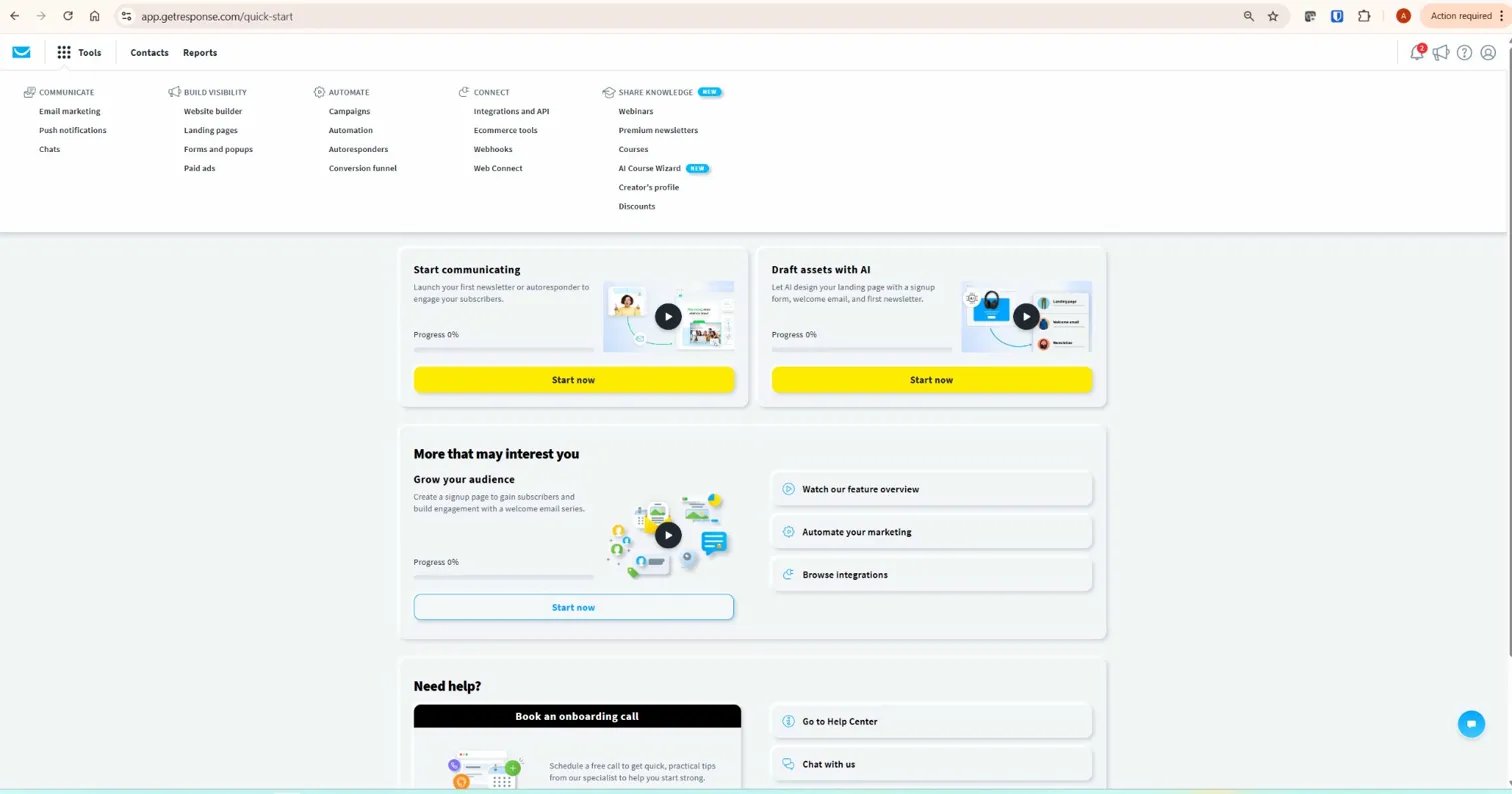
An affiliate content site needs behavioural segmentation — the ability to send different email sequences to a subscriber who came from a crypto tax article versus one who came from a trading tools post. It needs conditional branching — if a subscriber clicked an affiliate link, route them differently than one who did not. It needs tagging — the ability to label subscribers by interest so that targeted promotions land in front of the right segment. Mailchimp provides some of these capabilities, but they sit behind higher-tier pricing. GetResponse provides all of them from the Marketer plan, which starts at $49 per month for up to 1,000 contacts.
For a broader assessment of whether GetResponse is the right platform for your setup, read the full GetResponse review. For a comparison with a more advanced automation alternative, see GetResponse vs ActiveCampaign.
Pricing: GetResponse vs Mailchimp at Every List Size
Mailchimp appears cheaper at first glance — it has a permanent free tier and lower entry pricing for basic plans. That changes as your list grows and as you add the tools Mailchimp does not include natively.
| List Size | GetResponse Starter | Mailchimp Essentials | GetResponse Marketer | Mailchimp Standard |
|---|---|---|---|---|
| 1,000 contacts | $19/month | $26.50/month | $49/month | $45/month |
| 5,000 contacts | $54/month | $75/month | $79/month | $100/month |
| 10,000 contacts | $79/month | $110/month | $114/month | $135/month |
| 50,000 contacts | $299/month | $385/month | From $369/month | $500+/month |
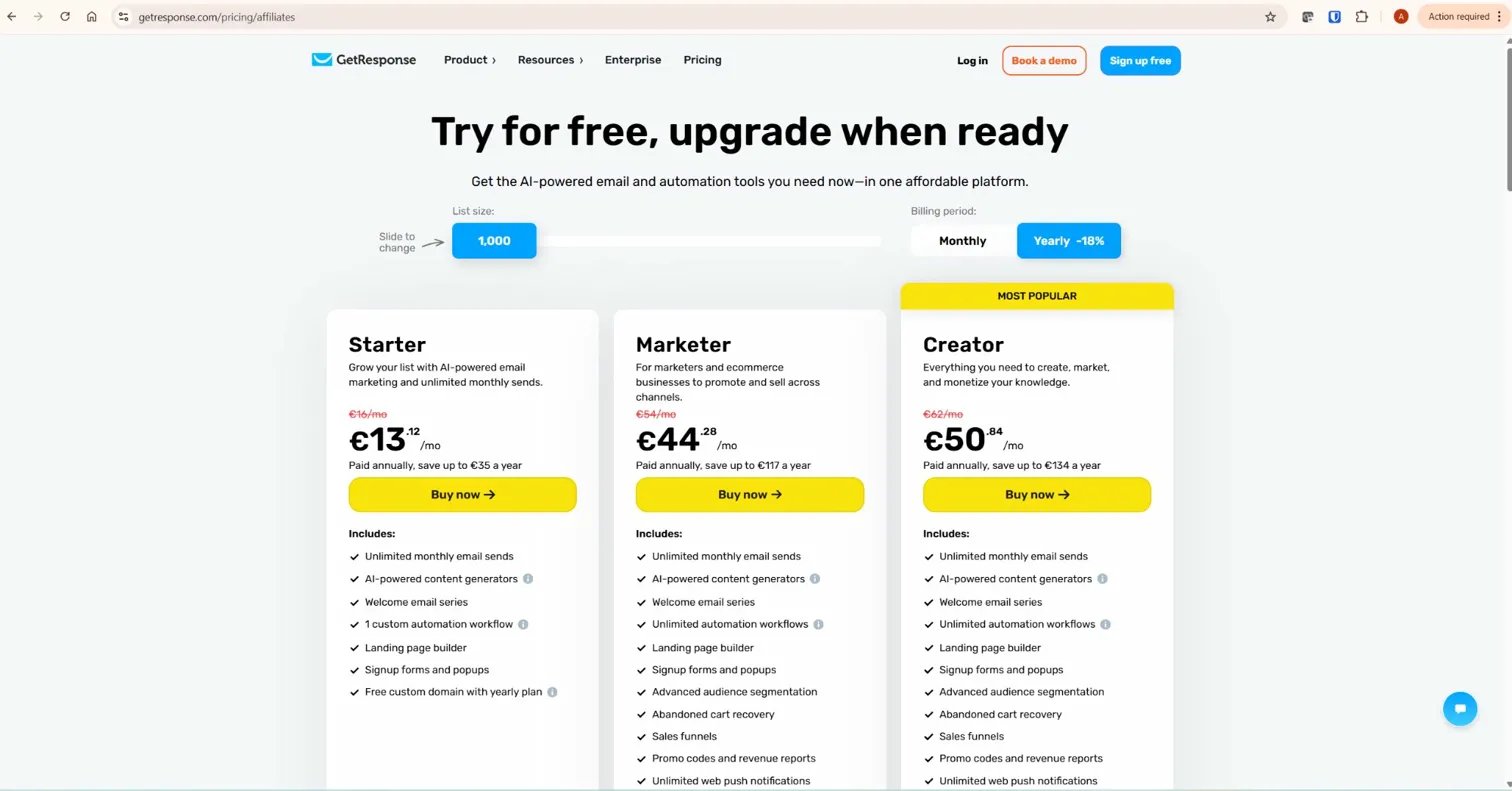
GetResponse is cheaper at almost every list size on comparable plans. The gap widens significantly at scale — at 50,000 contacts, GetResponse’s Starter plan is $86 per month less than Mailchimp’s Essentials equivalent. If you add the cost of separate webinar software (typically $50–$100 per month) and a standalone funnel builder that Mailchimp users often need, GetResponse’s total cost advantage becomes substantial.
The one scenario where Mailchimp wins on price: a list under 500 contacts where you only need basic newsletter broadcasts. The permanent free tier is a genuine advantage for that use case. For a detailed plan breakdown and feature comparison by tier, read the GetResponse pricing guide.
Automation: The Most Important Difference
This is where the GetResponse vs Mailchimp comparison is decided for most affiliate marketers. Both platforms offer automation — but the depth, accessibility, and price point at which advanced features become available are fundamentally different.
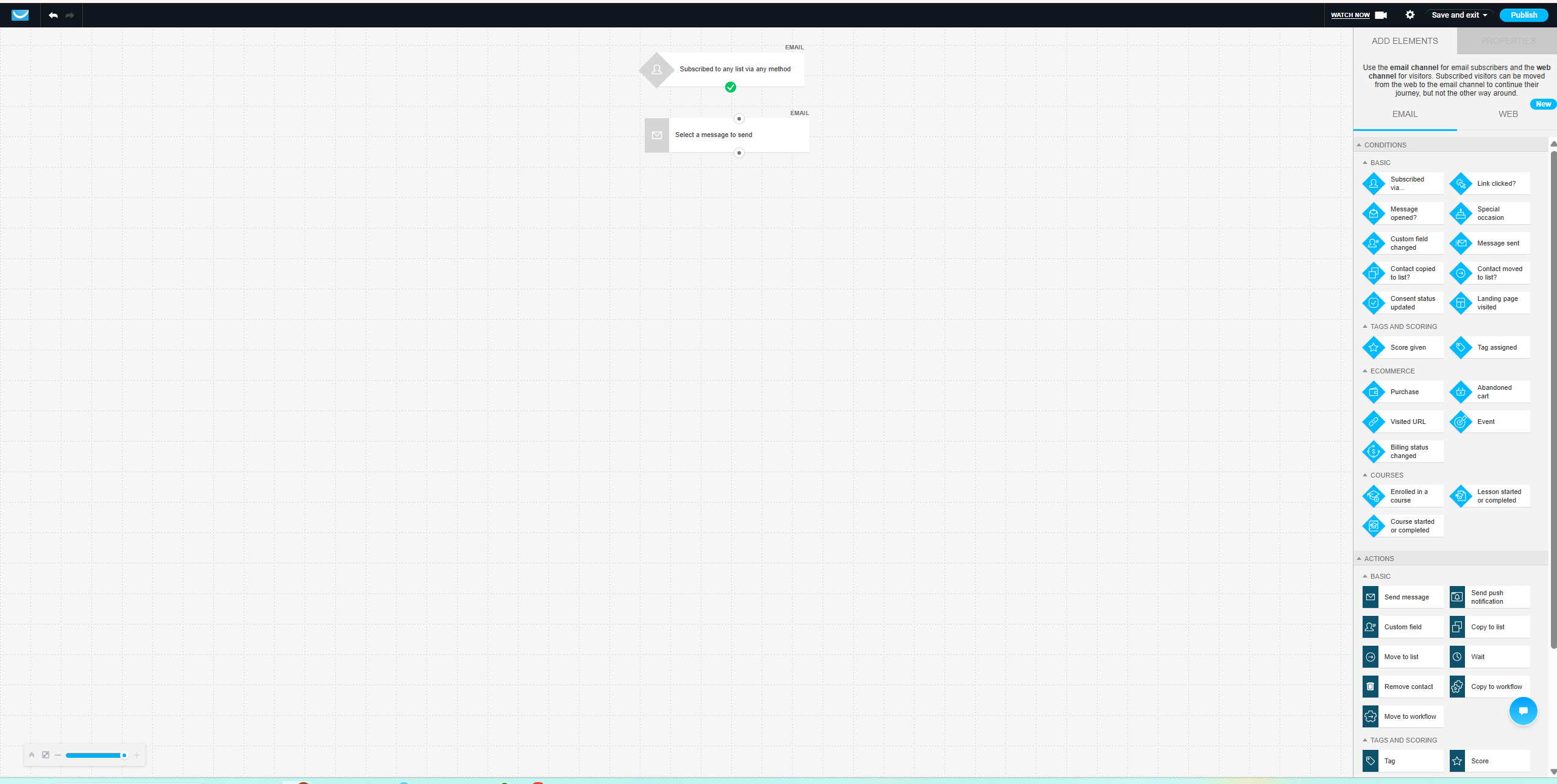
GetResponse’s automation builder is visual, drag-and-drop, and available with unlimited workflows from the Marketer plan. You can build conditional sequences — if a subscriber clicks a link, they go down one path; if they do not, they go down another. You can apply tags based on behaviour, score contacts based on engagement, and use those scores to trigger different sequences automatically. These are not premium add-ons — they are standard features on a plan that starts at $49 per month.
Mailchimp’s Customer Journeys — its equivalent of automation workflows — are available on the Standard plan and above. On the Essentials plan, automation is limited to single-step sequences: a welcome email, a birthday message, basic triggers. Conditional branching and advanced segmentation sit behind the Standard plan at $45–$135 per month depending on list size. At that price point, GetResponse’s Marketer plan delivers more automation depth for comparable or lower cost.
For an affiliate content site running multiple product clusters with different audience segments, GetResponse automation is the practical choice. The ability to tag subscribers by source, branch sequences based on click behaviour, and score contacts by engagement is what makes the difference between a list that generates recurring affiliate commissions and one that produces inconsistent results.
Webinars and Funnels: GetResponse’s Clear Advantage
GetResponse includes built-in webinar hosting on the Creator plan and above. This means registration pages, automated reminder sequences, live and on-demand webinar delivery, and post-webinar automation — all inside the same platform you use for email marketing. Mailchimp does not offer webinar functionality at any plan level. If webinars are part of your content or affiliate strategy, Mailchimp users must pay separately for a dedicated webinar platform — typically Zoom, WebinarJam, or Demio — and integrate it manually.
The funnel builder is a similar story. GetResponse includes conversion funnel templates — lead capture funnels, sales funnels, webinar funnels — with landing pages and automation connected. Building the equivalent system with Mailchimp requires adding a separate landing page tool and connecting it via integration. That is not a criticism of Mailchimp — it was built as an email tool, not a conversion platform. But for affiliate marketers who rely on structured funnels to convert traffic into subscribers and subscribers into buyers, GetResponse’s integrated approach reduces both cost and complexity.
Deliverability: The One Area Mailchimp Leads
This is the honest part of the comparison that most GetResponse-affiliated reviews skip. Independent inbox placement tests show Mailchimp at approximately 92.6% and GetResponse at approximately 89.7%. That is a meaningful difference — roughly 3 in every 100 emails that reach inboxes via Mailchimp land in spam via GetResponse.
In practice, the deliverability gap narrows significantly with good list hygiene. Both platforms provide spam checking tools, authentication support (SPF, DKIM, DMARC), and engagement-based sending recommendations. GetResponse’s automation tools — specifically the re-engagement workflows and tag-based segmentation — actually help maintain list health over time, which improves deliverability. The 3-point gap in raw inbox placement tests does not translate to a 3-point difference in real-world results for a well-managed list.
That said, deliverability is a genuine consideration. If your business depends entirely on inbox placement and you are not running automation-heavy sequences, Mailchimp’s slight edge here is worth knowing before you choose.
Ease of Use: Mailchimp Wins for Beginners
Mailchimp’s interface is genuinely easier for someone sending their first email campaign. The dashboard is clean, campaign creation is straightforward, and most users can send a newsletter within thirty minutes of creating an account. That simplicity is a real advantage for a specific use case: someone who wants to send occasional emails to a small list without building a system around it.
GetResponse has a steeper initial learning curve, primarily because it offers more. The automation builder, funnel templates, webinar setup, and landing page tools add navigation layers that a basic newsletter sender does not need. Once the platform is learned — typically within a week of regular use — it becomes efficient. But the first session inside GetResponse is more complex than the first session inside Mailchimp, and that is worth acknowledging honestly.
For affiliate content site operators who are building a system rather than sending occasional broadcasts, the learning investment in GetResponse pays off quickly. The complexity is a function of capability, not poor design.
Integrations: Mailchimp Has More, GetResponse Has What You Need
Mailchimp offers 800+ direct integrations. GetResponse offers approximately 170. On paper that looks like a significant gap — in practice, both platforms integrate with the tools that most affiliate content sites actually use: WordPress, Shopify, WooCommerce, Google Analytics, Zapier, Stripe, PayPal, and Salesforce. The integration count difference matters for enterprise users connecting complex tech stacks. For an affiliate content site, both platforms cover the necessary ground.
Where integrations matter more in the GetResponse vs Mailchimp comparison is the tools you do not need to integrate because GetResponse includes them natively. Webinar platform: built in. Funnel builder: built in. Landing page builder with A/B testing: built in. Each of these would require a third-party integration in Mailchimp — and a third-party subscription.
Real-World Scenarios: Which Platform Fits Your Situation?
A beginner blogger sending monthly newsletters to 300 subscribers who wants to start for free: Mailchimp’s permanent free tier is the right choice. The automation limitations do not matter at that scale and use case, and paying nothing to test the concept is sensible.
An affiliate content site operator with four product clusters, multiple lead magnets, and a goal of building segmented automated sequences that send different recommendations to different audiences: GetResponse is the right choice. Mailchimp can technically do parts of this, but the functionality required sits behind pricing that erases the cost advantage, and the automation depth still does not match GetResponse’s Marketer plan.
A course creator running webinars as their primary lead generation channel: GetResponse is the clear choice. Mailchimp cannot replace a dedicated webinar platform, which means paying for both — removing any cost advantage Mailchimp might have had.
A small ecommerce brand sending product campaigns and abandoned cart sequences: Both platforms handle this. Mailchimp has slightly stronger ecommerce integrations and is better suited to Shopify-first brands. GetResponse’s abandoned cart automation is strong but its ecommerce tooling is less specialised than Mailchimp’s at this specific use case.
The Total Cost Argument
Mailchimp looks cheaper in a direct plan-to-plan comparison at small list sizes. The calculation changes when you account for the tools Mailchimp does not include. A Mailchimp Standard user running an affiliate content site with webinars and automated funnels typically needs: Mailchimp Standard ($45–$135/month depending on list size) + a webinar platform ($50–$100/month) + a funnel builder ($50–$100/month). Total: $145–$335 per month.
A GetResponse Marketer user gets the automation builder, landing pages, and funnel templates included. Adding the Creator plan for webinar hosting brings the total to $69–$200 per month depending on list size. The integrated approach is not just more convenient — it is meaningfully cheaper once you account for what affiliate content site operators actually need to run a complete system.
GetResponse holds a 4.3/5 rating on G2 from over 760 verified reviews, with automation ease of use and integrated feature set cited most frequently as the reasons users prefer it over alternatives. That aligns with the experience of building and running email sequences for InnovateHub Finance across four affiliate clusters.
What to Do Next
If you are currently on Mailchimp and finding that your automation needs are outgrowing the plan you are on, do this: log into GetResponse’s free trial, connect your existing subscriber list (exported as CSV from Mailchimp), and rebuild your primary welcome sequence inside the GetResponse automation builder. The migration takes an afternoon for a simple setup. Run both platforms in parallel for two weeks, compare the automation building experience, and then make the switch once you are confident the workflows are running correctly. Do not cancel Mailchimp until every automated sequence is live and tested in GetResponse.
If you are starting fresh and have not chosen a platform yet, the decision comes down to one question: are you building a conversion system or a broadcast channel? For a conversion system — automated sequences, segmentation, affiliate recommendations, lead magnets — start with GetResponse. For a broadcast channel — occasional newsletters to a small, stable list — Mailchimp’s free tier is the pragmatic choice until you are ready to build something more structured.
Frequently Asked Questions
Is GetResponse better than Mailchimp for affiliate marketing?
Yes, for affiliate marketing specifically. GetResponse’s visual automation builder, behavioural tagging, conditional branching, and lead scoring are all available on the Marketer plan — the tools affiliate marketers rely on to segment audiences and send targeted recommendations. Mailchimp provides comparable automation depth only on its higher-tier Standard and Premium plans, at which point GetResponse is often cheaper and still offers more affiliate-specific functionality including funnel templates and webinar hosting.
Does Mailchimp have a free plan in 2026?
Yes. Mailchimp’s free tier allows up to 500 contacts and 1,000 sends per month as of early 2026, though Mailchimp has reduced free plan allowances progressively over the past two years. The free plan is limited to single-step automation, basic templates, and email support for the first 30 days only. It is useful for testing the platform and for very small lists with simple newsletter needs, but not sufficient for affiliate marketing automation.
Which platform has better deliverability — GetResponse or Mailchimp?
Independent inbox placement tests show Mailchimp at approximately 92.6% and GetResponse at approximately 89.7% — a roughly 3-point gap in Mailchimp’s favour. In practice, this gap narrows significantly with good list hygiene: regular re-engagement campaigns, consistent removal of inactive subscribers, and proper email authentication (SPF, DKIM, DMARC). Both platforms provide tools to support deliverability. The raw test numbers favour Mailchimp, but real-world results for a well-managed list on either platform are comparable.
Can I migrate from Mailchimp to GetResponse?
Yes. Export your subscriber list from Mailchimp as a CSV file, then import it into GetResponse using the contacts import tool. Tags from Mailchimp do not transfer automatically — you will need to recreate your segmentation structure inside GetResponse. Automation workflows must be rebuilt from scratch in the GetResponse workflow builder. For a simple list with a basic welcome sequence, migration takes an afternoon. For a complex multi-workflow setup, allow a full day and run both platforms in parallel until every sequence is confirmed working in GetResponse.
Is GetResponse cheaper than Mailchimp?
Yes, at most list sizes on comparable plans. GetResponse’s Starter plan begins at $19 per month for 1,000 contacts versus Mailchimp’s $26.50 for the equivalent Essentials tier. The gap widens at scale — at 50,000 contacts, GetResponse is approximately $86 per month cheaper on entry plans. When factoring in the additional tools Mailchimp users need separately (webinar platform, funnel builder), GetResponse’s total cost advantage for affiliate content site operators is substantial.
