
GetResponse Free Trial (2026): What You Get and How It Works
Affiliate Disclosure: This article contains affiliate links. If you purchase through these links, I may earn a commission at no extra cost to you. I only recommend tools I have personally used and genuinely believe in. Read my full disclosure policy.
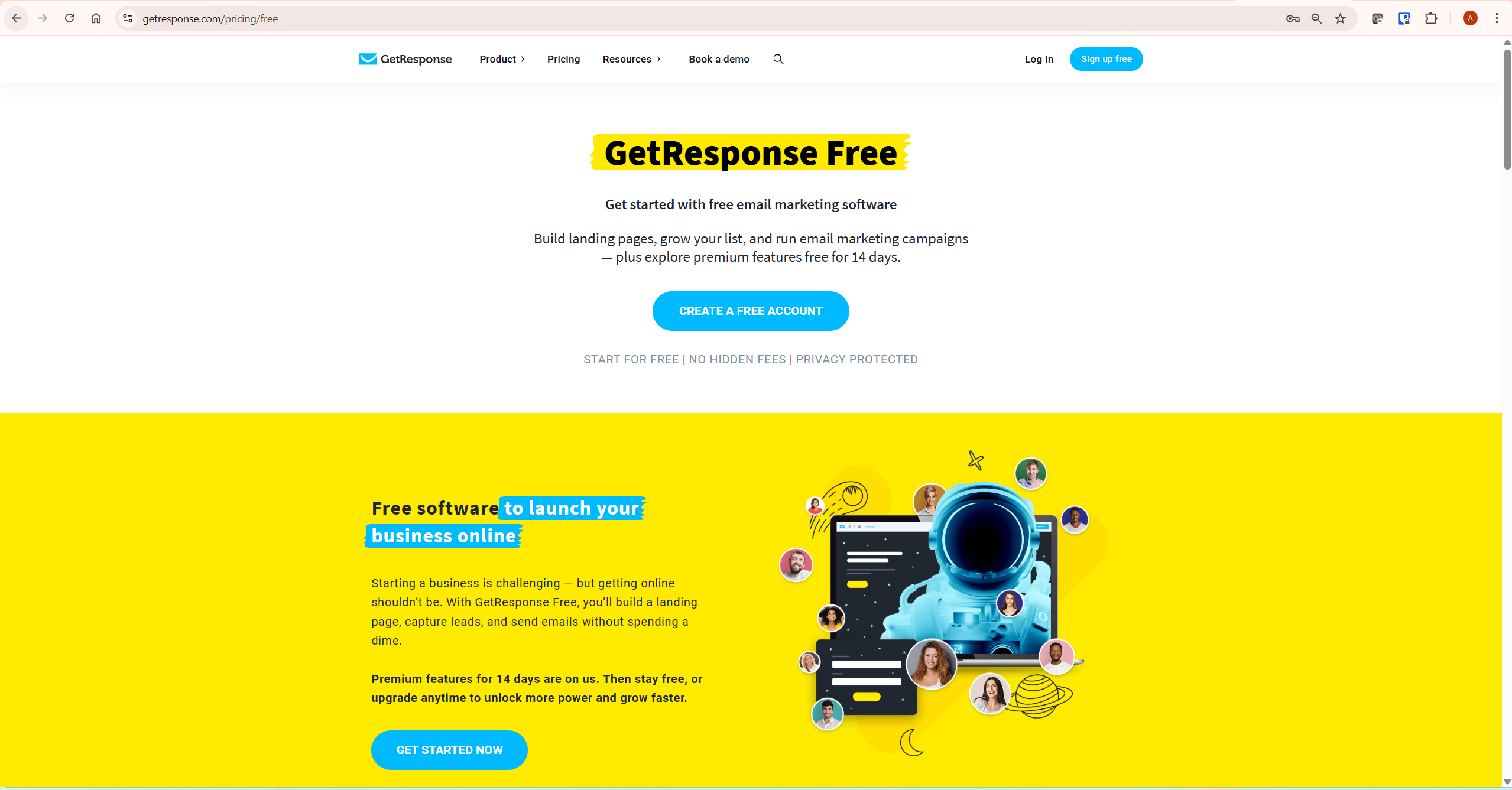
The GetResponse free trial is not a traditional time-limited trial that expires and locks you out. It is a free account — active forever — with 14 days of premium feature access included from the moment you sign up. Understanding the difference changes how you approach the trial window.
I am Andreas Maratheftis, with 30 years of professional finance experience, and I use GetResponse to run InnovateHub Finance. This guide covers exactly what the GetResponse free trial includes, what its limitations are, what happens after 14 days, and how to get the most out of the trial window before deciding whether to upgrade — all verified from GetResponse’s official help documentation.
→ Start your GetResponse free trial now — no credit card required, premium features active immediately
Quick Answer: How Does the GetResponse Free Trial Work?
The GetResponse free trial is a free account with 14 days of premium feature access. No credit card is required, and the account stays active after the trial ends — it simply reverts to the permanently free tier with reduced feature access. The account supports up to 500 contacts throughout — confirmed from getresponse.com/pricing/free.
During the first 14 days you can access scheduling, autoresponders, automation workflows, conversion funnels, webinars, and website creation. After 14 days, those premium features become unavailable unless you upgrade. The free account itself remains active indefinitely. All details confirmed from getresponse.com/help/does-getresponse-offer-a-free-trial.html.
GetResponse Free Trial vs Free Plan: What Is the Difference?
This is the distinction most reviews miss — and it matters for planning how you use the account.
| Feature | During 14-Day Trial | After Trial (Free Account) |
|---|---|---|
| Contacts | Up to 500 contacts | Up to 500 contacts |
| Newsletters | Unlimited sends | 2,500 emails/month |
| Landing pages | Unlimited pages, 1,000 unique visitors/month | Unlimited pages, 1,000 unique visitors/month |
| Automation workflows | Unlimited (no dynamic segment filter) | Unlimited (no dynamic segment filter) |
| Webinars | Up to 10 attendees including presenters | Not available |
| Scheduling newsletters | Available | Not available |
| Autoresponders | Available | Not available |
| Conversion funnels | Available | Not available |
| Website creator | Available | Available |
| GetResponse badge on emails | Yes — cannot be removed on free account | Yes — cannot be removed on free account |
| Live chat support | 7AM–11PM weekdays (GMT+1) | 7AM–11PM weekdays (GMT+1) |
Source: getresponse.com/pricing/free and getresponse.com/help/getresponse-pricing-plans.html — verified May 2026. Always confirm current limits at getresponse.com/pricing as these may change.
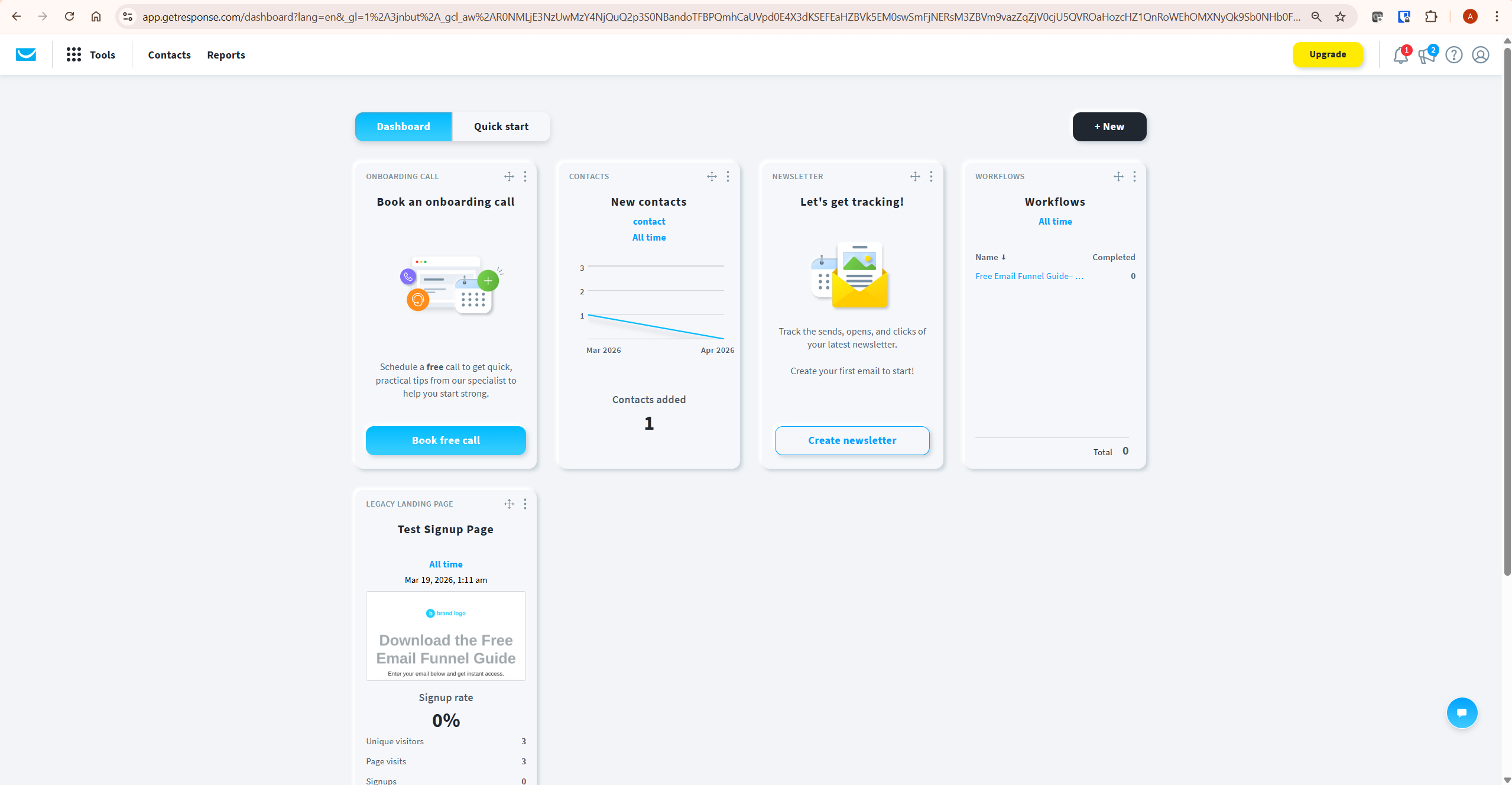
What Is Included in the GetResponse Free Trial
During the 14-day premium trial window, the following features are accessible — confirmed from getresponse.com/help/can-i-try-getresponse-before-i-buy.html:
- Email newsletters: Create, schedule, and send newsletters with the drag-and-drop editor and 150+ predesigned templates
- Autoresponders: Build time-based email sequences for new subscribers
- Marketing automation: Create and publish automation workflows with conditions, triggers, and actions — dynamic segment filter not available
- Landing pages: Create and publish unlimited landing pages — limited to 1,000 unique visitors per month
- Conversion funnels: Build lead generation and sales funnels
- Webinars: Host webinars for up to 10 attendees including presenters — on-demand webinars not available
- Website creator: Build a full website with GetResponse’s drag-and-drop creator
- AI Email Generator: Generate email drafts using AI — limited to 3 uses on the free account
- Forms and popups: Create opt-in forms and embed them on your website
- Live chat support: Available 7AM–11PM weekdays, 7AM–9PM weekends (GMT+1) — confirmed June 2026; support hours may change, verify current hours at getresponse.com
For a complete overview of everything GetResponse offers across paid plans, see our complete GetResponse review. According to G2 reviews from verified GetResponse users, the platform’s ease of setup during the trial period is one of the most consistently cited strengths for new users.
GetResponse Free Trial Limitations
The GetResponse free trial is not a full unrestricted version of the platform. These limitations apply during the 14-day premium window — all confirmed from getresponse.com/pricing/free:
- Contact limit: Up to 500 contacts — confirmed from getresponse.com/pricing/free (unconfirmed and removed contacts count toward this limit)
- GetResponse badge: All emails sent from the free account carry the GetResponse badge — removing it requires upgrading to a paid plan
- Landing page visitors: Capped at 1,000 unique visitors per month — A/B testing on landing pages not available on free account
- Webinar attendees: Maximum 10 people including you and co-presenters. One webinar recording of up to 30 minutes is allowed, and that recording can be used to create one on-demand webinar — confirmed from getresponse.com/help/getresponse-pricing-plans.html
- Dynamic segment filter: Not available in automation workflows on free accounts — requires any paid plan
- AI Email Generator: Limited to 3 uses total on the free account
- On-demand webinars: Not available during the trial or on the free account
The most important limitation for affiliate content site owners is the GetResponse badge on emails. Any email sent from a free account — including during the 14-day trial — carries the badge in the footer. For testing purposes this is fine. For sending to a real subscriber list, it reduces credibility.
If you are building a serious email list, the badge alone is a practical reason to upgrade to the Starter plan. For a full comparison of what each plan includes, see our GetResponse pricing guide.
What Happens After the GetResponse Free Trial Ends
After 14 days, your account does not close or delete — it reverts to the permanently free tier. You keep your account, your contacts (up to 500), and access to basic features. What you lose is access to premium features: scheduling, autoresponders, conversion funnels, webinars, and the dynamic segment filter in automation. Confirmed from getresponse.com/help/does-getresponse-offer-a-free-trial.html.
Specifically, after the trial:
- Any automation workflows you built during the trial remain saved but stop running — you can view them but cannot publish or trigger them without upgrading
- Any scheduled newsletters that have not yet sent will not be delivered
- Contacts above the free plan limit remain in the account but may not be fully usable until the account is upgraded — confirm current behaviour directly with GetResponse support
- Landing pages remain published and active — visitor tracking continues but A/B tests stop
- All emails you send from the free account after the trial carry the GetResponse badge
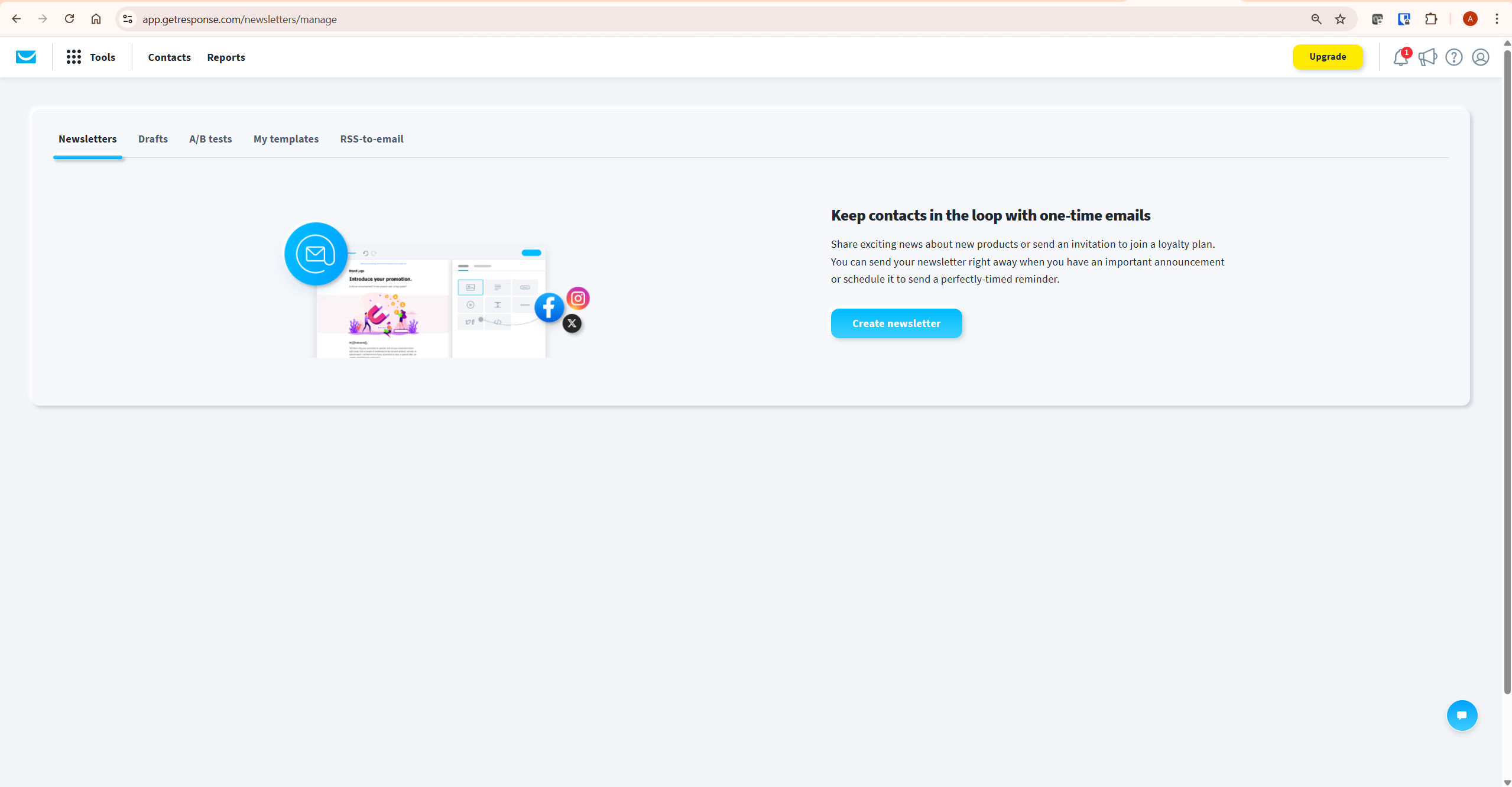
How to Get the Most Out of the GetResponse Free Trial
The 14-day window is enough time to build a complete email marketing infrastructure if you use it intentionally. Here is the order that makes the most of the trial period — based on direct experience running InnovateHub Finance on GetResponse.
- Day 1 — Domain authentication: Set up DKIM and SPF records under Tools → Domain Authentication. This takes 10 minutes and up to 48 hours to propagate. Start it first so it is verified before you send anything.
- Days 1–2 — Build your lead magnet landing page: Create your opt-in landing page using Tools → Landing Pages. Configure the subscription settings to connect the page to your list and automation workflow.
- Days 2–3 — Build your automation workflow: Create your welcome sequence and lead magnet delivery workflow in Tools → Automation. Test it by subscribing with your own email address to confirm delivery fires correctly.
- Day 3 — Add opt-in forms to your website: Create a popup and an embedded form under Tools → Forms and Popups. Add the JavaScript embed code to your WordPress site via WPCode.
- Days 3–14 — Send your first newsletter: Build and send a real newsletter to confirm the editor, template, and send process work correctly before the trial ends.
- Day 14 — Evaluate and decide: By day 14 you should have a live landing page, a working automation sequence, real opt-in forms on your site, and at least one newsletter sent. That infrastructure tells you whether upgrading is worth it — not the feature list.
For a detailed setup walkthrough covering each of these steps, see our complete GetResponse setup guide.
How to Upgrade After the GetResponse Free Trial
You can upgrade at any point during or after the trial — there is no deadline pressure. To upgrade: go to your account, click the Upgrade button in the top right corner, select your plan and billing period, and enter payment details. Confirmed from getresponse.com/help/how-can-i-upgrade-my-free-trial-account.html.
Two discounts available at upgrade — both confirmed from primary source:
- Annual billing discount: 18% off on a 12-month plan compared to monthly billing
- Get Started Checklist discount: An additional 10% discount for completing GetResponse’s onboarding checklist — available from your account dashboard. This discount is rarely mentioned in reviews but is confirmed from getresponse.com/help/how-can-i-upgrade-my-free-trial-account.html
Combined, these discounts can reduce your first year’s cost meaningfully. Complete the Get Started Checklist before upgrading to ensure you capture both discounts.
Who Should Upgrade After the Trial — and Who Should Stay Free
The GetResponse free account is genuinely useful as a permanent option for some users — not everyone needs to upgrade immediately.
- Stay on the free account if: You are in the earliest stage of building your list (under 500 contacts), you do not yet need scheduled newsletters or autoresponders, and you are comfortable with the GetResponse badge on emails. The free account is sufficient for form creation, basic landing pages, and testing the platform.
- Upgrade to Starter ($19/month) if: You want to remove the GetResponse badge from emails, schedule newsletters, run autoresponders, and send to lists above 500 contacts. This is the right upgrade for most affiliate content site owners who have started building their list.
- Upgrade to Marketer ($59/month) if: You need unlimited automation workflows, advanced segmentation, or ecommerce features. Starter’s one-workflow limit becomes a constraint once you have more than one lead magnet or are running simultaneous nurture sequences.
For context on which plan suits different affiliate site stages, see our GetResponse free plan guide.
What To Do Next
If you have not yet started your GetResponse free trial, sign up now and spend the first session on domain authentication and your lead magnet landing page — those two steps take under an hour and form the foundation everything else builds on.
If you are already inside the trial and trying to decide whether to upgrade, the honest test is simple: have you built a landing page, connected it to an automation workflow, and tested the full opt-in sequence? If yes and it works — upgrade. If not — complete those steps first, then decide.
The platform earns its cost when the infrastructure is actually running, not when you are still exploring the dashboard. For independent deliverability data, EmailToolTester’s deliverability assessments consistently show GetResponse performing above the industry average — relevant context when deciding whether the paid plan is worth the investment.
Frequently Asked Questions
Does GetResponse have a free trial?
Yes. GetResponse offers a free account that includes 14 days of premium feature access from sign-up. No credit card is required. After 14 days, the account reverts to the permanently free tier — it does not expire or close. Confirmed from getresponse.com/help/does-getresponse-offer-a-free-trial.html.
How long is the GetResponse free trial?
14 days from the moment you create your free account. The clock starts on sign-up regardless of whether you log in or use the account during that period. After 14 days, premium features become unavailable unless you upgrade — but the free account itself remains active indefinitely.
Does the GetResponse free trial require a credit card?
No. The GetResponse free trial requires no credit card — confirmed from getresponse.com. You sign up with an email address and your account activates immediately with full premium feature access for the first 14 days. There is no automatic charge when the trial ends.
What are the limitations of the GetResponse free trial?
During the 14-day trial, limitations include: up to 500 contacts (unconfirmed and removed contacts count toward this limit), GetResponse badge on all emails (cannot be removed without upgrading), landing pages capped at 1,000 unique visitors per month, webinars limited to 10 attendees with one recording (up to 30 minutes) allowed, no dynamic segment filter in automation, and AI Email Generator limited to 3 uses. All confirmed from getresponse.com/pricing/free.
What happens after the GetResponse free trial ends?
The account reverts to the permanently free tier — it does not close. You lose access to premium features including scheduling, autoresponders, conversion funnels, and webinars. Your contacts, landing pages, and saved workflows remain in your account. The free account supports up to 500 contacts and 2,500 emails per month indefinitely. Confirmed from getresponse.com/help/does-getresponse-offer-a-free-trial.html.
How is the GetResponse free trial different from the free plan?
They are the same account — the free trial is the first 14 days of the free account with premium features temporarily unlocked. The free plan is what remains after those 14 days.
The key differences: during the trial you can access scheduling, autoresponders, automation workflows, conversion funnels, and webinars. After the trial, those premium features become unavailable. The free account contact limit is 500 throughout — the trial only unlocks premium features, it does not change the contact limit. See our GetResponse free plan guide for a detailed breakdown.
Is there a discount when upgrading from the GetResponse free trial?
Yes — two discounts are available. Choosing annual billing gives 18% off compared to monthly billing. Completing GetResponse’s Get Started Checklist (available from your account dashboard) provides an additional 10% discount. Both confirmed from getresponse.com/help/how-can-i-upgrade-my-free-trial-account.html. Complete the checklist before upgrading to capture both savings.
Related GetResponse Articles
- GetResponse Review 2026: The Honest Verdict for Affiliate Marketers
- GetResponse Free Plan: The Honest 2026 Guide
- GetResponse Pricing in 2026: Plans, Features & What You Actually Pay For
- How to Use GetResponse: Complete Step-by-Step Guide (2026)
- GetResponse Email Templates: Complete Guide (2026)
- GetResponse Automation: 7 Proven Steps for Affiliate Marketing
All feature details, contact limits, trial terms, and discount information in this article are verified from GetResponse’s official documentation — getresponse.com/help/does-getresponse-offer-a-free-trial.html, getresponse.com/pricing/free, getresponse.com/help/getresponse-pricing-plans.html, and getresponse.com/help/how-can-i-upgrade-my-free-trial-account.html — as of June 2026. GetResponse updates its platform and terms regularly — always verify current details at getresponse.com before making decisions.
