
GetResponse vs Constant Contact: Honest 2026 Verdict for Affiliates
This article contains affiliate links. If you sign up for GetResponse through a link on this page, I may earn a commission at no extra cost to you. I only recommend tools I have genuinely evaluated.
GetResponse vs Constant Contact: The Verdict Upfront
GetResponse wins this comparison for most affiliate marketers. For the same price or less, you get deeper automation, unlimited landing pages, built-in webinars, and conversion funnels that Constant Contact doesn’t match at any comparable plan tier. Constant Contact has one genuine advantage: it’s the better platform if you run in-person or virtual events and need integrated ticketing and registration tools. Outside that use case, the value gap is hard to justify.
I am Andreas Maratheftis — 30 years in professional finance and the person running InnovateHub Finance on GetResponse. That experience shapes what I look for in an email platform: automation that works without constant babysitting, landing pages that convert cold traffic, and pricing that doesn’t punish you for growing. I’ve dug into both platforms feature by feature so you don’t have to. What follows is an honest verdict, not a promotional rundown.
This GetResponse vs Constant Contact breakdown covers pricing at every tier, automation depth, landing pages, A/B testing, support, and the specific use cases where Constant Contact is genuinely the better choice. By the end, you’ll know exactly which platform fits your situation — and which one would be wasted money. Always verify current pricing at getresponse.com/pricing and constantcontact.com/pricing before committing.
Quick Answer
In this GetResponse vs Constant Contact decision, GetResponse is the stronger platform for affiliate marketers, bloggers, and course creators who need automation, funnels, and landing pages in one tool. Constant Contact is the better choice if you run physical or virtual events and need ticketing, registration management, and simple campaigns without a learning curve. At comparable contact counts, GetResponse costs less and delivers significantly more. If you’re building an affiliate email list from scratch, GetResponse is the stronger foundation.
Try GetResponse free — no credit card required →
Pricing Compared: What You Actually Pay
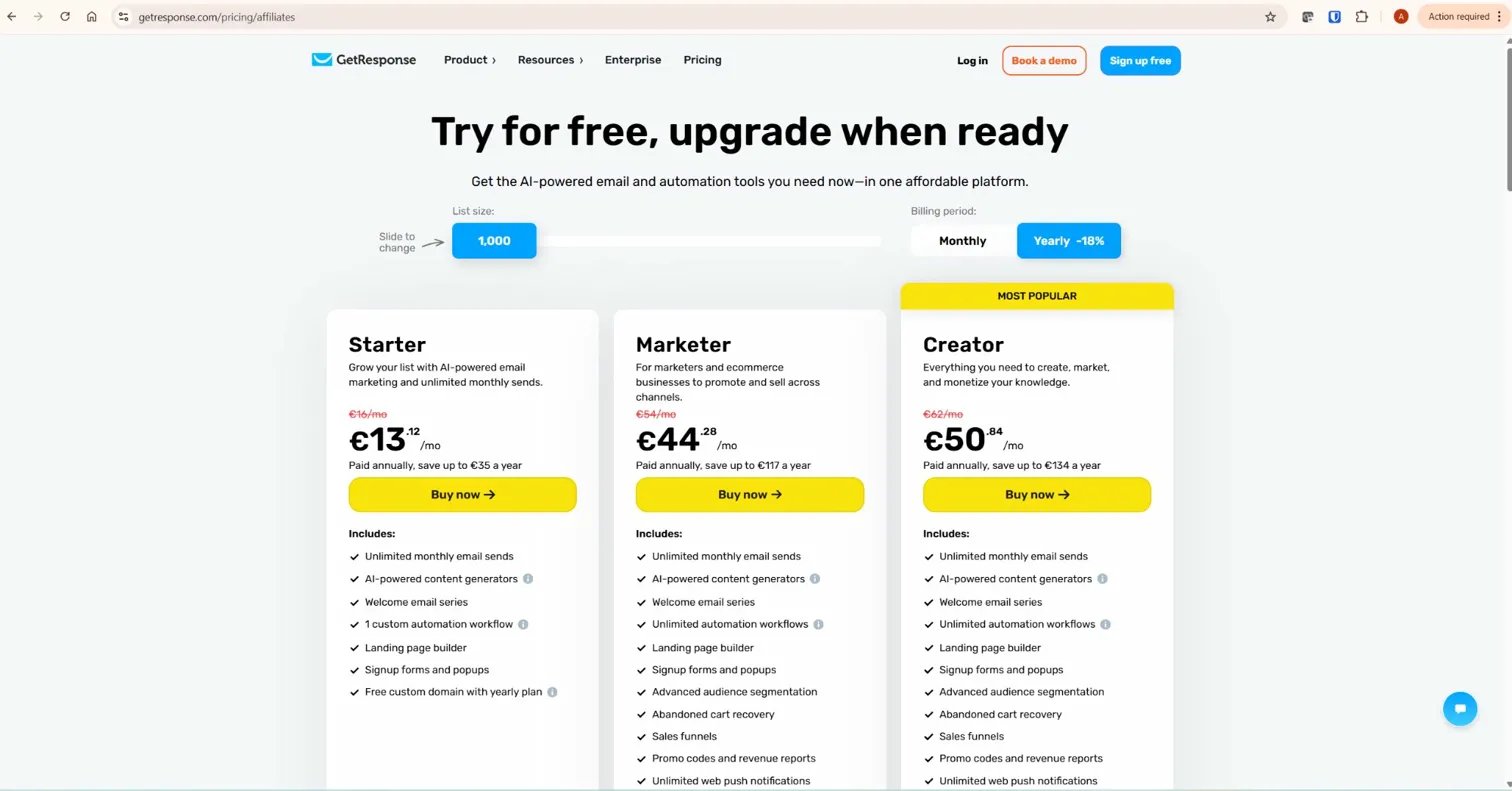
Pricing is where this comparison gets interesting. Constant Contact appears cheaper at entry level — $12/month on Lite versus GetResponse’s $19/month on Starter — but the entry plans are not equivalent. You need to look at what each price buys you before drawing any conclusions.
| Feature | GetResponse Starter ($19/mo) | Constant Contact Lite ($12/mo) |
|---|---|---|
| Contacts included | 1,000 | 500 |
| Email sends | Unlimited | Limited by plan tier |
| Landing pages | Unlimited | Sign-up landing pages included; custom landing pages available on Standard and above |
| Custom automation workflows | 1 custom workflow | 1 template-based welcome flow only |
| A/B testing | Not available on Starter | Subject line only |
| Webinars | Not on Starter | Not available on any plan |
| Phone support | Not available | Available on all plans |
| Event marketing tools | Not available | Included on all plans |
The $7 monthly difference at entry level narrows when you look at landing pages. GetResponse includes unlimited landing pages from Starter. Constant Contact does offer sign-up landing pages on Lite, but full custom landing page functionality — the kind an affiliate marketer needs for lead capture campaigns — requires Standard at $35/month or above. GetResponse’s landing page capability is broader from the entry plan, and the builder includes A/B testing from Marketer upward. For affiliate marketers running lead capture pages across multiple offers, GetResponse gives you more flexibility at a lower effective cost.
At mid-tier, the gap widens. GetResponse Marketer costs $59/month and unlocks unlimited automation workflows, A/B testing, contact scoring, and sales funnels. Constant Contact Standard at $35/month gives you three automation templates and email scheduling. Constant Contact Premium at $80/month finally delivers unlimited automation workflows — but at 10,000 contacts, that’s more than GetResponse Creator at $69/month, which also includes native webinar hosting, course creation tools, and up to 40,000 students. Even setting features aside, the value arithmetic consistently favours GetResponse.
Original data point: At 1,000 contacts on GetResponse Starter ($19/month), your cost per contact is $0.019. To reach equivalent automation capability on Constant Contact — unlimited workflows, advanced segmentation — you need Premium at $80/month minimum, taking your cost per 1,000 contacts to $0.08. That’s a 4x price difference to reach comparable automation capability — and GetResponse still offers deeper behavioural logic at that tier. Verify current plan details at both official pricing pages before purchasing.
Automation: Where the Real Gap Opens Up
GetResponse’s automation builder is in a different league from Constant Contact’s — and for affiliate marketers, this is the feature that determines whether your email list actually earns money or just sits there.
GetResponse uses a visual drag-and-drop workflow builder with condition blocks, behavioural triggers, contact scoring, and multi-path branching. You can build sequences that fire based on link clicks, tag changes, form submissions, purchase behaviour, webinar attendance, and custom events. The welcome sequence I use for InnovateHub Finance runs across 7 days and branches based on which lead magnet a subscriber downloaded — that kind of conditional logic is standard in GetResponse’s builder from the Marketer plan upward.
Constant Contact’s automation is linear. A typical workflow starts with a trigger, optionally adds a yes/no split, sends one or two emails, and ends. For simple welcome flows or basic post-purchase follow-ups, that structure works and is genuinely easy to set up. What it lacks is deeper behavioural logic — no contact scoring, no URL-based triggers, no multi-branch re-engagement paths. The Standard plan limits you to three automation templates, not custom-built workflows. Unlimited automation workflows only appear on Premium at $80/month — though even then, the workflow capabilities are not equivalent. GetResponse’s builder supports deeper behavioural logic, contact scoring, and multi-branch paths that Constant Contact’s automation engine doesn’t replicate regardless of plan.
One honest limitation worth naming: GetResponse’s Starter plan also caps you at a single custom automation workflow. If you’re on Starter and want to run both a welcome sequence and a re-engagement campaign simultaneously, you hit the ceiling immediately. The Marketer plan at $59/month is the realistic entry point for serious automation work on GetResponse — not Starter. That’s a meaningful cost jump, and you should factor it into any pricing comparison. For more on how to build effective sequences, see the GetResponse automation guide for affiliate marketing.
Landing Pages: GetResponse Wins by Default
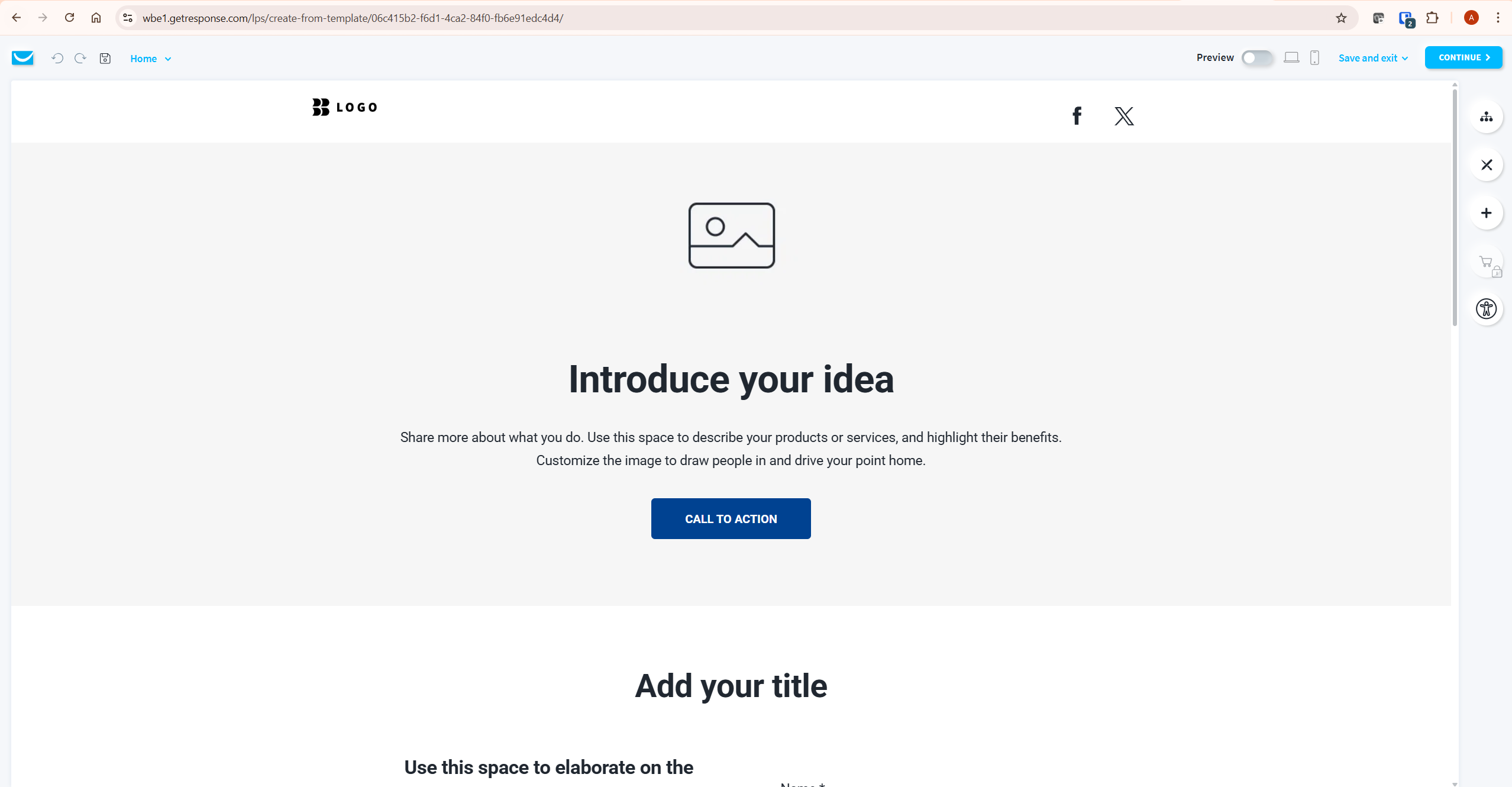
GetResponse includes unlimited landing pages on every paid plan, including Starter. Constant Contact offers sign-up landing pages on all plans, but full custom landing page functionality only becomes available from Standard at $35/month. The scope difference matters for affiliate marketers: GetResponse’s landing pages support full campaign builds — opt-in pages, thank-you pages, sales pages — while Constant Contact’s Lite landing pages are primarily designed for list sign-up capture rather than broader conversion campaigns.
For an affiliate marketer, landing pages are not optional — they’re the mechanism that converts ad traffic and organic visitors into subscribers. Building and hosting them inside GetResponse means your sign-up data flows directly into your email lists and automation sequences without any integration work. If you’re using Constant Contact and want more sophisticated landing page funnels, advanced A/B testing, or multi-step conversion flows, you may eventually need a dedicated tool such as Leadpages or Unbounce — adding cost and complexity that the basic sign-up pages on lower plans won’t cover.
GetResponse’s landing page builder includes A/B testing from the Marketer plan upward, countdown timers, popups, and conversion tracking. The templates are competent and load fast. They won’t replace a dedicated landing page platform for a high-volume paid traffic operation — but for an affiliate site building an organic list, they’re more than capable. See how this integrates with the full funnel approach in the GetResponse landing page builder guide.
Webinars: GetResponse’s Strongest Differentiator
Constant Contact does not offer a native webinar platform comparable to GetResponse’s built-in webinar system. GetResponse includes native webinar hosting from the Creator plan ($69/month), covering live webinars, on-demand replays, paid webinar access, and integrated registration pages that feed directly into your email lists.
For an affiliate marketer building authority in a specific niche, webinars are a legitimate list-building and trust-building tool. Running them inside GetResponse means your webinar registrants automatically enter your welcome sequence, your replay viewers get tagged and followed up with, and your post-webinar offer lands in inboxes that already know who you are. That integration only happens when your webinar platform and your email platform are the same system.
One limitation worth noting: GetResponse’s webinar attendee limits depend on plan tier and add-ons, so if you’re planning large-scale live events with hundreds of attendees, verify the current capacity at getresponse.com/pricing before committing. For most affiliate marketers running webinars in the 100–500 attendee range, the Creator plan covers typical needs. If webinars aren’t part of your current affiliate strategy, this advantage doesn’t move the needle — but it means GetResponse has room to grow with you if that changes. Constant Contact offers no native equivalent. For the full breakdown of what the webinar feature covers, see the GetResponse webinars guide.
Where Constant Contact Is Genuinely Better
Constant Contact wins two categories outright, and intellectual honesty requires saying so clearly.
Event marketing. Constant Contact’s event tools — ticketing, RSVP management, attendee check-in, registration tracking — are included on all plans and are genuinely best-in-class for businesses that run physical events, fundraising galas, community meetups, or conferences. GetResponse has no comparable native event management feature. If events are a significant part of how you build your audience, Constant Contact is the right platform regardless of the pricing gap.
Phone support. Constant Contact offers phone support on all paid plans — a meaningful advantage for users who want to speak to a human when something goes wrong. GetResponse provides live chat and email support but no phone line below Enterprise tier. For a non-technical user who values being able to call someone, this matters. GetResponse’s chat support is responsive and competent, but it isn’t the same as picking up the phone.
Ease of use for beginners. Constant Contact’s interface is deliberately simpler. Fewer menus, familiar terminology, less to discover. For someone sending a basic monthly newsletter to a local audience with no interest in automation or funnels, Constant Contact’s learning curve is genuinely gentler. GetResponse’s feature depth is an asset for serious marketers and a mild obstacle for casual users.
A/B Testing Compared
GetResponse’s A/B testing is available from the Marketer plan upward and covers subject lines, email content, send times, and landing page variants. You can test up to five subject line variations simultaneously, and the system automatically sends the winning variant to the remainder of your list once the test period concludes.
Constant Contact’s A/B testing is limited to subject lines only, on all plans. You can test two subject lines at a time — not five. You also manually apply the winning subject line once the test ends rather than the system handling it automatically. For basic newsletter testing, that’s adequate. For an affiliate marketer evaluating GetResponse vs Constant Contact on testing depth alone, GetResponse wins clearly — the capability gap directly costs you data and optimisation opportunities over time.
Deliverability: What the Data Shows
Neither GetResponse nor Constant Contact publishes exact inbox placement rates as official platform data, so any specific figures you see in third-party comparisons should be treated as indicative rather than guaranteed. Independent testing organisations including EmailToolTester regularly test both platforms and have historically placed both above industry average inbox placement. Results vary by test period, list quality, and sending domain configuration.
Neither platform can guarantee inbox placement — deliverability ultimately depends on sender reputation, list quality, engagement rates, and domain authentication. What matters more than platform-level statistics is what you control: list hygiene, SPF and DKIM setup on your sending domain, and the quality of your opt-in process. A clean, permission-based list on either platform will outperform a cold or unengaged list on the best infrastructure in the world.
Both platforms support custom domain authentication, which is the single most important technical factor in inbox placement. If deliverability is a primary concern, set up domain authentication before your first send regardless of which platform you choose — and consult Campaign Monitor’s email benchmarks for industry context on what reasonable open and delivery rates look like in 2026.
Email Templates and Design
Both platforms offer extensive template libraries and drag-and-drop email editors. Constant Contact has over 400 email templates with a branded template builder that imports your logo, colour palette, and social links automatically — a genuinely useful feature for maintaining brand consistency without repetitive setup.
GetResponse’s template library is comparable in size and covers email templates, landing page templates, website templates, and full funnel templates where all elements share the same branding — a useful capability when you’re building a lead magnet sequence with a consistent visual identity across the opt-in page, thank-you page, and follow-up emails. Template quality on both platforms is professional. Neither has a significant edge here.
One honest note on GetResponse: parts of the platform interface show their age. The template editor is functional but not as polished as more design-focused tools. If visual design quality is your primary evaluation criterion, MailerLite or Brevo may feel more modern — though for affiliate email marketing, copy and automation depth matter far more than interface aesthetics.
Who Should Choose Which Platform
The decision comes down to what you’re actually building. Here is the honest framework:
| Choose GetResponse if you… | Choose Constant Contact if you… |
|---|---|
| Are building an affiliate email list | Run physical or virtual events needing ticketing |
| Need automation beyond a basic welcome sequence | Want phone support available on all plans |
| Want landing pages and funnels in one platform | Need a simple newsletter tool with no learning curve |
| Plan to run webinars to grow your audience | Are a nonprofit seeking event management tools |
| Are cost-conscious and want more features per pound | Already have your audience and send monthly newsletters |
What To Do Next
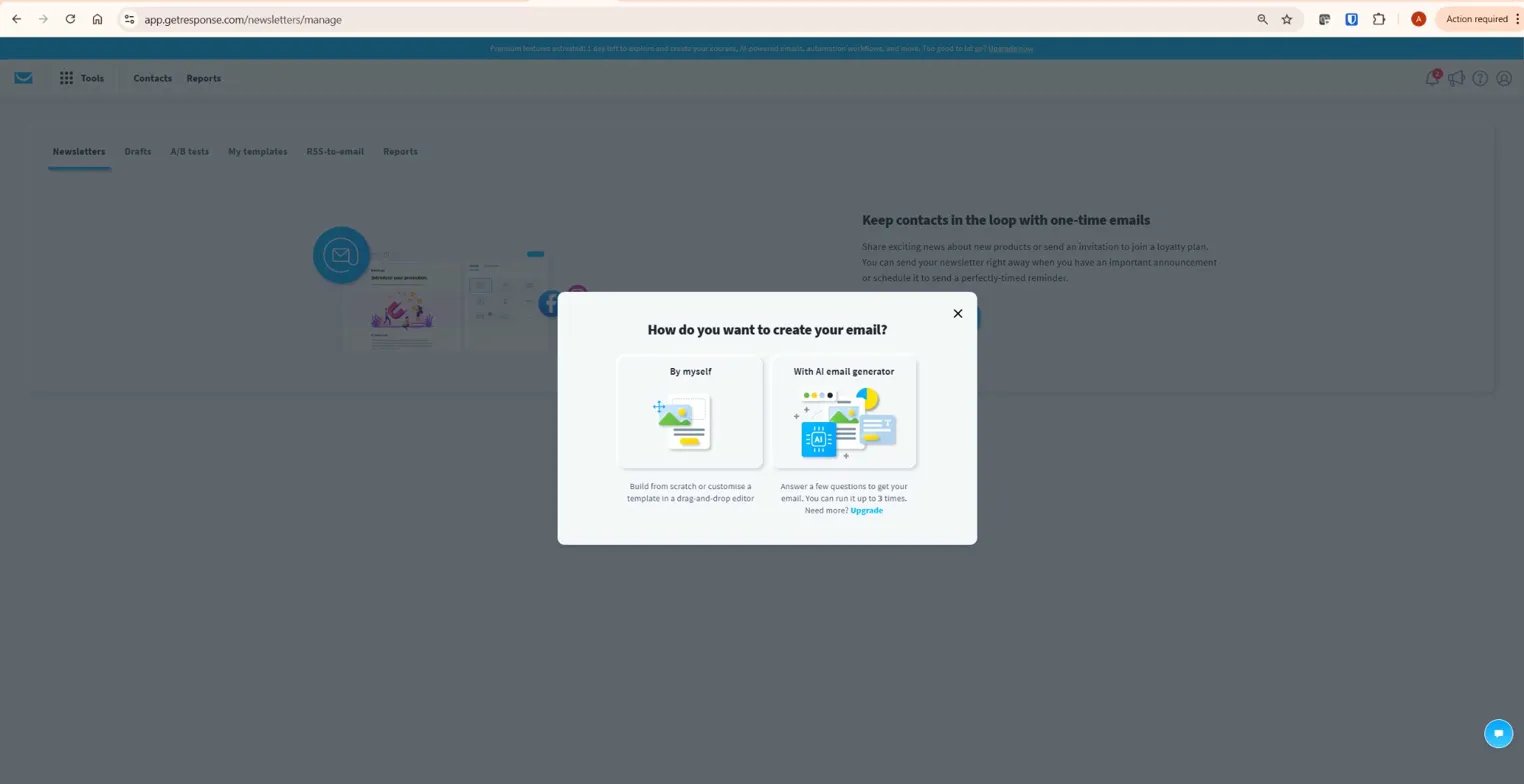
If you’re leaning toward GetResponse, the free plan lets you test the core interface, landing page builder, and email editor with up to 500 contacts — no credit card required. Spend 30 minutes building one landing page and one basic automation workflow. If the interface makes sense and the automation builder does what you need, you have your answer. If you’re considering Constant Contact, use their 30-day trial to test the event tools specifically if that’s your primary use case — that’s where the genuine value sits.
Start your free GetResponse account and test the automation builder →
The Verdict: Which Platform Is Right for You
The GetResponse vs Constant Contact verdict is clear for most affiliate marketers: GetResponse is the right choice for bloggers and online course creators who need automation sequences, landing pages, and funnels in one platform. It outperforms Constant Contact on feature depth at every comparable price point. The Marketer plan at $59/month is the realistic tier for serious affiliate email marketing — not the entry Starter plan — and that’s worth being honest about before you sign up.
Constant Contact is the right choice if you run events and need integrated ticketing and registration tools, if you’re a complete beginner who values phone support and a simpler interface above all else, or if you’re sending basic email newsletters to a local audience with no plans to build funnels or automation. Outside those scenarios, the feature gap and the pricing premium don’t add up in Constant Contact’s favour. If you’re already committed to the Constant Contact ecosystem and want a fair assessment of the full platform, MailerLite is also worth comparing — it beats Constant Contact on price and ease of use while offering better deliverability data for simple newsletter publishers.
For a complete picture of what GetResponse offers before you decide, read the full GetResponse review covering every plan, every feature, and the honest limitations in detail.
Try GetResponse free — no credit card required →
Frequently Asked Questions
Is GetResponse cheaper than Constant Contact?
In the GetResponse vs Constant Contact pricing comparison, GetResponse is cheaper at equivalent feature levels. GetResponse Starter starts at $19/month for 1,000 contacts with unlimited landing pages and email sends. Constant Contact Lite starts at $12/month but caps contacts at 500 and limits landing pages to basic sign-up pages — full custom landing page functionality requires Standard at $35/month. To access unlimited automation on Constant Contact, you need the Premium plan at $80/month — compared to GetResponse Marketer at $59/month, which delivers broader automation capabilities plus additional features. Always verify current pricing at both official websites before purchasing.
Does Constant Contact have a free plan?
Constant Contact does not offer a permanent free plan. It provides a 30-day free trial with access to its paid features, after which you must select a paid plan. GetResponse offers a free plan for up to 500 contacts with access to the email editor, landing pages, and basic automation — with no time limit, though advanced features require a paid plan.
Can GetResponse replace a webinar platform?
GetResponse’s built-in webinar feature on the Creator plan ($69/month) covers live webinars, on-demand replays, paid webinar access, and registration pages that integrate directly with your email lists and automation sequences. It is a capable replacement for a separate webinar tool for most affiliate marketers and course creators. Dedicated webinar platforms like Zoom Webinars or Demio offer more advanced production features, but for an integrated email-plus-webinar workflow, GetResponse’s native solution removes the need for a second subscription.
Which platform is easier to use for beginners?
Constant Contact has a gentler learning curve for beginners. Its interface uses simpler terminology, lower feature density, and more guided setup flows. GetResponse offers AI-assisted onboarding and excellent documentation, but the broader feature set — automation builder, funnel builder, webinar tools, landing pages — makes the platform feel more complex initially. For someone sending a basic monthly newsletter, Constant Contact is the easier starting point. For someone who plans to build automation sequences and landing pages, the GetResponse learning curve pays off quickly.
Does GetResponse have better automation than Constant Contact?
Yes — significantly. GetResponse’s visual automation builder supports multi-branch workflows, behavioural triggers, contact scoring, URL-based conditions, and tag-based segmentation from the Marketer plan upward. Constant Contact’s automation is template-based and primarily linear, with no contact scoring and limited branching logic. Unlimited automation workflows on Constant Contact require the Premium plan at $80/month — and even then, the behavioural logic depth is not equivalent. GetResponse Marketer at $59/month delivers broader automation capabilities including contact scoring and multi-branch paths that Constant Contact’s builder does not support at any tier.
What is Constant Contact best for in 2026?
Constant Contact is best for businesses that run physical or virtual events and need integrated ticketing, RSVP management, and registration tracking. It is also well-suited for organisations that value phone support on all plan tiers and for beginners who want a simple email tool without the complexity of full automation and funnel builders. Outside event management and support accessibility, most email marketing use cases are better served by platforms offering more automation depth at comparable or lower prices.
