
GetResponse Shopify: Best 2026 Guide to Abandoned Cart & Ecommerce
Disclosure: InnovateHub Finance earns a commission if you sign up for GetResponse through links on this page, at no extra cost to you.
Last verified: August 2026, using GetResponse’s official pricing page, Shopify integration documentation, and EmailToolTester’s independent review.
Key Takeaways
- GetResponse Shopify integration is a genuine one-click install — but every ecommerce feature it unlocks (abandoned cart, product recommendations, revenue tracking) requires the Marketer plan or higher, starting at $59/month.
- Starter ($19/month) connects to Shopify for basic contact syncing only — no abandoned cart automation, no product box, no promo codes.
- If your Shopify store uses single-page checkout, GetResponse’s abandoned cart emails may not trigger correctly — you need standard checkout enabled.
- Quick Transactional Emails are limited to a single abandoned-cart message, while GetResponse’s Ecommerce Campaign builder supports multi-step recovery flows of up to 21 days; Marketing Automation is the option for more complex behavioral branching.
- If you only need basic abandoned-cart recovery and aren’t ready for $59/month, Omnisend includes real ecommerce automation even on its free plan, with Standard normally starting around $16/month (subject to contact count and billing offers) — a much lower floor than GetResponse’s Marketer tier.
Quick Answer: Is GetResponse Good for Shopify?
GetResponse Shopify integration is genuinely strong once you’re on the Marketer plan ($59/month) or higher — that’s where abandoned cart recovery, product recommendations, and revenue tracking actually activate. On Starter ($19/month), Shopify connects but only syncs contacts; none of the ecommerce automation works. If you’re comparing options before committing, GetResponse’s Conversion Funnel feature is a genuine standout, but Omnisend is worth considering if you want ecommerce automation without the $59/month floor.
I’m Andreas Maratheftis, thirty years in professional finance, and I’ve dug through GetResponse’s actual plan-gating for ecommerce features because most articles covering “GetResponse for Shopify” gloss over the fact that Starter users get almost none of it.
The integration itself installs in a few clicks from the Shopify App Store — connecting GetResponse Shopify takes under five minutes regardless of plan. What determines whether it’s actually useful for your store is which GetResponse plan you’re on — and that’s the part most coverage skips.
Want to see it in your own store? Start a free 14-day GetResponse trial and connect Shopify before committing to a plan.
GetResponse Shopify: Which Plan Actually Unlocks Ecommerce Features?
This is the single most important thing to understand before connecting Shopify to GetResponse. The integration itself is available on every plan, but the ecommerce features it enables are gated entirely behind Marketer and above.
| Feature | Starter ($19/mo) | Marketer ($59/mo) | Creator ($69/mo) |
|---|---|---|---|
| Shopify contact sync | Yes | Yes | Yes |
| Abandoned cart trigger | Not available | Yes | Yes |
| Stores and products center | Not available | Yes | Yes |
| Payment gateway integration | Not available | Yes | Yes |
| Product box in emails | Not available | Yes | Yes |
| Promo codes (synced) | Not available | Yes | Yes |
| Revenue tracking | Not available | Yes | Yes |
| Ecommerce-based segmentation | Not available | Yes | Yes |
| AI product recommendations | Not available | Not available | Not available (Enterprise/MAX only) |
In plain terms: if you’re on Starter and connect Shopify, you get contact syncing and not much else. The abandoned cart recovery, product recommendations, and revenue tracking that most people actually want from an ecommerce email tool all require Marketer at minimum. See GetResponse’s live pricing comparison to verify current plan gating yourself before deciding.
Connecting GetResponse Shopify: The Actual Setup Steps
The integration installs from the Shopify App Store in a handful of clicks. GetResponse then asks you to choose an import type before anything syncs — see GetResponse’s official Shopify integration guide for the full walkthrough.
Choosing the Right Import Type
- Send full ecommerce data — imports customer emails, product listings, purchases, and abandoned carts. This is what GetResponse recommends for most stores, since it’s the only option that unlocks the product box, statistics, and promo code features.
- Import contacts only — syncs just your Shopify customers to your contact list, with no ecommerce history attached. Useful only if you want Shopify customers on a general marketing list without automation tied to their purchases.
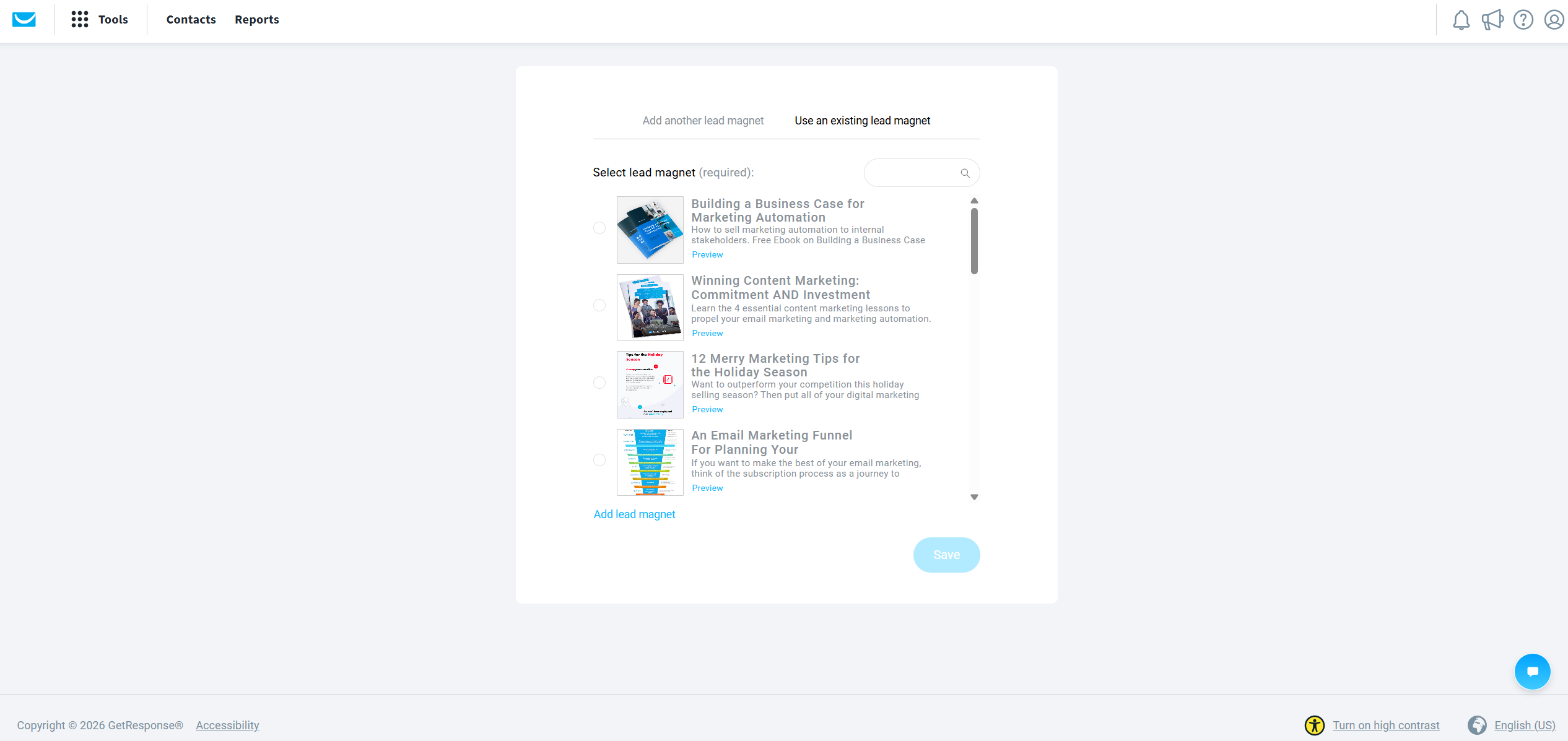
- Import products only — syncs your Shopify product catalog without customer ecommerce history. Useful if you mainly want to feature Shopify products inside GetResponse emails or funnels without pulling in purchase data.
You’ll also choose an import frequency: once every 24 hours, or synced live as soon as data changes in Shopify. With daily synchronization, changes may not appear in GetResponse until the next scheduled import; live synchronization keeps the two systems more current.
A Setup Detail Worth Checking
GetResponse has documented compatibility issues with Shopify single-page checkout for abandoned-cart tracking. If cart recovery isn’t triggering correctly on your store, verify your current Shopify checkout configuration against GetResponse’s latest integration guidance.
At the time of verification, GetResponse’s live pricing comparison places abandoned cart recovery, promo codes, and revenue reports on Marketer and above — this is the source this article’s plan recommendations are anchored to.
Also worth knowing: if you’re using Shopify’s own built-in abandoned cart emails, turn those off in your Shopify settings before activating GetResponse’s version. Running both at once means customers get duplicate abandoned cart emails, which looks unprofessional and can hurt your sender reputation.
Building an Abandoned Cart Sequence That Actually Recovers Sales
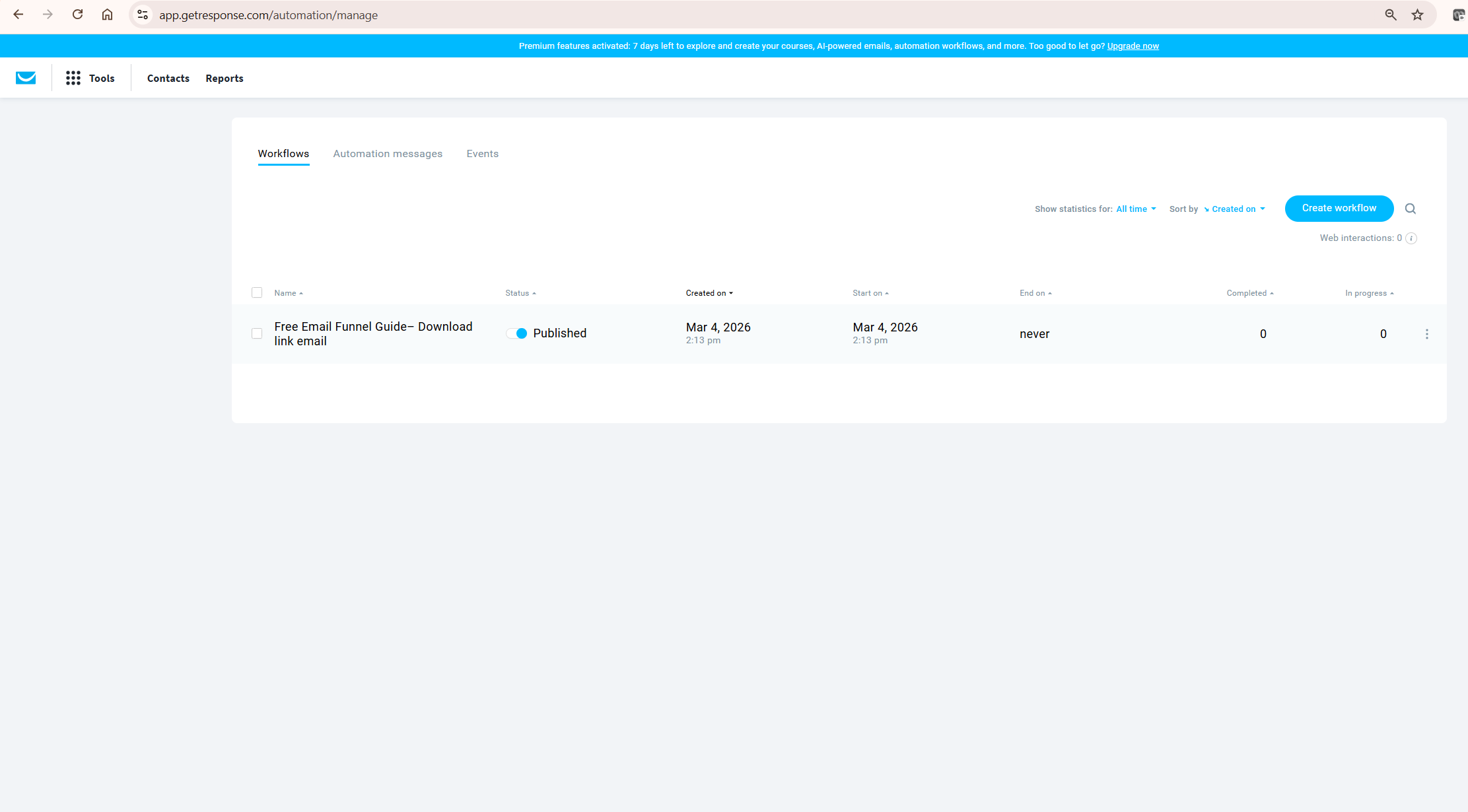
GetResponse actually gives you three different ways to send abandoned cart emails, and they’re not interchangeable. Understanding the differences determines how sophisticated your recovery sequence can be.
Quick Transactional Emails: One Email, Fast Setup
Under Ecommerce tools, GetResponse lets you create a single abandoned cart email in a few clicks — set a delay, pick a template, and it’s live. The catch: you’re limited to exactly one abandoned cart email per store this way. There’s no sequence, no follow-up, no second nudge if the first email doesn’t convert.
Ecommerce Campaigns: A Purpose-Built Multi-Step Option
GetResponse also offers a dedicated Ecommerce Campaign builder specifically for abandoned cart recovery, separate from both Quick Transactional Emails and Marketing Automation. Here you can chain a Wait action and a Send Email action together — reminder, wait, follow-up — with GetResponse capping the total campaign duration, including all wait times, at 21 days. You can start from a ready-made template or build from scratch.
Marketing Automation: Full Behavioral Workflows
For more complex behavioral branching — combining abandoned cart with other triggers, tags, or scoring — you need the Marketing Automation workflow builder instead. This requires pairing an Abandoned Cart condition with one or more Abandoned Cart message blocks in a workflow, and it’s only available on Marketer and above.
One limitation worth knowing: in GetResponse’s Abandoned Cart Series automation template, cart products can be displayed in the first reminder message, but follow-up messages in that same template no longer retain the cart-item data. If you’re building a multi-email sequence, plan for your later follow-ups to use more general recovery messaging rather than repeating the exact abandoned items.
My own recommendation: review whichever GetResponse Shopify cart-recovery system you activate against any native abandoned-cart emails Shopify itself might already be sending, so shoppers don’t receive overlapping recovery messages about the same cart. See GetResponse’s own Ecommerce Campaign setup guide for the exact steps and the 21-day duration cap.
Worked example: Baymard Institute’s widely cited 2026 benchmark puts average cart abandonment at 70.22%. If your store gets 1,000 checkout starts a month, that’s roughly 702 abandoned carts. As a hypothetical illustration only — not a benchmark — even a modest 5% recovery rate from a well-built email sequence would mean roughly 35 recovered sales a month you weren’t getting before. Run your own numbers based on your store’s actual checkout-start volume and average order value.
Ready to build your own sequence? Try GetResponse’s Marketer plan free for 14 days and test the full abandoned cart workflow before committing.
GetResponse Shopify Honest Verdict
The integration itself is genuinely well-built — one-click install, flexible import options, and GetResponse’s Conversion Funnel feature earned EmailToolTester’s Best Sales Funnel Builder recognition specifically for this kind of ecommerce workflow. For a Shopify store ready to invest $59/month or more in GetResponse Shopify’s email marketing, this is a strong combination.
Here’s the genuine limitation: the $19/month Starter plan is effectively useless for ecommerce automation despite technically supporting the Shopify integration. If you’re a small store just starting out and not ready for $59/month, you’re better off looking elsewhere for now — or using GetResponse purely for basic newsletters until you’re ready to upgrade.
If dedicated ecommerce automation at a lower price point matters more to you than GetResponse’s broader feature set, Omnisend is genuinely better suited to smaller stores — its ecommerce automation tools are available at a lower entry price than GetResponse’s $59/month Marketer floor. A reader who sees this acknowledged clearly is more likely to trust the rest of this review.
What To Do Next
If you’re already on Marketer or Creator, install the Shopify integration now and choose “Send full ecommerce data” during setup — this is the only option that unlocks the product box and promo code features you’re already paying for.
If you’re on Starter and running a Shopify store, compare the additional monthly cost of upgrading against your typical contribution margin per recovered order. If recovering even a handful of abandoned carts a month produces enough incremental margin to exceed the $40/month price difference, the upgrade likely pays for itself — but that depends entirely on your average order value and margins, not a fixed rule.
If you’re evaluating GetResponse against alternatives specifically for ecommerce, sign up for GetResponse’s free trial, connect a test Shopify store, and build one abandoned cart workflow before you commit — that will tell you more than any review, including this one.
Frequently Asked Questions
Does GetResponse’s free plan work with Shopify?
The integration can technically connect, but GetResponse’s ecommerce features — abandoned cart, product recommendations, revenue tracking — are gated to Marketer and above. The free plan and Starter won’t give you meaningful ecommerce automation.
Why isn’t my GetResponse abandoned cart email sending?
Several issues can stop abandoned-cart emails from sending. Check that Shopify ecommerce data is syncing correctly, that the customer’s marketing consent is stored through the supported integration, and that your checkout configuration is compatible with GetResponse’s current tracking guidance. Also review whether you have overlapping Shopify or GetResponse recovery flows running simultaneously.
Can I send more than one abandoned cart email with GetResponse?
Yes. Quick Transactional Emails are limited to one abandoned-cart message, but Ecommerce Campaigns can contain multiple Wait and Send Email steps over a flow lasting up to 21 days. Marketing Automation is another option when you need more complex branching, tagging, or behavioral conditions.
Does GetResponse support WooCommerce and other platforms besides Shopify?
Yes. GetResponse Shopify is just one of several native ecommerce integrations — Prestashop, WooCommerce, Magento, Shoper, and IdoSell are also supported, all requiring the same Marketer-plan-or-higher gating for ecommerce features.
Is GetResponse or Omnisend better for a Shopify store?
It depends on your budget and needs. GetResponse offers a broader platform — landing pages, webinars, course creation — alongside ecommerce automation, but that automation starts at $59/month. Omnisend focuses specifically on ecommerce and offers dedicated automation at a lower entry price, which may suit smaller stores that don’t need GetResponse’s wider feature set.
Does AI product recommendations work with Shopify on GetResponse?
Only on GetResponse’s Enterprise/MAX plan, GetResponse’s custom-priced top tier. It’s not included on Creator, despite Creator otherwise including most of GetResponse’s advanced features.
Final Verdict
If I had to summarise GetResponse Shopify integration in one sentence: it’s a genuinely capable ecommerce toolset locked entirely behind the $59/month Marketer plan, with almost nothing useful on the cheaper Starter tier. This suits Shopify stores ready to invest properly in GetResponse’s email marketing automation, not stores testing the waters on a minimal budget.
The one honest caveat: don’t connect Shopify expecting abandoned cart recovery on Starter — you’ll be disappointed. Budget for Marketer from the start if ecommerce automation is the reason you’re considering GetResponse at all.
For the complete platform picture beyond ecommerce, see my full GetResponse review, or check current GetResponse pricing to compare Marketer against Creator before deciding on GetResponse Shopify specifically.
Ready to connect your store? Start your free 14-day GetResponse trial and test the Shopify integration before choosing a plan.
For the automation workflow side beyond ecommerce specifically, my guide on GetResponse automation for affiliate marketing covers the broader workflow builder in depth.
Independent validation on GetResponse’s ecommerce feature set comes from EmailToolTester’s GetResponse review, which specifically recognized the Conversion Funnel feature — worth reading before you commit to a plan based on ecommerce features alone.
