
Koinly for UK Taxes: Complete HMRC Crypto Tax Guide (2026)
Affiliate Disclosure: This article contains affiliate links. If you sign up for Koinly through a link on this page, I may earn a commission at no extra cost to you. I only recommend tools I have researched and believe are worth your time.
Tax Disclaimer: This article is for informational purposes only and does not constitute professional tax or financial advice. UK tax laws are complex and individual circumstances vary. Consult a qualified tax professional or registered accountant for advice specific to your situation.
Koinly for UK taxes is one of the most practical ways to generate an HMRC-ready crypto tax report — but the UK has specific tax rules that make setup more complex than most other countries. The UK’s share pooling method, the 30-day bed and breakfasting rule, and the April-to-April tax year are all handled automatically by Koinly when configured correctly. Get the setup wrong and your capital gains report may be calculated under the wrong UK tax rules, even if your transaction imports are otherwise accurate.
HMRC’s crypto reporting environment has become much more formal. From 1 January 2026, UK cryptoasset service providers must collect information on reportable users and transactions under the Cryptoasset Reporting Framework, with the first reports due to HMRC by 31 May 2027. That does not mean every investor is automatically under scrutiny, but it does mean accurate records and consistent reporting matter more than ever. Koinly exists specifically to make accurate, HMRC-ready reporting manageable for individual investors.
After thirty years in finance, the pattern I’ve seen most clearly is that UK crypto investors underestimate how many taxable events they’ve generated — not because they’re trying to avoid tax, but because the rules around crypto-to-crypto trades, staking income, and the share pooling calculation are genuinely complex. This guide walks through the complete process step by step.
If you haven’t set up Koinly yet, the free plan lets you import all your transactions and preview your HMRC tax position before paying anything: start with Koinly free here.
Koinly for UK Taxes: Quick Answer
Set your Koinly home country to United Kingdom and base currency to GBP. Connect all your exchanges and wallets. Let Koinly calculate your capital gains using the UK share pooling method and your crypto income. Download your HMRC Capital Gains Summary report and Income Report where relevant. Log into the Government Gateway, complete your Self Assessment Tax Return including the relevant income and capital gains sections, and submit by 31 January 2027 for the 2025/26 tax year. That is the complete workflow — the sections below explain each step in detail including the UK-specific rules that determine your calculations.
UK Crypto Tax: What You Must Understand Before Using Koinly
The UK has three rules that make crypto tax calculation fundamentally different from most other countries. Understanding them before setting up Koinly for UK taxes ensures your report is accurate from the start.
The UK Tax Year: 6 April to 5 April
The UK financial year runs from 6 April to 5 April of the following year — not a calendar year. For the 2025/26 tax year, you are reporting transactions from 6 April 2025 to 5 April 2026. When setting up Koinly for UK taxes, confirm this date range is correctly applied. The filing deadline for your Self Assessment Tax Return is 31 January 2027 for the 2025/26 tax year. If you need to register for Self Assessment for the first time, the deadline to register with HMRC via Government Gateway is 5 October 2026.
Section 104 Share Pooling — The UK’s Unique Cost Basis Method
HMRC requires UK investors to use share pooling — known as the Section 104 pool — to calculate the cost basis of crypto disposals. This is fundamentally different from FIFO or HIFO used in other countries. Under share pooling, all your holdings of a specific cryptocurrency are combined into a single cost pool. When you sell, the cost basis of the disposed units is calculated as the average cost of your entire pool — not the cost of specific units purchased at specific times.
Koinly applies share pooling automatically when your home country is set to United Kingdom. This is why setting your home country correctly is critical — if Koinly is configured for another country, it will use FIFO instead of share pooling, producing incorrect figures for HMRC purposes.
The 30-Day Bed and Breakfasting Rule
The UK’s bed and breakfasting rule — the 30-day matching rule under UK capital gains rules — is similar in purpose to the US wash sale rule, but it is not the same rule. It is designed to prevent investors from selling an asset to realise a loss and immediately buying back the same asset. Under HMRC rules, same-day acquisitions are matched first, and acquisitions of the same asset within the following 30 days are matched against the earlier disposal rather than the Section 104 pool.
As a practical rule, UK investors generally need to wait more than 30 days before repurchasing the same asset if they want the disposal to be matched against the Section 104 pool rather than a near-term reacquisition. Confirm the exact treatment with a qualified tax professional before relying on a tax-loss harvesting strategy.
CGT Rates and the Annual Exempt Amount
For the 2025/26 tax year, the Capital Gains Tax annual exempt amount is £3,000. Gains above this threshold are taxed at 18% if you are a basic rate taxpayer, or 24% if you are a higher or additional rate taxpayer. These rates apply to crypto disposals — the same rates as other capital assets excluding residential property.
Capital losses can be used to reduce your net capital gains in the same tax year. If your losses exceed your gains, the net capital loss can generally be carried forward to offset future capital gains — but you usually need to claim or report those losses to HMRC within the required time limit. Do not assume a loss is automatically available in future years if you have never reported it. Koinly’s report gives you the figures you need to make that claim correctly. Capital losses cannot be offset against ordinary income such as employment earnings.
What Counts as a Taxable Disposal in the UK
For UK crypto investors, the key categories are:
- Taxable disposals: Selling crypto for GBP, trading one crypto for another, spending crypto on goods or services, gifting crypto to someone other than a spouse or civil partner
- Not a disposal: Transferring crypto between wallets you own — as long as you maintain full beneficial ownership throughout
- Income events: Mining rewards, staking income, and some airdrops are generally treated as income taxable at your marginal Income Tax rate on the day of receipt. The subsequent sale of those assets generates a separate CGT event.
How to Use Koinly for UK Taxes: Step-by-Step Setup
Step 1: Configure Your Koinly Settings for the UK
Sign up at koinly.io or log into your existing account. Go to Settings and configure the following:
- Home Country: United Kingdom — this activates share pooling, the 30-day rule, and HMRC report formats
- Base Currency: GBP — Koinly will convert your crypto transactions into pound sterling values for UK reporting purposes
- Tax Year: Confirm the 6 April to 5 April date range is correctly applied
The home country setting is the single most important configuration in Koinly for UK taxes. Setting it to United Kingdom tells Koinly to use share pooling rather than FIFO, apply the 30-day and same-day matching rules, and generate HMRC-formatted reports. Without this setting correctly applied, your capital gains report may be calculated under the wrong cost basis rules for HMRC purposes.
Step 2: Connect All Your Exchanges and Wallets
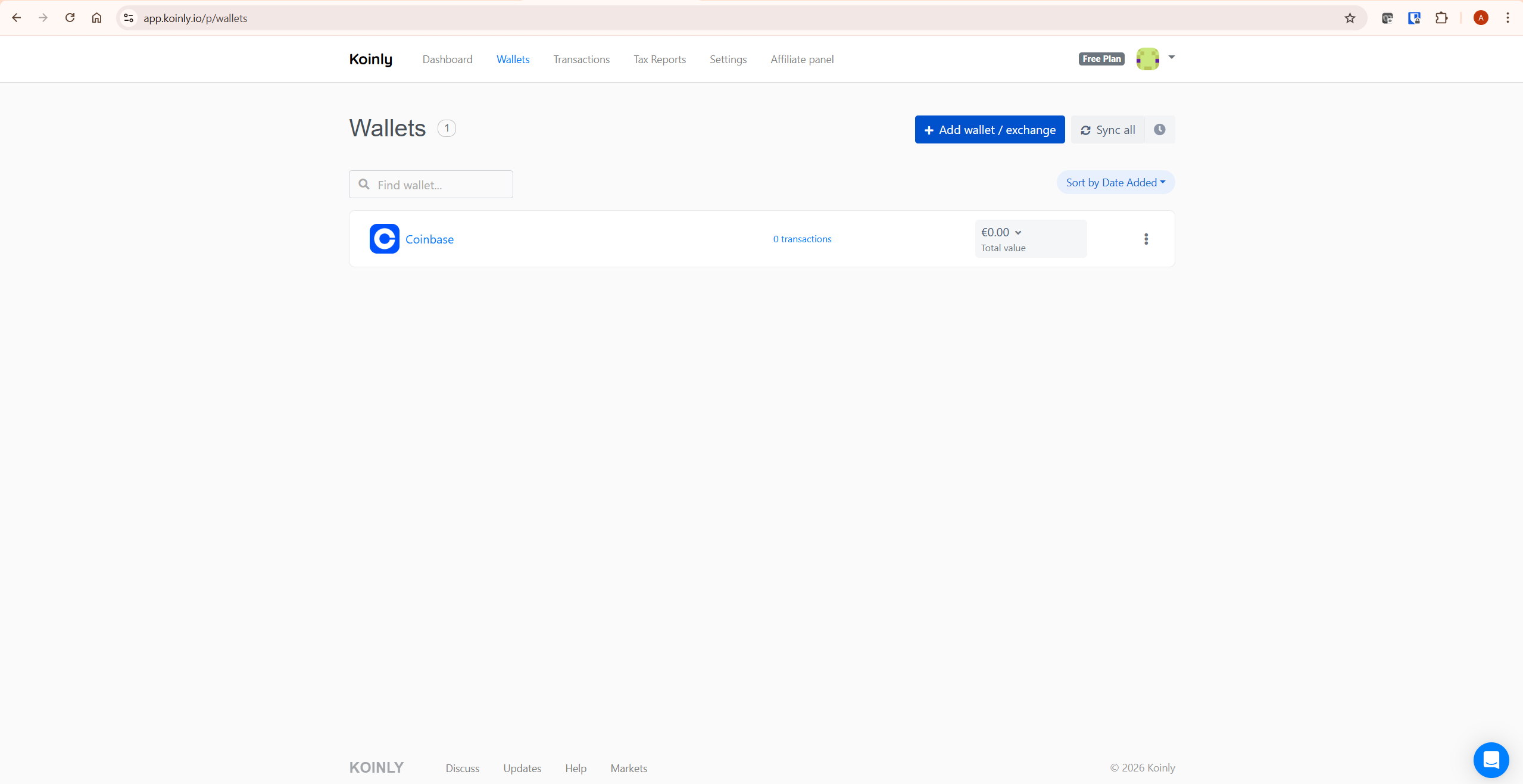
Connect every exchange and wallet where you held or transacted with crypto during the UK tax year. Koinly supports hundreds of exchanges and wallets including all major platforms used by UK investors — Coinbase, Binance, Kraken, Gemini, eToro, and hardware wallets including Ledger and Trezor.
Missing any exchange creates a gap in your Section 104 pool calculation. If Koinly sees a disposal but has no record of the original acquisition, it cannot calculate the correct cost basis. This can produce an incorrect gain figure — usually inflated — and may create inconsistencies between your tax return and exchange records available to HMRC or reportable under data-sharing frameworks.
Step 3: Review Data Warnings
After importing, check the Transactions tab for warnings. The two most important to resolve before generating a UK report:
- Missing purchase history: A disposal where Koinly has no matching acquisition. The Section 104 pool calculation requires complete acquisition history — find the original purchase and add it manually or connect the missing exchange.
- Unmatched transfers: Internal wallet transfers that Koinly cannot confirm as non-taxable. Ensure all wallets are connected so Koinly can confirm you maintained beneficial ownership throughout.
For detailed guidance on resolving data warnings, see Koinly’s official tax accuracy guide: how to ensure your Koinly report is accurate.
Step 4: Review Your HMRC Tax Summary
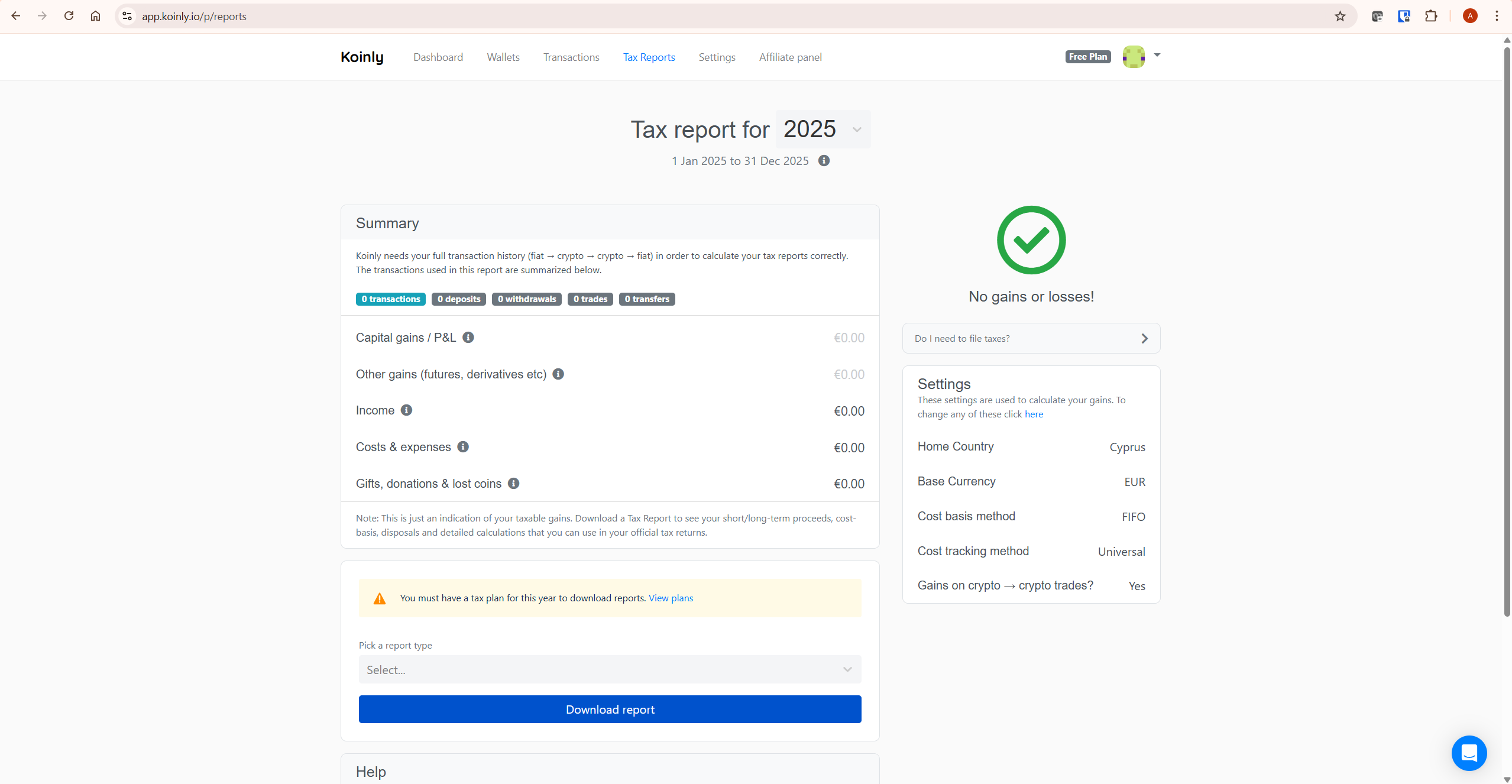
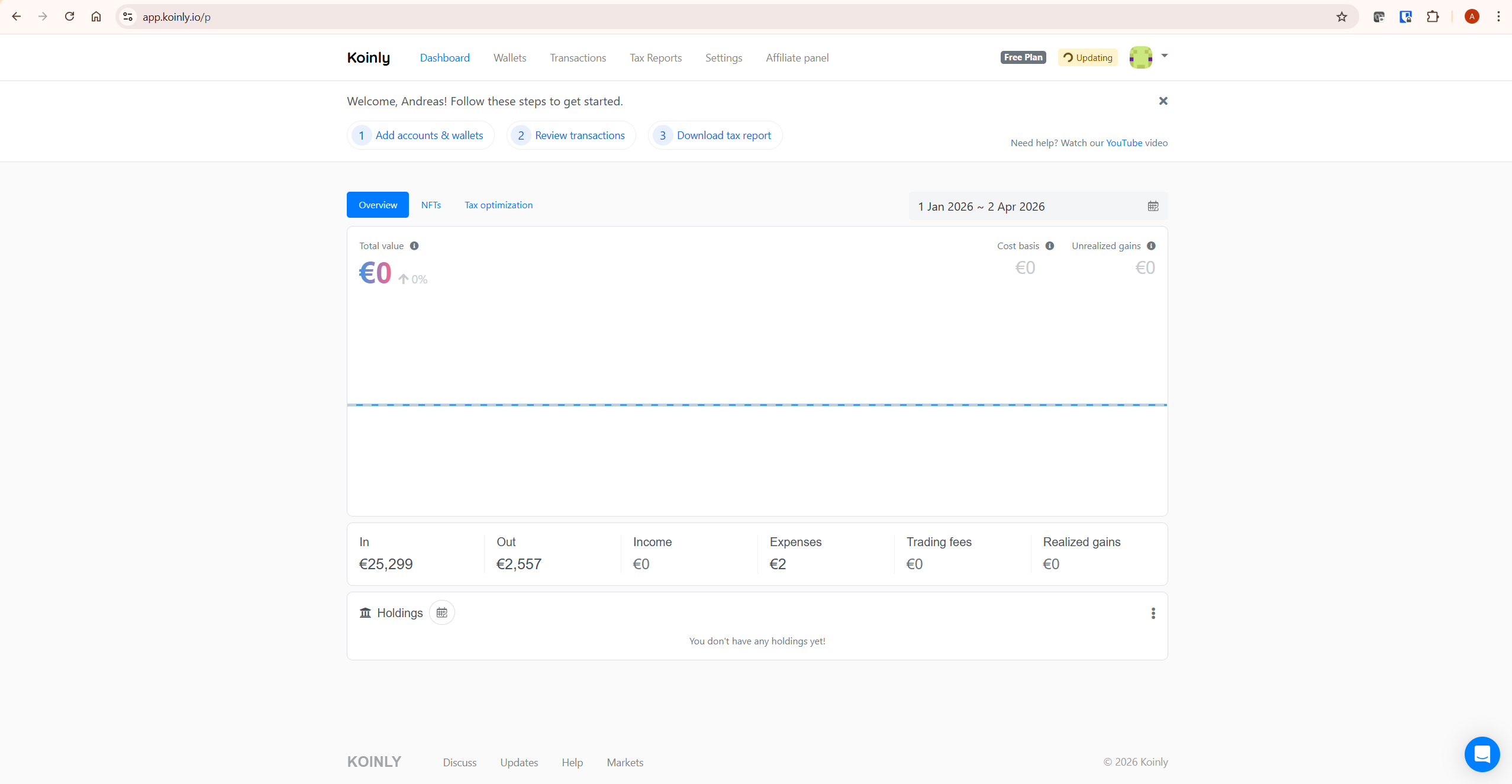
Navigate to Tax Reports in Koinly and check your capital gains summary for the 2025/26 tax year. On the free plan you can see your total gains, losses, income, and net CGT position before purchasing a report. Verify the figures look correct given your trading activity. If anything appears significantly wrong, resolve outstanding data warnings before purchasing.
Step 5: Purchase a Plan and Download Your HMRC Report
Once your data is clean and the summary looks correct, purchase the Koinly plan that covers your transaction volume for the tax year. UK plans are priced in GBP — from £39 per tax year. Check your transaction count in the Koinly dashboard before purchasing to ensure you choose the correct tier.
From the Tax Reports page, select the HMRC Capital Gains Summary report type and download. Koinly also generates an Income Report for staking, mining, and airdrop income. Download both if you have crypto income to report. For a full breakdown of plan costs and transaction limits, see our Koinly pricing guide.
Need a plan? See Koinly’s current plans here — check your transaction count on the free plan first so you purchase only the tier you need.
Do You Need to Report Crypto Gains to HMRC?
You may need to report crypto activity to HMRC if your taxable gains exceed the £3,000 annual exempt amount, you have crypto income from staking, mining, or airdrops, your total disposals are high enough to trigger HMRC reporting requirements, or HMRC has asked you to complete a Self Assessment return. Even if no tax is ultimately due — because your gains fall within the annual exempt amount — keeping a full record of your disposals, income, losses, and cost basis is important. Capital losses generally need to be claimed with HMRC within the relevant time limit to be available to carry forward to future years. Koinly’s reports give you the complete figures you need to make that claim correctly.
How to File Your Koinly Report with HMRC Self Assessment
Once you have your Koinly HMRC report, filing involves copying the figures into your Self Assessment Tax Return. Here is the step-by-step process.
Step 1: Register for Self Assessment if Needed
If you have not previously filed a Self Assessment Tax Return, you must register with HMRC via the Government Gateway service. The registration deadline for the 2025/26 tax year is 5 October 2026. Go to gov.uk and search for “register for Self Assessment” to begin. If you are already registered, skip to Step 2.
Step 2: Complete the SA100 Main Return
Log into the Government Gateway at gov.uk/log-in-file-self-assessment-tax-return and select the 2025/26 tax year return. On the SA100 form:
- If you have crypto income such as staking rewards, mining income, or certain airdrops, use the relevant “other income” section of your Self Assessment return and refer to your Koinly Income Report for the total figure.
- If you have crypto capital gains or losses, indicate that you need to report capital gains so the capital gains section and SA108 supplementary pages are included in your return.
The exact online Self Assessment screen wording and form sections can change year to year, so use your Koinly report alongside HMRC’s current Self Assessment guidance at gov.uk or your accountant’s instructions when completing your return.
Step 3: Complete the SA108 Capital Gains Summary
The SA108 is the supplementary form where you report your crypto capital gains and losses. From your Koinly HMRC Capital Gains Summary report, copy the following figures into SA108:
- Total proceeds — the total GBP value of all disposals during the tax year
- Allowable costs — your total cost basis plus allowable fees
- Gains in the year — total capital gains before losses
- Losses in the year — total capital losses realised during the year
- Net gains after losses — your net CGT position
Koinly’s HMRC Capital Gains Summary report is structured to match these SA108 fields directly. You copy the numbers — no manual recalculation required. HMRC has been moving toward clearer cryptoasset reporting within Self Assessment, so follow the current online prompts for cryptoassets or capital gains when completing your return.
Step 4: Submit by 31 January 2027
Complete the rest of your Self Assessment return and submit online via Government Gateway by 31 January 2027. Any tax owed for the 2025/26 tax year is also due on 31 January 2027. If you intend to file by paper rather than online, the earlier deadline of 31 October 2026 applies — though paper filing is not recommended for most investors given the complexity of crypto reporting.
A Worked Example: UK Crypto Tax with Koinly
Here is a realistic scenario showing how Koinly calculates your UK crypto tax position.
Your situation for the 2025/26 tax year (6 April 2025 to 5 April 2026):
- You bought 0.5 ETH in January 2025 for £1,200 (added to your Section 104 pool)
- You bought another 0.5 ETH in July 2025 for £1,600 (also added to the pool)
- Your Section 104 pool now holds 1 ETH with a total cost of £2,800 — average cost £2,800 per ETH
- You sold 0.5 ETH in November 2025 for £2,000
- Cost basis of disposal: 50% of £2,800 pool = £1,400
- Capital gain: £2,000 − £1,400 = £600
- Annual exempt amount: £3,000 — your gain of £600 is below the threshold, so no CGT is due
- You received £300 in Ethereum staking rewards during the year — this is reported in the relevant income section of your Self Assessment return
Koinly imports all these transactions, builds the Section 104 pool automatically, applies the average cost calculation to the disposal, and produces the SA108-ready figures. The staking income appears separately in the Income Report. You copy both sets of figures into your Self Assessment return.
Common Mistakes When Using Koinly for UK Taxes
Setting the Wrong Home Country
This is the most critical setup error for UK investors. If your Koinly account is set to United States or another country, it will use FIFO instead of share pooling. Your capital gains figures will be completely wrong for HMRC purposes — even if all your transaction data is perfectly imported. Always verify your home country is set to United Kingdom before generating any report.
Not Understanding the 30-Day Rule
UK investors who attempt tax-loss harvesting by selling crypto at a loss and immediately rebuying will find the loss disallowed under HMRC’s 30-day matching rule. The disposal is matched against the repurchase rather than the Section 104 pool. Koinly applies this automatically — but investors who execute these trades expecting a loss may be surprised when Koinly shows a different result. As a practical rule, UK investors generally need to wait more than 30 days before repurchasing the same asset if they want the disposal to be matched against the Section 104 pool rather than a near-term reacquisition. Confirm the exact treatment with a qualified tax professional before relying on a tax-loss harvesting strategy.
Missing Crypto-to-Crypto Trades
Every time you trade one cryptocurrency for another — swapping ETH for BTC, for example — you trigger a disposal of the asset you’re selling. HMRC treats exchanging one cryptoasset for another as a disposal for Capital Gains Tax purposes. Each disposal affects your Section 104 pool calculation. Investors who only import fiat-to-crypto and crypto-to-fiat transactions but miss crypto-to-crypto trades will have an incomplete and inaccurate cost basis. Koinly identifies these automatically when all exchanges are connected via API.
Treating Staking Rewards as Capital Gains
Staking rewards and mining income are generally treated as income in the UK — taxed at your marginal Income Tax rate on the day you received them, reported in the relevant income section of your Self Assessment return. The subsequent sale of those staked assets is then a separate CGT event calculated from the income cost base. Koinly correctly separates income and capital gains in your HMRC report — the two figures go into different sections of your Self Assessment return.
Missing the Self Assessment Registration Deadline
If you have never filed a Self Assessment Tax Return and you have reportable crypto gains or income for 2025/26, you must register with HMRC by 5 October 2026. Missing this deadline does not remove your obligation to report — it simply means you are already late when you do file. HMRC has been actively identifying crypto investors through exchange data requests and CARF reporting. Register early.
If your Koinly figures look unexpectedly high after importing all your exchanges, see our guide on fixing incorrect gains in Koinly before purchasing a report.
Want to check your current UK tax position at no cost? Start with oinly’s free plan here — import your wallets and exchanges and review your capital gains summary before purchasing anything.
What To Do Next
Set up your Koinly account with United Kingdom as your home country and GBP as your base currency. Connect every exchange and wallet used during the 6 April 2025 to 5 April 2026 tax year. Resolve all data warnings before generating your report. Download the HMRC Capital Gains Summary and Income Report. Copy the figures into your Self Assessment Tax Return using SA100 and SA108 and submit by 31 January 2027.
If you are new to Koinly, see our full Koinly review for a complete platform overview. For plan costs and transaction limits, see our Koinly pricing guide. For the broader picture on whether Koinly is right for your situation, see is Koinly worth it.
Start with Koinly free here — no credit card required. Preview your HMRC tax position before committing to any purchase.
Frequently Asked Questions
Does Koinly work for UK crypto taxes?
Yes. Koinly generates HMRC-ready reports for UK investors, including the Capital Gains Summary and Income Report. When your home country is set to United Kingdom, Koinly automatically applies share pooling under Section 104, the 30-day bed and breakfasting rule, and the same-day matching rule — the three UK-specific rules that distinguish UK crypto tax from other jurisdictions. Plans for UK investors are advertised from £39 per tax year at the time of writing — check Koinly’s current pricing before purchasing as figures may be updated.
What is the UK crypto tax filing deadline?
The Self Assessment Tax Return for the 2025/26 tax year (6 April 2025 to 5 April 2026) must be submitted online by 31 January 2027. Any tax owed is also due on 31 January 2027. If you need to register for Self Assessment for the first time, you must register via Government Gateway by 5 October 2026. Paper returns have an earlier deadline of 31 October 2026.
What is share pooling and does Koinly handle it?
Share pooling — the Section 104 pool — is HMRC’s required cost basis method for crypto. All your holdings of a specific cryptocurrency are combined into a single pool, and disposals are calculated using the average cost of the entire pool rather than specific lots. Koinly applies this automatically when your home country is set to United Kingdom. If your country is set incorrectly to another jurisdiction, Koinly will use FIFO instead, producing wrong figures for HMRC purposes.
What is the 30-day bed and breakfasting rule?
The 30-day rule prevents UK investors from selling crypto at a loss and immediately rebuying to generate an artificial tax loss. If you sell a cryptocurrency and repurchase the same asset within 30 days, HMRC matches the disposal against the repurchase rather than your Section 104 pool, disallowing the loss. Koinly applies this rule automatically. As a practical rule, investors generally need to wait more than 30 days before repurchasing the same asset if they want the disposal to be matched against the Section 104 pool rather than a near-term reacquisition. Confirm the exact treatment with a qualified tax professional before relying on a tax-loss harvesting strategy.
Do I pay CGT on crypto-to-crypto trades in the UK?
Yes. HMRC confirmed that trading one cryptocurrency for another is a disposal event subject to Capital Gains Tax. The gain or loss is calculated as the GBP market value of the asset received minus the cost basis of the asset disposed of from your Section 104 pool. Koinly identifies and calculates these automatically for every crypto-to-crypto trade in your transaction history.
What is the CGT annual exempt amount for crypto in the UK?
For the 2025/26 tax year, the annual exempt amount is £3,000. Gains above this threshold are taxed at 18% for basic rate taxpayers or 24% for higher and additional rate taxpayers. Capital losses from the same tax year reduce your net gains before the annual exempt amount is applied. Always verify the current annual exempt amount directly with HMRC, as this figure has changed in recent years.
How is crypto income taxed in the UK?
Staking rewards, mining income, and some airdrops are generally treated as income in the UK — taxed at your marginal Income Tax rate on the day you received them. This income is reported in the relevant income section of your Self Assessment return. The subsequent sale of those assets is a separate CGT event. Koinly separates capital gains and income correctly in your HMRC reports — the two figures go into different sections of your Self Assessment return.
The Bottom Line
Using Koinly for UK taxes is manageable when you understand the three rules that make UK crypto tax distinctive: share pooling, the 30-day bed and breakfasting rule, and the April-to-April tax year. Koinly handles all three automatically — but only when your home country is correctly set to United Kingdom from the start.
HMRC’s crypto reporting environment is becoming more formal. From 1 January 2026, UK cryptoasset service providers must collect reportable user and transaction information under the Cryptoasset Reporting Framework, with first reports due to HMRC by 31 May 2027. Accurate records and consistent reporting matter more than ever — Koinly makes that process more practical.
Ready to get started? Try Koinly free here — configure your UK settings, import your transactions, and see your HMRC tax position before spending anything.
Related reading:
- Koinly Review: Is It the Best Crypto Tax Software in 2026?
- Koinly Pricing: Plans, Limits & Which One You Actually Need
- How to Use Koinly: Complete Step-by-Step Guide (2026)
- Koinly Showing Wrong Gains? How to Fix Cost Basis Errors
- How to Do Tax-Loss Harvesting with Koinly (2026 Guide)
