
Koinly Transaction Limit: Best Complete 2026 Guide
Affiliate Disclosure: This article contains affiliate links. If you sign up for Koinly through a link on this page, I may earn a commission at no extra cost to you. I only recommend tools I have genuinely evaluated.
Tax Disclaimer: This article is for informational purposes only and does not constitute professional tax or financial advice. Tax laws vary by country and change frequently. Consult a qualified tax professional for advice specific to your situation.
If Koinly is asking you to buy a plan that covers far more transactions than you made this year, you are not misreading the page. The Koinly transaction limit works differently from what most investors expect — and understanding it is the difference between paying the right amount and overpaying on every report you ever generate. I am Andreas Maratheftis, thirty years in professional finance, and this is one of the most common sources of confusion I see from investors using Koinly for the first time with an older account.
The short version: Koinly has two separate transaction limits, not one. Your plan needs to cover both. Once you understand how the two limits interact, the pricing makes complete sense — and there are legitimate ways to reduce your billable transaction count if you are close to a tier boundary.
If you want to check your current transaction count before deciding on a plan, the free plan shows you everything: check your Koinly transaction count here.
Koinly Transaction Limit: Quick Answer
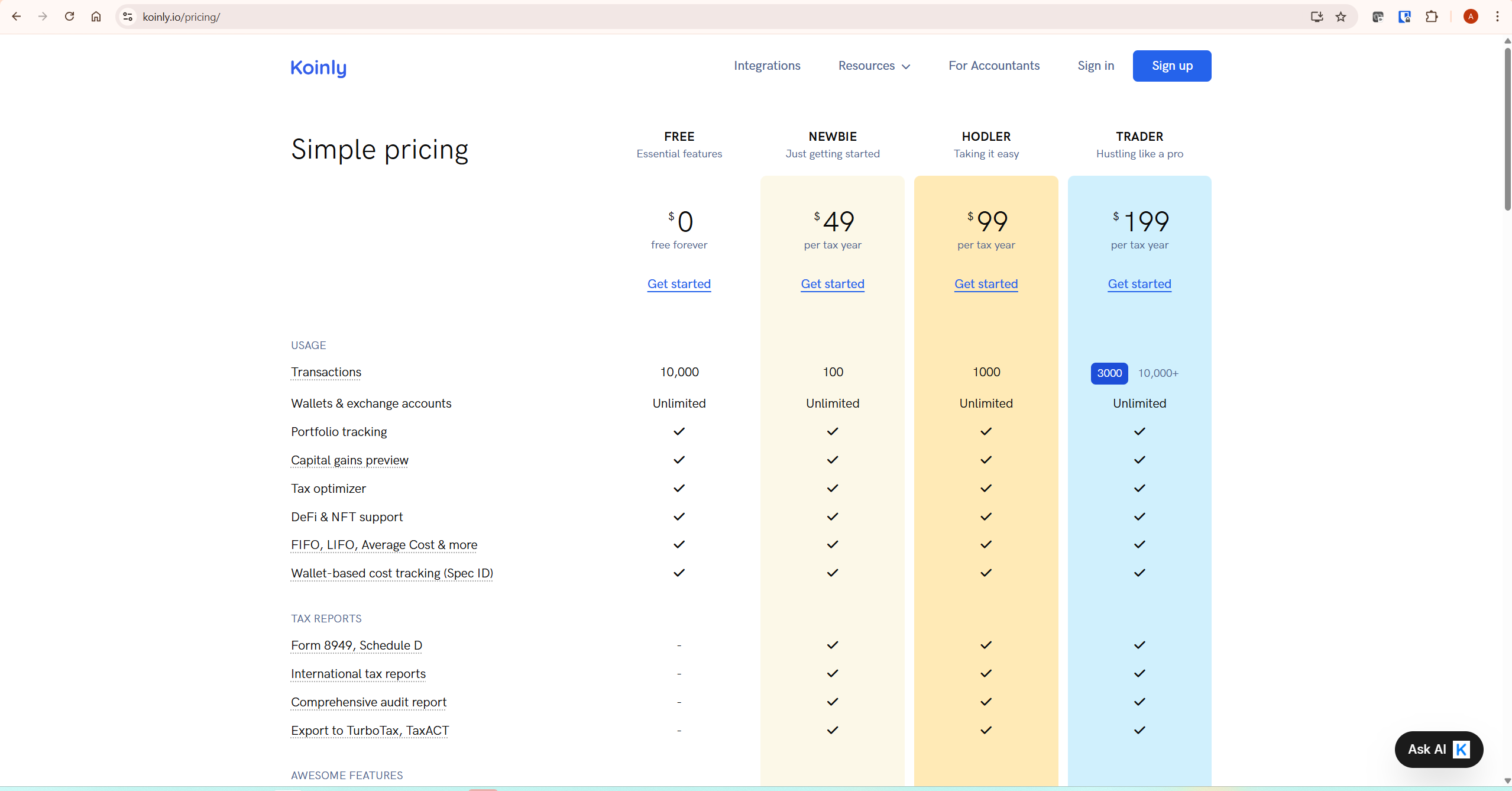
Koinly applies two transaction limits when you purchase a plan: a yearly limit covering the transactions in the tax year you are generating a report for, and an account-wide limit covering your total billable transactions across all years in your account. Your required plan is determined by whichever transaction requirement results in the higher plan tier. This is why an investor with 80 transactions in the current year might be told they need a plan that covers 1,000 — because their historical total across all years exceeds the lower tier’s account-wide threshold. Koinly’s Plans page automatically selects the correct plan for you accounting for both limits. The billable transaction count shown there is what you actually need to cover — and it is usually significantly smaller than the total number of transactions imported to your account.
The Two Koinly Transaction Limits Explained
Understanding the Koinly transaction limit system starts with recognising that there are two separate limits, not one.
Limit 1: The Yearly Limit
The yearly limit covers the number of billable transactions in the specific tax year you are generating a report for. If you made 300 billable transactions in 2025 and you want to download your 2025 tax report, your plan needs to cover at least 300 transactions for that year. This is the limit most investors think about when they look at Koinly’s pricing tiers.
Limit 2: The Account-Wide Limit
The account-wide limit covers your total billable transactions across every year in your Koinly account — not just the year you are filing for. Koinly’s calculation engine needs to process your complete transaction history to correctly track your cost basis, even for years you are not currently generating a report for. If your account contains 2,500 billable transactions across 2020, 2021, 2022, 2023, 2024, and 2025 combined, your plan needs to cover 2,500 transactions — not just the 300 that happened in 2025.
This is the limit that surprises most investors. Someone with a long-running account who made relatively few trades this year but accumulated a substantial history over several years will find their plan tier is driven by their total account history rather than their current year activity.
The Free Margin Rule
There is one important relief provision in Koinly’s account-wide limit system. If your total transactions in all years prior to the one you are filing for is under 1,000, Koinly does not require you to cover those historical transactions with a larger plan. The first 1,000 historical transactions effectively come with a free margin. This applies under Koinly’s current pricing policy and may change in future pricing updates — verify the current threshold on Koinly’s Plans page before purchasing. This means newer investors, or those who made very few trades in earlier years, are far less likely to be pushed into a higher tier by the account-wide limit.
What Counts as a Billable Transaction in Koinly
Not every transaction imported to Koinly counts toward your transaction limit. The number of billable transactions is usually significantly smaller than the total number of transactions in your account. Understanding what counts and what does not is the first step to managing your tier effectively.
What Does NOT Count
- Deleted transactions — once deleted from your account, they no longer count toward any limit
- Most dust rewards — income deposits of very small value that Koinly classifies as dust are generally excluded from the billable count
- Spam-tagged transactions — any transaction you have tagged as spam in Koinly does not count toward your limit
- Merged transactions — when multiple transactions are merged into one (for example, multiple avalanche trades merged into a single entry), they count as one transaction, not the original number
How Transfers Are Counted
When you transfer crypto between two of your own wallets — for example, moving ETH from Coinbase to MetaMask — Koinly initially imports this as two separate transactions: a withdrawal from Coinbase and a deposit to MetaMask. Koinly’s transfer matching then automatically merges these into a single transfer transaction if certain conditions are met: the same asset, within 12 hours, withdrawal before deposit, deposited amount equal to or smaller than withdrawn amount. Once merged, this counts as one transaction rather than two, reducing your billable count.
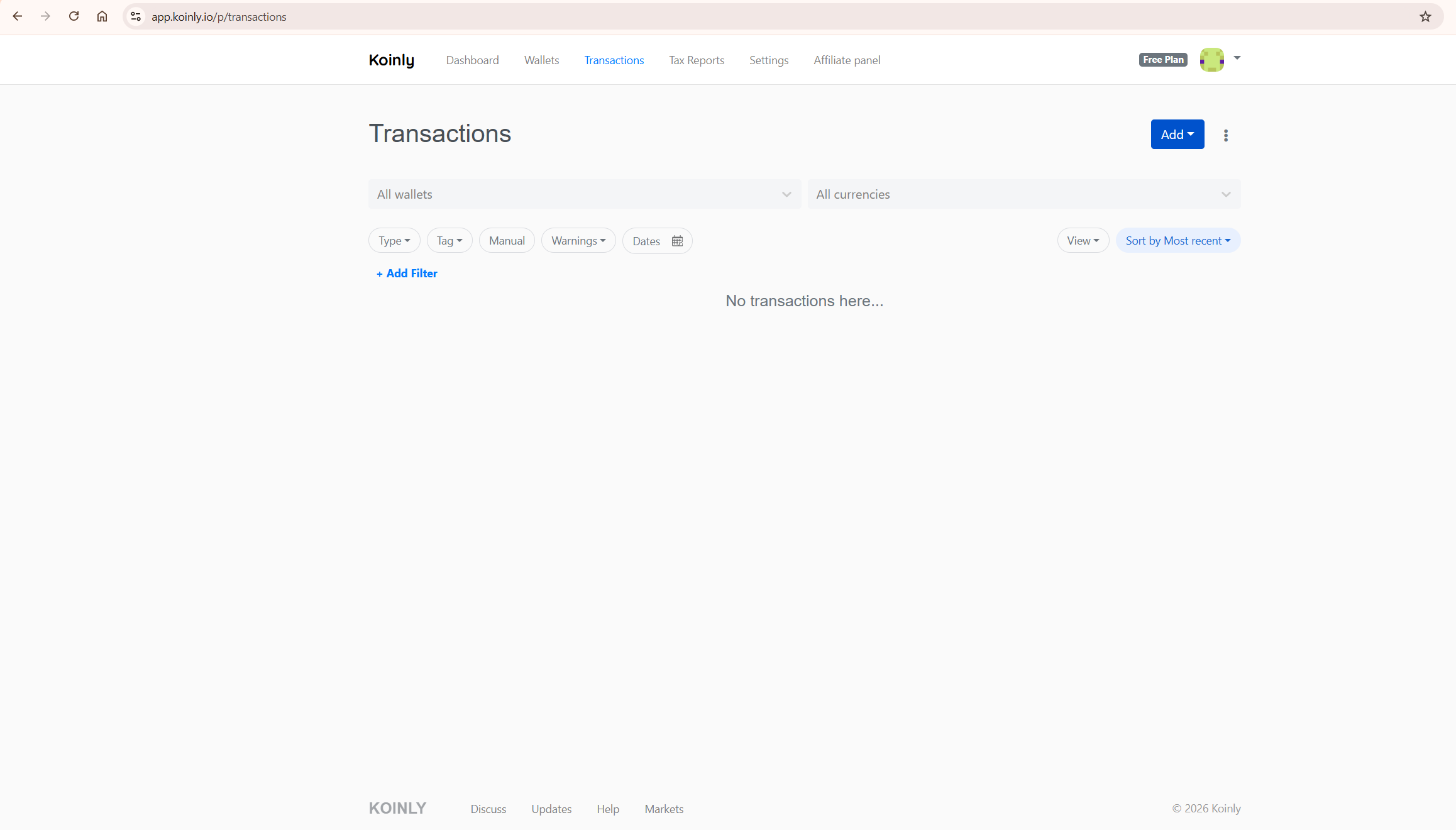
If transfers in your account have not been automatically merged — because they failed one of the matching conditions — they may still appear as two separate billable transactions. Reviewing and manually merging unmatched transfers is one of the most effective ways to reduce your billable transaction count.
How to Check Your Billable Count
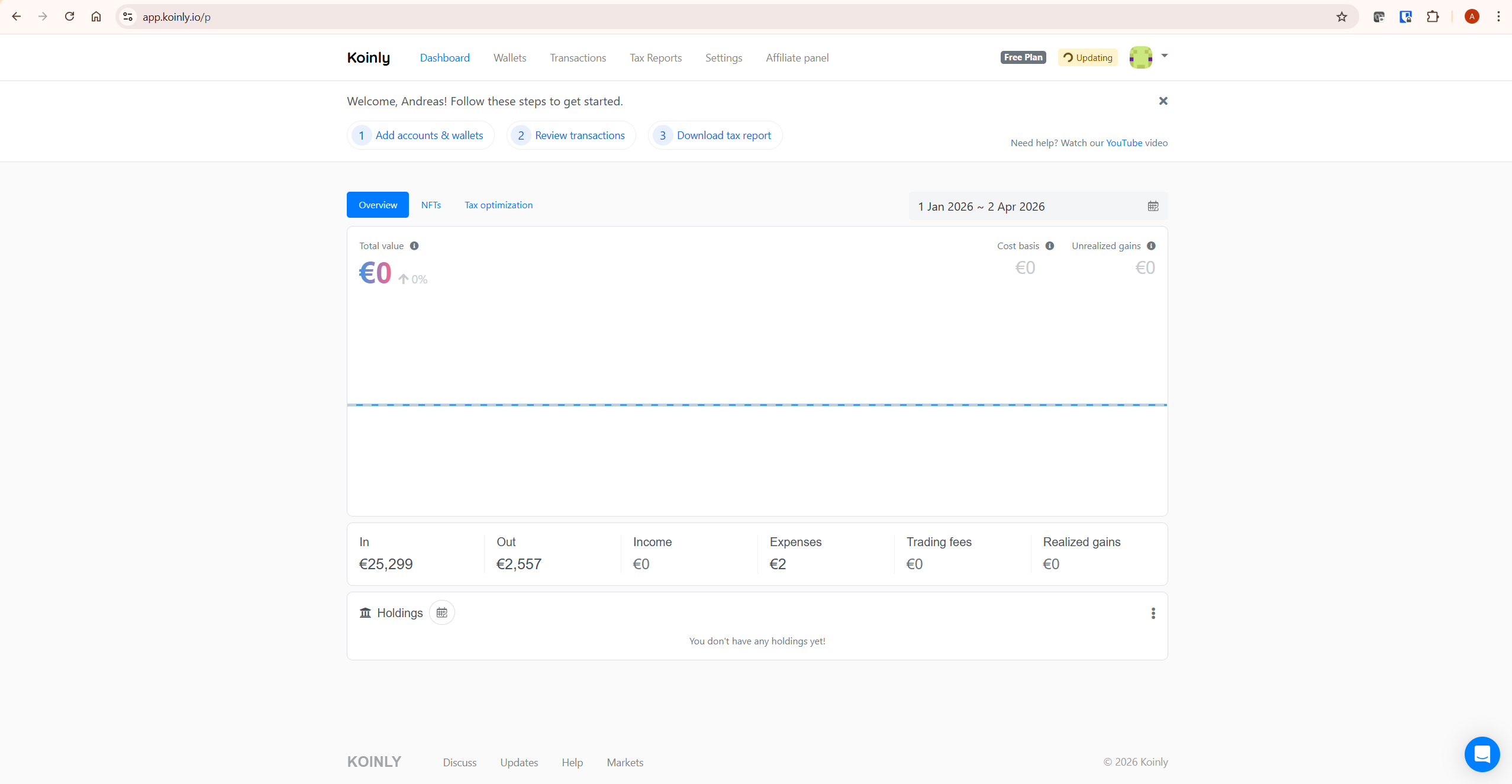
Go to your Plans page in Koinly. The billable transaction count displayed there is your actual number — it reflects what Koinly has already excluded (dust, spam, deleted, merged transactions). This number is what you need to cover with your plan. Koinly also shows you the breakdown between the current year’s transactions and the account-wide total, so you can see which limit is driving your required plan tier.
How to Reduce Your Koinly Transaction Count
If your billable count is just above a tier boundary and you want to reduce it before purchasing, Koinly’s own support documentation confirms five legitimate approaches. Work through these before upgrading to a higher plan.
1. Remove Duplicate Imports
Duplicate transactions are one of the most common causes of an unexpectedly high count, particularly in older accounts where wallets may have been imported more than once. Review your transaction history for entries with the same date, amount, and asset appearing twice. Delete one copy of each genuine duplicate — deleted transactions are immediately removed from your billable count.
2. Merge Similar Transactions
Transactions of the same type and asset that occurred on the same day can often be merged into a single entry. Staking rewards received daily for the same asset are a common example — if you received 365 individual daily staking reward entries for the same token across a year, these can potentially be aggregated into fewer entries. Koinly’s bulk aggregate feature can combine certain compatible transaction types, including many deposit-type transactions. Use the Transactions page, apply a wallet and tag filter, and select bulk aggregate to combine entries by hour or day. Each aggregated batch counts as one transaction.
3. Delete Fiat-Only Transactions With Care
Deposits of fiat currency into an exchange and withdrawals of fiat from an exchange do not affect your capital gains calculations — they are tax-neutral events involving no crypto asset. Removing these from Koinly can reduce your billable count without changing your tax figures. However, deleting fiat transactions can create balance discrepancies if Koinly uses those entries to track your fiat balance on a given exchange. Before deleting, confirm the transactions are genuinely fiat-only and that removing them does not cause balance warnings in your account. If deleting fiat entries creates balance warnings, restore the deleted transactions before continuing. Treat this as a count-reduction option to consider carefully rather than a blanket no-risk action.
4. Tag Small Transactions as Spam
Unsolicited airdrops of tokens with no value, dust amounts sent by scammers, and other worthless transactions can be tagged as spam in Koinly. Spam-tagged transactions are excluded from your billable count and from your tax calculations. If you have a large number of these transactions — common for investors with active on-chain wallets — tagging them as spam can meaningfully reduce your count.
5. Merge Unmatched Transfers
As covered above, any transfer between your own wallets that was not automatically merged by Koinly is counting as two billable transactions instead of one. Review your transaction history for unmatched withdrawals and deposits that represent the same movement of funds between your own accounts. Manually merging these into single transfer transactions halves their contribution to your billable count.
After making any of these changes, refresh your Plans page to see the updated billable count. Only purchase a plan once you are satisfied the count reflects your genuine transaction history without duplicates, fiat entries, or spam.
If your transaction count still looks unexpectedly high after these steps, see our guide on Koinly missing transactions — duplicate imports from re-connected wallets are a common cause of inflated counts. For a full breakdown of current plan prices and what each tier covers, see our Koinly pricing guide.
Koinly Transaction Limit: Practical Scenarios
Here are four realistic scenarios showing how the two-limit system works in practice.
| Scenario | This Year’s Transactions | All-Time Account Total | Plan Required | Reason |
|---|---|---|---|---|
| New investor, first year | 80 | 80 | Newbie ($49 / 100 tx) | Both limits satisfied by 100 tx plan |
| Older account, quiet year | 80 | 1,800 | Trader ($199 / 3,000 tx) or equivalent | Account-wide total of 1,800 exceeds the 1,000 tx free margin and the Hodler plan’s 1,000 tx limit — a plan covering at least 1,800 transactions is needed |
| Active year, modest history | 700 | 900 | Hodler ($99 / 1,000 tx) | Prior-year total under 1,000 — free margin applies. Yearly limit (700) is satisfied by the 1,000 tx plan |
| Active year, long history | 700 | 3,500 | Trader plan plus additional transactions | Account-wide total (3,500) exceeds Trader plan limit — extra transactions add-on covers the difference. Plans with add-ons can cover up to 100,000 transactions |
The key insight from these scenarios: for investors with long account histories, the account-wide limit is almost always the binding constraint, not the current year’s activity. This is why reducing your historical billable count — through the five methods above — has lasting value across every future report you generate.
Buying Plans for Multiple Years
Koinly does not require you to purchase plans for consecutive years. You can buy a plan only for the years where you have transactions that require tax reporting and skip years where you had no activity. Each plan is valid for ten years from the date of purchase, so you can generate the report at any time within that window — you are not required to download the report immediately.
One important caveat: if you skip buying a plan for a previous year, you may need to purchase a larger plan for the years you do file for — because the account-wide limit still applies across your full history, including the years you skipped. Purchasing additional transactions to cover the account-wide limit from skipped years is generally cheaper than buying a separate plan for each of those years.
If you need to upgrade an existing plan — because you imported additional wallets after purchasing and your count now exceeds your current plan — you only pay the price difference between your current plan and the new one. You are never charged the full price of the new plan when upgrading.
What To Do Next
Go to your Plans page in Koinly and check your billable transaction count. Before purchasing, work through the five reduction methods — remove duplicates, merge similar transactions, delete fiat-only entries, tag spam, and merge unmatched transfers. Refresh the Plans page after each step to see your updated count. Purchase only when the count accurately reflects your genuine transaction history. For full details on how Koinly pricing works, see Koinly’s official pricing guide and Koinly’s current pricing page.
For the full breakdown of Koinly’s plan prices and what each tier includes, see our Koinly pricing guide. For a complete platform overview, see our full Koinly review. For troubleshooting unexpectedly high counts caused by missing or duplicate data, see our guide on Koinly missing transactions.
Check your transaction count on Koinly’s free plan here — no credit card required. See your exact billable number before deciding on any plan.
Frequently Asked Questions
Why does my transaction count seem much higher than my trades?
Because Koinly imports far more than just your trades. Every deposit, withdrawal, transfer, staking reward, airdrop, and other on-chain event is initially imported as a separate transaction. A single trade on an exchange may generate a withdrawal from one wallet and a deposit to another — two imported transactions before any merging occurs. Frequent staking rewards can add hundreds of entries per year. The total imported count is therefore almost always much larger than the number of trades you consciously made. Your billable transaction count — the number that actually determines your plan tier — is calculated after Koinly excludes dust, spam, deleted entries, and merged transfers. Check the Plans page for your actual billable number rather than the raw import total.
Why does Koinly require a larger plan than my current year’s transactions suggest?
Koinly applies two limits — a yearly limit for the tax year you are filing and an account-wide limit for your total transaction history across all years. If your all-time account total exceeds the threshold for a lower-tier plan, your required plan is driven by the account-wide limit rather than the current year’s activity. Koinly needs your complete historical data to calculate your cost basis accurately, even for years you are not currently filing for.
Does Koinly count every imported transaction toward the limit?
No. Your billable transaction count is usually significantly smaller than the total number of transactions imported. Deleted transactions, most dust rewards, spam-tagged transactions, and merged transactions all do not count. Transfers between your own wallets that have been automatically or manually merged count as one transaction rather than two. The billable count on your Plans page is the number that actually matters.
Does Koinly count transactions per year or across all years?
Both. Koinly applies a yearly limit for the specific tax year you are generating a report for, and a separate account-wide limit across your entire transaction history. Your plan must satisfy whichever of these two limits is higher. For investors with long account histories, the account-wide limit is usually the binding constraint. The Plans page shows you both numbers so you can see which one is driving your required plan tier.
How can I reduce my Koinly transaction count?
Five methods confirmed from Koinly’s official documentation: remove duplicate imports, merge similar transactions of the same type and asset on the same day using the bulk aggregate feature, delete fiat-only deposit and withdrawal transactions which are tax-neutral, tag spam and worthless airdrop transactions as spam, and manually merge unmatched transfers between your own wallets that were not automatically combined. After any changes, refresh the Plans page to see your updated billable count before purchasing.
Do transfers between my own wallets count as two transactions?
Initially yes — a transfer imports as a withdrawal from one wallet and a deposit to another, which appear as two separate transactions. Koinly then automatically merges these into a single transfer transaction if certain conditions are met: same asset, within 12 hours of each other, withdrawal before deposit, deposited amount equal to or less than withdrawn amount. Once merged, it counts as one. If the automatic merge did not happen, you can merge transfers manually on the Transactions page, which reduces their count contribution from two to one.
Do I need to buy a plan for every year?
No. Koinly does not require plans for consecutive years. You can buy a plan only for years where you need a tax report and skip years with no relevant activity. Each plan is valid for ten years from purchase, so you can generate the report at any time within that window. However, if you skip years, you may still need a larger plan for the years you do file — because the account-wide limit applies across your full history including skipped years. Purchasing extra transactions to cover the account-wide limit from skipped years is generally cheaper than buying separate plans for each.
What happens if I exceed my plan’s transaction limit after purchasing?
If you import additional wallets after purchasing a plan and your billable count now exceeds your plan’s limit, you can upgrade on the Plans page. When upgrading, you only pay the price difference between your current plan and the new one — you are not charged the full price of the upgraded plan. If you need more than 10,000 transactions, the Pro plan plus the extra transactions add-on covers any volume above that threshold.
The Bottom Line
The Koinly transaction limit system is not as straightforward as it first appears — but once you understand the two-limit structure, it is entirely logical. Your plan covers both your current year’s activity and your account-wide history, because Koinly needs your complete transaction record to calculate accurate cost basis regardless of which year you are filing for. The free margin under 1,000 historical transactions means most newer investors are unaffected by the account-wide limit. For investors with longer histories, the five reduction methods above can make a meaningful difference to which tier you actually need.
Check your billable count on the Plans page first. Reduce where you legitimately can. Then purchase the plan the Plans page recommends — it accounts for both limits automatically.
Ready to check your count? Start with Koinly free here — see your exact billable transaction number before committing to any plan.
Related reading:
Koinly Pricing: Plans, Limits & Which One You Actually Need
- Koinly Free Plan: What Can You Actually Do Without Paying?
- Koinly Missing Transactions: Complete Fix Guide (2026)
- Koinly Showing Wrong Gains? How to Fix Cost Basis Errors
- Koinly Review: Is It the Best Crypto Tax Software in 2026?
