
Koinly for Canada Taxes: Honest CRA Crypto Tax Guide 2026
Affiliate Disclosure: This article contains affiliate links. If you sign up for Koinly through a link on this page, I may earn a commission at no extra cost to you. I only recommend tools I have researched and believe are relevant to the reader’s use case.
Tax Disclaimer: This article is for informational purposes only and does not constitute professional tax, financial, or legal advice. Canadian tax laws are complex and individual circumstances vary. Consult a qualified Canadian tax professional or CPA for advice specific to your situation.
Koinly for Canada taxes is one of the most practical ways to generate CRA-ready crypto tax reports — but Canada has specific rules that make accurate setup more important than most investors realise. The Adjusted Cost Base method, the Superficial Loss rule, and the calendar tax year all need to be applied correctly before your report means anything. I am Andreas Maratheftis — thirty years in professional finance — and the investors I see struggle most with Canadian crypto tax are those who underestimate the ACB calculation complexity and those who miss the Superficial Loss rule entirely when attempting tax-loss harvesting. This guide covers the complete Koinly setup and CRA filing workflow for Canadian investors step by step.
Important 2026 context: Canada has had proposed changes to the capital gains inclusion rate, including a proposed increase from one-half to two-thirds for individuals on annual capital gains above CAD $250,000. However, the CRA has reverted to administering the currently enacted one-half inclusion rate. For the 2025 tax year, the one-half inclusion rate applies under current CRA administration. Because the rules may change for future tax years, confirm the current status with a qualified Canadian tax professional before filing a 2026 or later return.
If you have not yet set up Koinly, the free plan lets you import all your transactions and preview your CRA tax position before paying anything: start with Koinly free here.
Koinly for Canada Taxes: Quick Answer
Set your Koinly home country to Canada and base currency to CAD. Connect all your exchanges and wallets. Let Koinly apply the Adjusted Cost Base method and calculate your capital gains and crypto income. Download your Schedule 3 report with the figures needed for CRA filing and your Complete Tax Report. Log into CRA’s My Account or your tax software (TurboTax Canada or Wealthsimple), enter your crypto capital gains from Schedule 3, and include any crypto income in your T1 Income Tax Return. File by April 30, 2026 for the 2025 tax year. That is the complete workflow — the sections below explain each step in detail including the Canadian-specific rules that determine your tax position.
Canadian Crypto Tax: What You Must Understand Before Using Koinly
Canada has several rules that make crypto tax fundamentally different from the US, UK, and Australia. Understanding them before setting up Koinly for Canada taxes ensures your report reflects your actual tax position correctly.
Capital vs Business Income — The Most Important Classification
The CRA does not automatically treat all crypto gains as capital gains. Depending on your activity, gains may be classified as capital income or business income, and the tax treatment is fundamentally different.
Capital gains: only 50% of the gain (the taxable capital gains portion) is added to your income for the year and taxed at your marginal rate. Capital losses can only be deducted against capital gains — not against employment income or other sources.
Business income: 100% of the profit is taxable at your marginal rate. Investors who trade with high frequency, hold crypto for short periods, or conduct activities more consistent with a business than a passive investor may be classified as carrying on a business. The CRA looks at factors including frequency of transactions, intention at acquisition, time spent, and knowledge of markets. Many individual investors who buy and hold crypto as an investment may report gains on capital account, but classification depends on the facts — confirm with a qualified tax professional before filing.
The Adjusted Cost Base — Canada’s Required Cost Basis Method
Canada requires the Adjusted Cost Base (ACB) method for calculating capital gains — not FIFO, HIFO, or LIFO. The ACB is the weighted average cost of all your units of a given cryptocurrency across your entire holdings. When you acquire more units, the ACB adjusts. When you dispose of units, the gain or loss is calculated against the current ACB per unit at the time of disposal.
Koinly applies ACB automatically when your home country is set to Canada, based on the transaction data you import. If your account is configured for another country, Koinly may use FIFO or another method instead, producing figures that do not comply with CRA requirements.
The Superficial Loss Rule — Canada’s Anti-Avoidance Mechanism
Canada’s Superficial Loss rule prevents investors from selling a crypto asset at a loss and immediately reacquiring it to artificially realise a capital loss for tax purposes. Under the rule, if you dispose of a crypto asset at a loss and you — or an affiliated person — acquires the same or identical asset within 30 days before or after the sale, the capital loss is denied. The denied loss is added to the ACB of the reacquired asset, effectively deferring rather than eliminating it.
Canadian investors usually need to avoid reacquiring the same or identical asset within the Superficial Loss window if they want the capital loss to be available immediately for tax purposes. The rule also applies to affiliated persons, so simply transferring the purchase to a spouse or related entity does not avoid the rule. Confirm the exact treatment with a qualified tax professional before relying on a tax-loss harvesting strategy.
What Counts as a Taxable Disposition in Canada
The CRA confirms the following create a taxable disposition for Canadian crypto investors:
- Taxable dispositions: selling crypto for Canadian dollars, trading one crypto for another, spending crypto on goods or services, gifting crypto to someone other than a spouse or common-law partner
- Not a disposition: transferring crypto between wallets you own — as long as you maintain full beneficial ownership throughout
- Income events: staking rewards received from a centralised exchange are generally treated as income under the Income Tax Act at the time credited to your wallet. Mining income is generally treated as business income. The subsequent disposal of staking or mining rewards creates a separate capital gain or loss calculated from the income cost base.
How to Use Koinly for Canada Taxes: Step-by-Step Setup
Step 1: Configure Your Koinly Settings for Canada
Sign up at koinly.io or log into your existing account. Go to Settings and configure the following:
- Home Country: Canada — this activates the Adjusted Cost Base method, the Superficial Loss rule, and Canadian report formats including Schedule 3
- Base Currency: CAD — all values must be expressed in Canadian dollars for CRA purposes
- Tax Year: Confirm the calendar year date range (January 1 to December 31) is applied
The home country setting is the most critical configuration step for Canadian investors. Without it, Koinly will not apply ACB correctly, will not flag Superficial Losses, and will not generate the Schedule 3 report format the CRA expects. Verify this setting before importing any transactions.
Step 2: Connect All Your Exchanges and Wallets
Connect every exchange and wallet where you held or transacted with crypto during the tax year. Koinly supports all major exchanges used by Canadian investors — Coinbase, Binance, Kraken, Newton, Bitbuy, NDAX, and hardware wallets including Ledger and Trezor — along with hundreds of other platforms.
For Canada specifically, complete transaction history across all platforms is critical because of the ACB calculation. The ACB is a running average across all your holdings of a given asset — not just what is in one wallet. If Koinly is missing acquisition records from an older exchange, it cannot calculate the correct ACB for any subsequent disposal, producing incorrect figures for your entire history going forward.
Step 3: Review Data Warnings
After importing, check the Transactions tab for warnings. The most critical for Canadian investors:
- Missing purchase history: A disposal where Koinly has no matching acquisition. This means Koinly cannot calculate the ACB contribution of that lot, which affects every subsequent ACB calculation for that asset. Find the original purchase and add it manually or connect the missing exchange.
- Unmatched transfers: Internal wallet transfers that Koinly cannot confirm as non-taxable. Ensure all wallets are connected so Koinly can confirm you maintained beneficial ownership throughout and correctly exclude these from your disposals.
For detailed guidance on resolving data warnings, review Koinly’s help resources on transaction accuracy and missing purchase history before purchasing a report. If your gains look unexpectedly high after importing, see our guide on fixing incorrect gains in Koinly and our guide on Koinly missing transactions.
Step 4: Review Your CRA Tax Summary
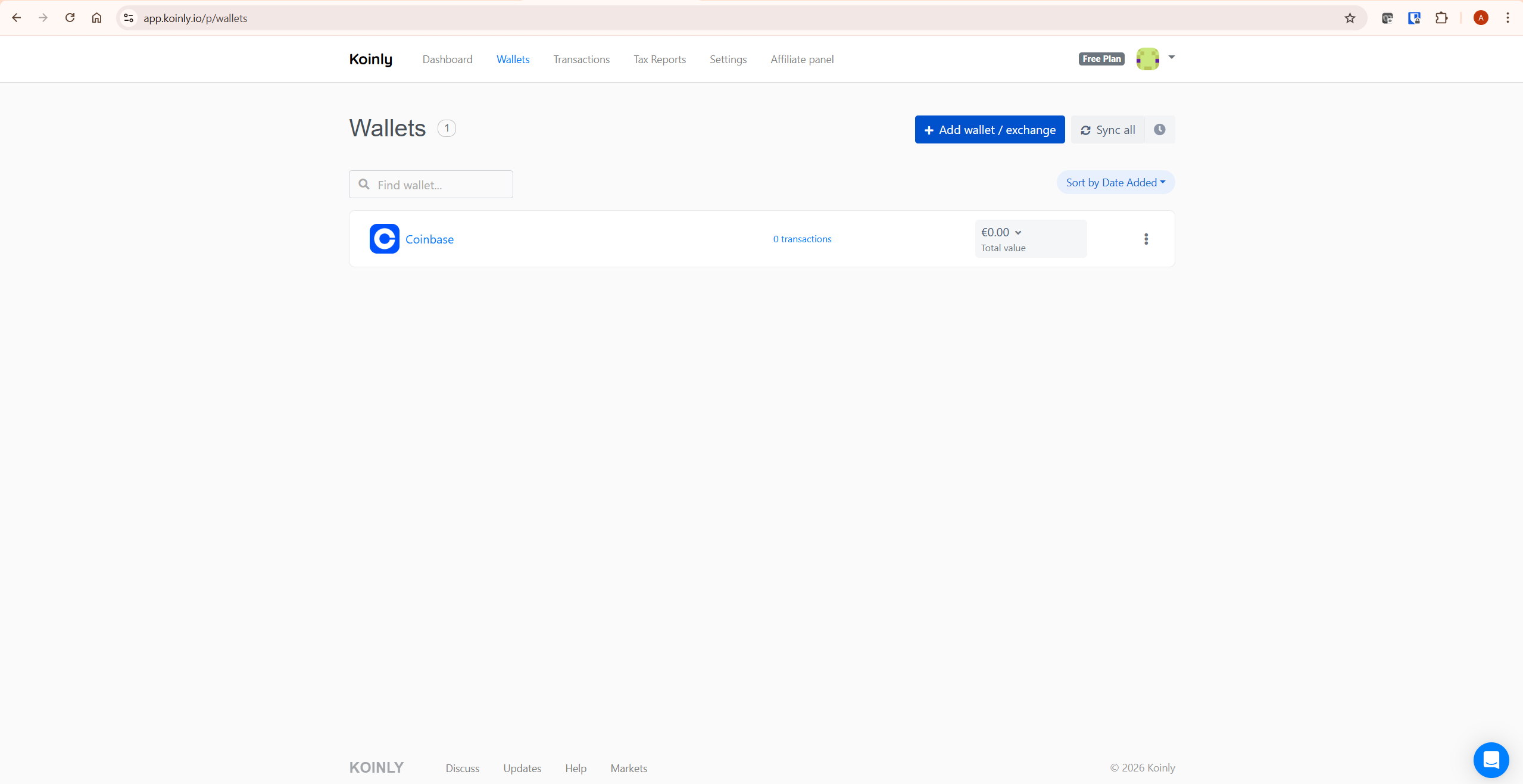
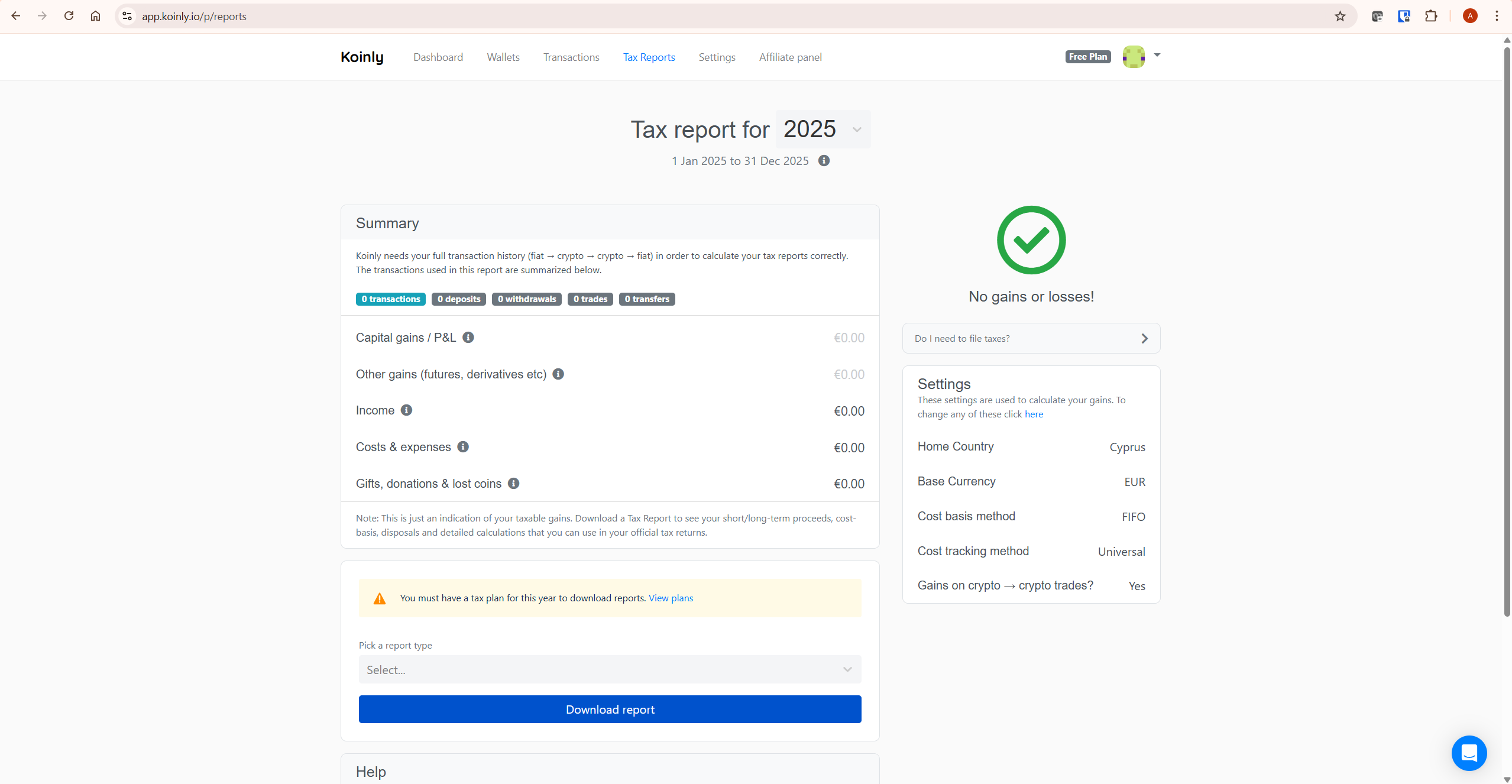
Navigate to Tax Reports in Koinly and review your tax summary for the relevant calendar year. On the free plan you can see your total capital gains, capital losses, income, and net tax position before purchasing a report. Verify the figures look correct given your trading activity. If capital gains look significantly higher than expected, resolve any missing transaction warnings before purchasing.
Step 5: Purchase a Plan and Download Your Canadian Tax Report
Once your data is clean and the summary looks correct, purchase the Koinly plan that covers your transaction volume for the calendar year. Check your transaction count in the Koinly dashboard before purchasing. For current plan costs and transaction limits, see our Koinly pricing guide or verify at koinly.io/pricing.
From the Tax Reports page, select Canada as your jurisdiction and download the Schedule 3 report with the figures needed for CRA filing. Koinly also generates a Complete Tax Report and an Income Report — download the Income Report separately if you have staking or mining income to declare. For TurboTax Canada users, Koinly generates a dedicated TurboTax Canada file you can upload directly.
Check your transaction count on Koinly’s free plan here before purchasing so you select only the tier you need.
How to File Your Koinly Report with the CRA
Once you have your Koinly Canadian tax report, filing involves entering the figures into your annual Income Tax Return. Here is the step-by-step process.
Capital Gains: Report on Schedule 3
Report all crypto capital gains and losses on Schedule 3 — Capital Gains (or Losses). In the section titled “Bonds, debentures, promissory notes, crypto-assets, and other similar properties,” enter your total proceeds of disposition, your Adjusted Cost Base, and any outlays and expenses. Koinly’s Schedule 3 report provides these figures in a format designed to match the CRA’s Schedule 3 fields.
Remember: only 50% of your net capital gains (the taxable capital gains amount) is added to your income for the year under the current one-half inclusion rate. Koinly calculates your gross capital gain — your tax software or accountant applies the inclusion rate when calculating your total tax payable. Confirm the current inclusion rate status with a tax professional before filing your 2026 return given the proposed legislative changes.
Crypto Income: Report on T1 Income Tax Return
Crypto income — staking rewards from centralised exchanges, certain airdrops, and any income classified as business income — is reported on your T1 Income Tax Return rather than on Schedule 3. Use the income figures from Koinly’s Income Report. The CRA expects the fair market value in CAD on the day you received the income, which Koinly calculates automatically using historical price data for all connected wallets and exchanges.
File by April 30, 2026
The tax filing deadline for the 2025 tax year is April 30, 2026. If you are self-employed, the filing deadline extends to June 15, 2026 — but any tax owed is still due by April 30, 2026. File online via CRA’s My Account at canada.ca, or use TurboTax Canada, Wealthsimple Tax, or H&R Block Canada. Koinly supports filing workflows for TurboTax Canada with a dedicated export file, and can provide the figures you enter into other CRA-approved tax software such as Wealthsimple Tax.
A Worked Example: ACB Calculation with Koinly
Here is a realistic scenario showing how Koinly calculates your Canadian crypto tax position under the ACB method. For simplicity, this example ignores exchange fees and gas fees. In a real Canadian ACB calculation, eligible acquisition costs and disposition expenses can affect the final gain or loss.
Your situation for the 2025 tax year:
- January 2025: Buy 1 ETH for CAD $4,000 — ACB per unit = $4,000
- April 2025: Buy 1 more ETH for CAD $6,000 — ACB per unit = ($4,000 + $6,000) / 2 = $5,000
- You now hold 2 ETH with a total ACB of $10,000 ($5,000 per unit)
- July 2025: Sell 1 ETH for CAD $7,000
- Capital gain: $7,000 − $5,000 (ACB per unit) = $2,000 capital gain
- Taxable capital gain (50% inclusion): $1,000 added to your income
- You received CAD $300 in Ethereum staking rewards during 2025 — reported as income on T1
Koinly imports all these transactions, builds the ACB pool automatically, applies the weighted average to the disposal, and produces the Schedule 3 figures. The staking income appears separately in the Income Report. You copy both sets of figures into your CRA filing.
Do You Need to Report Crypto to the CRA?
You are generally required to report crypto activity to the CRA if you have capital gains or losses from disposals during the tax year, you have crypto income from staking, mining, or airdrops, or you are otherwise required to file an annual return. Even if your net capital gains are below a threshold where tax is due, you are still expected to report disposals on Schedule 3. The CRA has significantly increased its focus on crypto reporting in recent years and actively requests transaction data from exchanges operating in Canada.
Capital losses are valuable in Canada — they can be applied against capital gains in the same year or carried back three years or forward indefinitely. However, capital losses generally need to be claimed on your tax return in the year they occur for them to be available to carry forward. If you never report a capital loss, it may not be automatically available to offset future gains. Koinly’s report gives you the complete loss figures you need to make that claim correctly.
Common Mistakes When Using Koinly for Canada Taxes
Using FIFO Instead of ACB
This is the most critical setup error for Canadian investors. If your Koinly account is set to another country — or if no home country is set at all — Koinly may use FIFO instead of ACB. Your capital gains figures will be incorrect for CRA purposes even if all your transaction data is perfectly imported. Always verify your home country is set to Canada and your base currency is set to CAD before generating any report.
Missing the Superficial Loss Rule on Tax-Loss Harvesting
Canadian investors who sell crypto at a loss and immediately repurchase the same asset will have the loss denied under the Superficial Loss rule. Koinly flags these automatically — but investors who execute these trades expecting a loss to reduce their tax bill may be surprised when their Schedule 3 report shows the loss as denied. As a practical rule, avoid reacquiring the same or identical asset within the Superficial Loss window if you want the loss to be available immediately. Confirm the exact treatment with a qualified tax professional before relying on a tax-loss harvesting strategy.
Not Connecting All Historical Wallets
Because ACB is a running weighted average, a missing acquisition from years ago affects every disposal since. An investor who made purchases in 2018 or 2019 on an exchange they no longer use, but fails to connect that exchange to Koinly, will have an incorrectly calculated ACB for every subsequent transaction involving that asset. Import your complete historical transaction data — including from dormant or closed accounts — before generating any CRA report.
Treating Crypto-to-Crypto Trades as Non-Taxable
The CRA confirmed that trading one cryptocurrency for another is a disposition event. Each crypto-to-crypto trade is a taxable event — the gain or loss is calculated in CAD at the time of the trade using the fair market value of both assets. Investors who only import fiat-to-crypto and crypto-to-fiat transactions but miss crypto-to-crypto trades will have an incomplete ACB history and incorrect gain figures. Koinly identifies and calculates these automatically when all exchanges are connected via API.
Missing the Self-Employed Filing Deadline Distinction
Self-employed Canadians have until June 15, 2026 to file their 2025 return — but any tax owed is still due by April 30, 2026. Filing late but paying on time avoids late-filing penalties while giving extra time to prepare a complex return. If you are self-employed and have significant crypto activity, this distinction is worth knowing before the April deadline.
If your Koinly figures look unexpectedly high after importing all your exchanges, start with Koinly’s free plan here to review your complete tax position before purchasing a report.
Can You File Canadian Crypto Taxes Without Koinly?
Yes — you can file Canadian crypto taxes without Koinly if your transaction history is simple and you can calculate your Adjusted Cost Base accurately in CAD. For a small number of buy-and-hold transactions with no crypto-to-crypto trades, no staking income, and no transfers between wallets, a spreadsheet may be sufficient.
However, manual ACB tracking becomes difficult once you have multiple exchanges, crypto-to-crypto trades, staking rewards, wallet transfers, or several years of historical activity. The challenge is not only calculating one gain or loss — it is maintaining the correct ACB pool across every asset over time. Every acquisition and disposal updates the running average, and a single missing transaction can throw off every subsequent calculation for that asset.
For active investors, Koinly reduces the risk of missing transactions, misclassifying transfers as taxable disposals, applying the wrong cost basis method, or failing to flag Superficial Losses. It also generates Schedule 3 figures in a format designed for CRA filing, which saves significant time at tax season. If your situation is complex, Koinly handles the mechanical work — your accountant handles the judgment calls.
What To Do Next
Set up your Koinly account with Canada as your home country and CAD as your base currency. Connect every exchange and wallet — including older platforms where you made purchases in earlier years that affect your current ACB. Resolve all missing purchase history warnings. Review your capital gains summary and confirm the ACB calculations look correct. Download your Schedule 3 report with the figures needed for CRA filing and your Income Report.
File your capital gains on Schedule 3 and any crypto income on your T1 Income Tax Return via CRA’s My Account, TurboTax Canada, or Wealthsimple Tax by April 30, 2026. If you are self-employed, you have until June 15 to file but April 30 to pay.
If you are new to Koinly, see our full Koinly review for a complete platform overview. For plan costs and transaction limits, see our Koinly pricing guide. For troubleshooting missing transaction data before filing, see our guide on fixing Koinly missing transactions.
Start with Koinly free here — no credit card required. Import your transactions, check your ACB calculations, and review your CRA tax position before spending anything.
Frequently Asked Questions
Does Koinly work for Canadian crypto taxes?
Yes. Koinly generates Canadian tax reports for investors, including Schedule 3 figures, a Complete Tax Report, and an Income Report. When your home country is set to Canada, Koinly automatically applies the Adjusted Cost Base method, based on the transaction data you import, identifies Superficial Losses, and calculates your crypto income at fair market value in CAD on the date of receipt. Koinly supports TurboTax Canada export workflows and provides the figures you can enter into other CRA-approved tax software such as Wealthsimple Tax.
What is the Canadian crypto tax filing deadline?
For the 2025 tax year (January 1 to December 31, 2025), the filing deadline is April 30, 2026 for most Canadians. Self-employed individuals have until June 15, 2026 to file, but any tax owed is still due by April 30, 2026. File online via CRA’s My Account at canada.ca, through TurboTax Canada, or through Wealthsimple Tax.
What is the Adjusted Cost Base and does Koinly handle it?
The Adjusted Cost Base (ACB) is Canada’s required cost basis method for capital property including crypto. It calculates the weighted average cost of all your units of a given cryptocurrency across your entire holdings. When you buy more, the ACB adjusts. When you sell, the gain or loss is calculated against the current ACB per unit. Koinly applies ACB automatically when your home country is set to Canada — if your country is set incorrectly, Koinly may use FIFO, producing wrong figures for CRA purposes.
What is the Superficial Loss rule for crypto in Canada?
The Superficial Loss rule denies a capital loss if you — or an affiliated person — disposes of a crypto asset at a loss and reacquires the same or identical asset within 30 days before or after the sale. The denied loss is added to the ACB of the reacquired asset, deferring rather than eliminating it. As a practical rule, avoid reacquiring the same or identical asset within the Superficial Loss window if you want the loss to be available immediately for tax purposes. Koinly identifies and flags Superficial Losses automatically when your home country is set to Canada. Confirm the exact treatment with a qualified tax professional before relying on a tax-loss harvesting strategy.
Is crypto-to-crypto trading taxable in Canada?
Yes. The CRA confirmed that trading one cryptocurrency for another is a disposition event — the same as selling for Canadian dollars. The gain or loss is calculated as the CAD fair market value of the asset received minus the ACB of the asset disposed of. Each crypto-to-crypto trade also updates the ACB of the newly acquired asset. Koinly calculates these automatically for every crypto-to-crypto trade in your transaction history when all exchanges are connected.
How is staking income taxed in Canada?
Staking rewards received from a centralised crypto exchange are generally treated as income under the Income Tax Act at the time they are credited to your wallet — taxed at your marginal income tax rate based on the CAD fair market value on the day of receipt. The subsequent disposal of staked assets is a separate capital event with its own ACB from the income cost base. Mining income is generally treated as business income. Koinly separates staking income from capital gains in your CRA reports. Complex DeFi staking arrangements may have different treatment — confirm with a qualified tax professional.
What records do I need to keep for Canadian crypto taxes?
The CRA requires you to keep records of all crypto transactions for a minimum of six years from the end of the last tax year the records relate to. This includes the date of each transaction, the type and amount of crypto, the value in CAD at the time of the transaction, the wallet addresses involved, and any exchange statements. Koinly’s transaction history and downloaded tax reports support this documentation requirement. The CRA notes that many exchanges do not store historical data long-term, so the CRA places the responsibility on you to export and maintain your own records regularly.
The Bottom Line
Using Koinly for Canada taxes is straightforward when configured correctly. The Adjusted Cost Base method, the Superficial Loss rule, and the calendar tax year are all handled automatically — but only when your home country is set to Canada and your complete transaction history is imported. A missing wallet or exchange does not just affect that specific transaction — under ACB, it affects every gain and loss calculation on that asset going forward.
The CRA’s increasing focus on crypto reporting means accurate, well-documented returns are more important than ever. Koinly’s Schedule 3 report and Complete Tax Report give you the figures you need. The free plan gives you everything to verify your position before spending anything.
Ready to get started? Try Koinly free here — configure your Canadian settings, import your transactions, and see your CRA tax position before purchasing anything.
Related reading:
- Koinly Review: Is It the Best Crypto Tax Software in 2026?
- Koinly Pricing: Plans, Limits & Which One You Actually Need
- Koinly Showing Wrong Gains? How to Fix Cost Basis Errors
- Koinly Missing Transactions: Complete Fix Guide (2026)
- Tax Loss Harvesting Crypto with Koinly: Complete 2026 Guide
