
Koinly Negative Balance: Complete Honest Fix Guide (2026)
Affiliate Disclosure: This article contains affiliate links. If you sign up for Koinly through a link on this page, I may earn a commission at no extra cost to you. I only recommend tools I have genuinely evaluated.
Tax Disclaimer: This article is for informational purposes only and does not constitute professional tax or financial advice. Tax laws vary by country and change frequently. Consult a qualified tax professional for advice specific to your situation.
Last verified: July 2026, using Koinly’s official support documentation.
A Koinly negative balance warning means Koinly has calculated that you sold more of an asset than you ever held — which is physically impossible and in practice almost always points to missing data. Left unfixed, it assigns a $0 cost basis to the missing lots, treating the full sale proceeds as taxable gain.
I am Andreas Maratheftis, thirty years in professional finance, and this single error is one of the most common reasons investors end up with an inflated tax bill from their Koinly report.
The fix is almost always straightforward: find the missing transaction, connect the missing wallet, or correct the import. This guide walks through every cause and every fix in order of likelihood.
If you want to see exactly which assets have negative balances before making any changes, the free plan surfaces all warnings: check your Koinly warnings here.
Key Takeaways
- A Koinly negative balance means you appear to have sold more of an asset than you ever held — in practice almost always caused by missing transaction data.
- The most common fix is connecting a missing wallet or exchange that holds the original acquisition.
- Not all balance warnings need fixing — minor API rounding differences and stale reported balances are safe to ignore.
- Negative balances must be fixed before running a cost basis migration — they create $0-cost lots that inflate your reported gains.
- The “Ignore reported balances” toggle hides the warning but does not fix the underlying issue or change your tax figures.
Koinly Negative Balance: Quick Answer
A Koinly negative balance warning appears when Koinly’s calculated balance for an asset goes below zero — meaning it sees a disposal of tokens that were never recorded as acquired. The fix is to find and import the missing acquisition: connect the missing wallet, resync the exchange, or add a manual deposit. Do not use the “Ignore reported balances” toggle as your fix — it hides the warning without correcting the $0 cost basis that inflates your gains.
What a Koinly Negative Balance Actually Means
Koinly tracks your running balance for every asset by adding acquisitions and subtracting disposals in chronological order. A negative balance occurs at the exact moment Koinly subtracts a disposal that exceeds the running total — meaning it has recorded more selling than buying for that asset up to that point.
In practice, this is almost always a data problem rather than a calculation error. You cannot physically sell more of an asset than you hold. When Koinly encounters this situation, it assumes the missing lots were acquired at $0 — treating the entire sale proceeds as a capital gain rather than calculating gain against an actual purchase price.
The tax consequence is significant. If you bought 1 BTC for $30,000 and sold it for $40,000, your real gain is $10,000. If that $30,000 purchase is missing from Koinly, it assigns a $0 cost basis and shows a $40,000 gain — four times your actual liability. The negative balance is the signal that this is happening somewhere in your account.
Negative Balance vs Missing Purchase History — Same Problem, Two Labels
Koinly uses both terms to describe the same underlying issue. “Missing purchase history” appears as a warning on the specific transaction where the balance first goes negative. “Negative balance” describes the state of the ledger at that point.
When you see either warning, the question to ask is the same: where is the acquisition that should have preceded this disposal?
Fix Now vs Safe to Ignore: The Triage Table
Not every balance warning in Koinly is a genuine problem. Before spending time on fixes, use this triage table to determine which warnings actually require action.
| Warning type | Fix required? | Reason |
|---|---|---|
| Missing purchase history on a real disposal | Fix — high priority | Creates $0 cost basis, inflates capital gains |
| Negative ledger balance on a tracked asset | Fix — high priority | Same cause and consequence as above |
| Reflection / rebase tokens (SAFEMOON, AMPL) | Fix — add manual rebalancing | Not reported on blockchain — Koinly cannot import automatically |
| Address poisoning / spam transactions | Fix — tag as spam | Spam transactions show as imbalances; tagging removes them |
| API rounding below 6th decimal place | Safe to ignore | Minor rounding difference — calculated balance is correct |
| Exchange reports “available” balance only (limit orders locked) | Safe to ignore | Locked assets will appear when trades execute |
| Exchange excludes staked assets from reported balance | Safe to ignore | Staked assets are tracked in Koinly’s pool wallet |
| Stale reported balance (just synced after a transaction) | Safe to ignore | Self-resolves on next sync |
How to Find Which Asset Has a Negative Balance
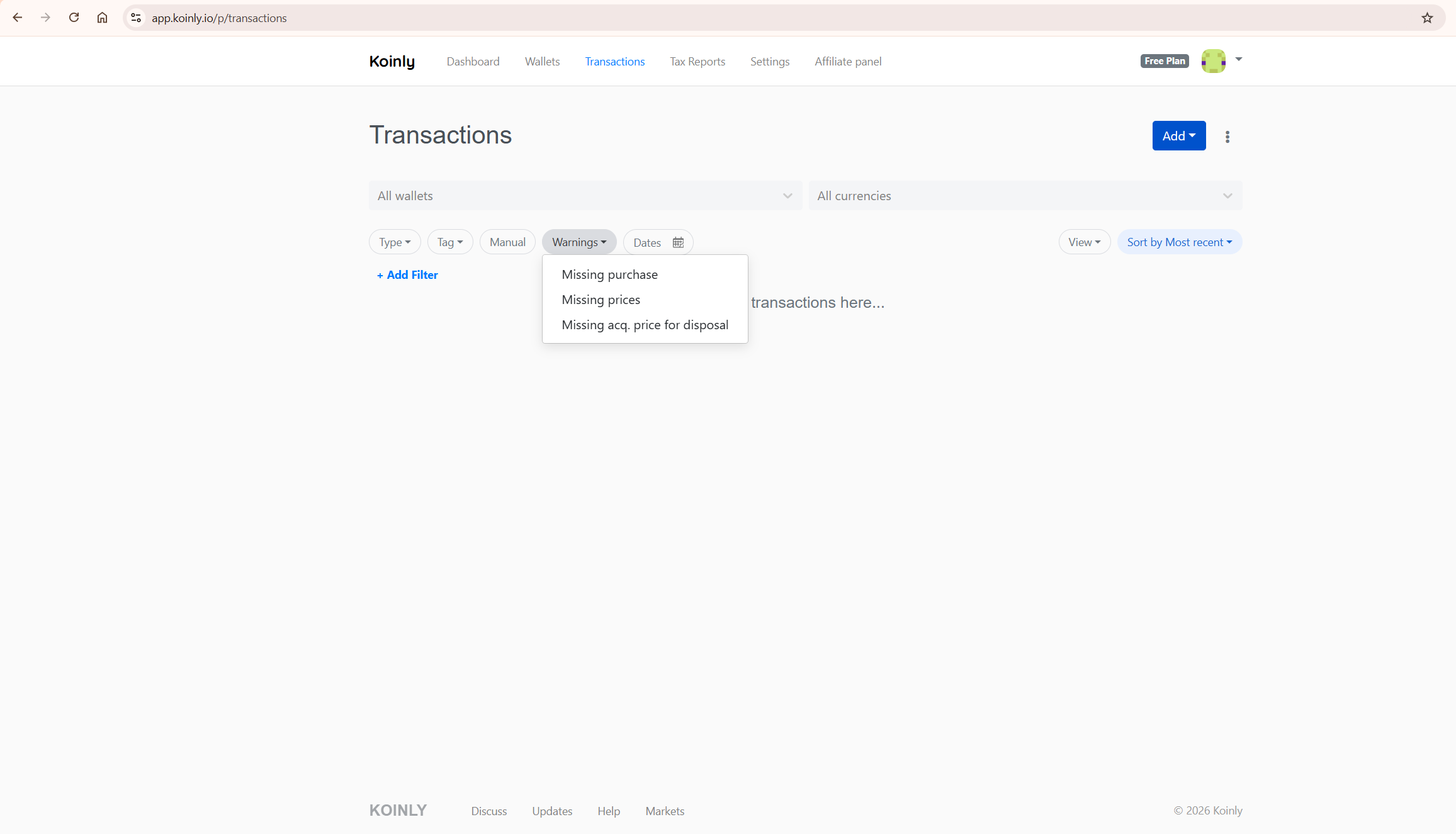
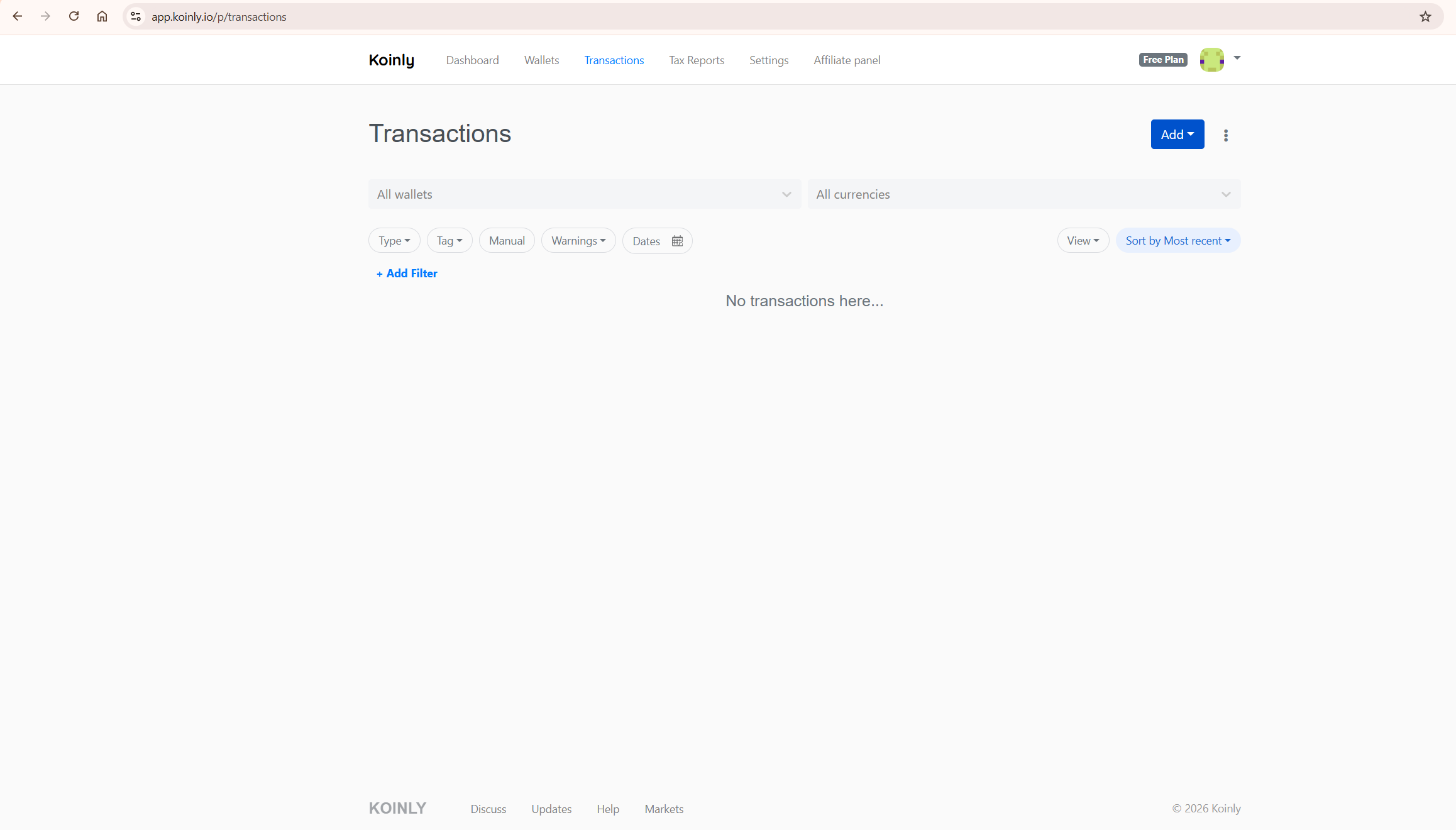
Go to the Transactions tab and enable the Warnings filter. This surfaces every transaction flagged as “Missing purchase history” — each one marks the point where a specific asset’s balance first went negative.
For each warning, note the asset, the date, and the wallet. This tells you what was sold, when, and from which account — which is the starting point for finding the missing acquisition.
Using the Ledgers Page
Koinly’s Ledgers page shows your running balance for every asset over time. According to user reports and third-party documentation, it can help identify the exact transaction where the balance crossed zero — which is particularly useful when you have many warnings across multiple assets and want to work through them systematically by asset rather than scanning all transactions chronologically. Check your Koinly account to confirm where this feature appears in the current interface.
How to Fix a Koinly Negative Balance: Step-by-Step
Work through these fixes in order. The first fix resolves the majority of cases. Only move to later steps if the earlier ones do not clear the warning.
Fix 1: Connect the Missing Wallet or Exchange
This resolves the majority of negative balance warnings. If the asset was acquired on an exchange or wallet that is not yet connected to Koinly, the acquisition never imported — so Koinly sees only the disposal.
Ask yourself: where did I originally get this asset? If the answer is an exchange you have not connected, connect it now via API or CSV. Once the acquisition imports, Koinly recalculates the running balance and the warning clears.
Common scenarios that cause this: buying on one exchange and selling on another without connecting the first; using a hardware wallet as a holding wallet without importing its history; early purchases made on an exchange account you no longer use but still have transaction history for.
Fix 2: Trigger a Full Resync
If the wallet is already connected but the warning persists, the import may be incomplete. Go to the Wallets page, select the affected wallet, navigate to its Troubleshoot tab, and trigger a full resync. This re-imports any transactions that were missed on the initial sync without modifying already-imported data.
Also check whether a “Start import from” date is set in the wallet settings — if the date is too recent, earlier acquisitions will not have been imported.
Fix 3: Check for Known Exchange Bugs
Before spending time on manual fixes, check Koinly’s feedback portal at feedback.koinly.io for known issues with your exchange integration. If a known bug exists for your exchange, follow the listed workaround — this saves significant time and avoids creating additional problems with incorrect manual entries.
Fix 4: Check CSV Timezone Settings
If your wallet uses CSV imports, a timezone mismatch can create orphaned transactions. If a CSV file uses a local timezone but Koinly expects UTC, the transaction timestamps shift — potentially placing an acquisition after a disposal of the same asset, creating a negative balance that did not exist in reality.
Re-import the CSV with the correct timezone applied. Koinly’s import interface allows you to specify a timezone offset during the import process. Do this before attempting any manual transaction fixes.
Fix 5: Add a Manual Deposit
If the original acquisition genuinely cannot be located — because the exchange has closed, records are unavailable, or the asset was received in a way that left no trace — add a manual deposit in Koinly.
Enter the exact amount of the missing asset, timed 1 minute before the transaction that triggered the warning. This clears the negative ledger balance and removes the warning. The cost basis of the manual deposit will be $0 unless you can provide the actual purchase price — but even at $0, the negative balance is resolved and Koinly’s ledger is internally consistent. See Koinly’s official missing purchase history guide for the exact steps.
Koinly explicitly confirms this approach: it preserves the $0 cost basis while adding a manual lot to your transaction history instead of leaving an unresolvable negative balance.
Note that a $0 cost basis on a genuinely untraced acquisition is not incorrect from a data perspective — it reflects the fact that no acquisition record is available. The tax treatment of that lot depends on your jurisdiction and circumstances. Confirm with a qualified tax professional if the missing acquisition was material.
Fix 6: Tag Spam Transactions
Address poisoning attacks — where scammers send tiny amounts of a token to your wallet from an address resembling one you have transacted with — can create balance imbalances in Koinly. Tag all such transactions as spam. Spam-tagged transactions are excluded from all calculations and from your billable transaction count, and the imbalance they created clears.
Fix 7: Add Manual Rebalancing for Reflection and Rebase Tokens
Tokens with non-standard tokenomics — including reflection tokens like SAFEMOON and rebase tokens like AMPL — adjust your balance through mechanisms that may not be reported as standard transactions on the blockchain. In some cases, Koinly cannot import these changes automatically. You may need to add manual rebalancing transactions to bring Koinly’s calculated balance in line with your actual holdings. See Koinly’s specific guidance for reflection and rebase tokens before attempting this, as the approach varies by token type.
Why You Must Fix Negative Balances Before a Cost Basis Migration
If you are running Koinly’s per-wallet cost basis migration under Rev. Proc. 2024-28 (relevant for US investors from January 2025), Koinly strongly recommends resolving negative balances first.
Koinly’s own documentation states: negative balances create $0-cost lots that are then allocated to wallets during the migration, which may cause unexpected results and could cause you to over-report your capital gains. The recommended sequence is: fix all genuine negative balances first, then run the migration. For the full migration workflow, see our guide on Koinly’s per-wallet cost basis migration.
The “Ignore Reported Balances” Toggle — What It Does and Does Not Do
Koinly provides a toggle called “Ignore reported balances” in the API sync settings for each wallet. It is tempting to use this to make the warning disappear — but for genuine missing purchase history warnings, this is not the right approach.
The toggle hides the balance mismatch warning in the interface but does not fix the underlying missing data. Koinly still assigns $0 cost basis to the missing lots and your tax figures remain incorrect. The warning is gone from view but the inflated gain is still in your report.
The toggle is legitimately useful for specific scenarios: suppressing API rounding differences below the 6th decimal place, dismissing warnings from spam tokens you have already identified as worthless, and clearing stale balance mismatches that self-resolve. Use it only after confirming the underlying cause is one of these genuinely ignorable cases — not as a substitute for resolving real missing acquisition data.
What To Do Next
Open Koinly and go to the Transactions tab. Enable the Warnings filter. For each “Missing purchase history” warning, note the asset, date, and wallet. Work through Fix 1 first — identify and connect any wallet or exchange where that asset was originally acquired. Run a full resync on any already-connected wallet that is still showing warnings. Check the feedback portal for known exchange bugs. Add manual deposits only as a last resort when the original acquisition is genuinely unlocatable.
Once all genuine warnings are resolved, refresh your capital gains preview and confirm the figures look correct. If you are running a cost basis migration, do that only after all negative balances are cleared.
For the full picture on why your gains may look wrong after resolving negative balances, see our guide on fixing wrong gains in Koinly. For missing transaction data beyond balance issues, see our Koinly missing transactions guide. For plan costs, see our Koinly pricing guide.
Start with Koinly free here — check your warnings and review your gains before purchasing any report.
Frequently Asked Questions
What does a negative balance mean in Koinly?
A negative balance means Koinly has calculated that you sold more of an asset than it has records of you acquiring. In practice this is almost always caused by missing transaction data — typically a wallet or exchange that was not connected, or a CSV import that was incomplete. Koinly assigns a $0 cost basis to the missing lots, treating the full sale proceeds as taxable gain rather than calculating against an actual purchase price.
How do I fix a Koinly negative balance?
The most common fix is connecting the wallet or exchange where the asset was originally acquired. Once the acquisition imports, Koinly recalculates and the warning clears. If the wallet is already connected, trigger a full resync and check for a “Start import from” date that may be excluding earlier transactions.
If the original acquisition cannot be located, add a manual deposit timed 1 minute before the warning transaction — this clears the negative ledger while preserving a $0 cost basis for the missing lot.
Does a Koinly negative balance affect my tax report?
Yes, significantly. Koinly assigns a $0 cost basis to any lot that appears to have been acquired for free — including lots created by a negative balance. If you sold 1 ETH for $3,000 but the purchase is missing, Koinly reports a $3,000 capital gain instead of calculating against your actual acquisition cost. Fixing the negative balance by importing the correct acquisition data corrects this figure before you generate your tax report.
Can I ignore Koinly balance warnings?
Some warnings are safe to ignore — minor API rounding below the 6th decimal place, stale reported balances that self-resolve on the next sync, and exchanges that exclude staked or locked assets from their reported balance. Warnings that indicate genuine missing purchase history are not safe to ignore — they directly inflate your reported capital gains. Use the triage table in this guide to determine which category each warning falls into before deciding whether to act.
What is the difference between “negative balance” and “missing purchase history” in Koinly?
They describe the same underlying problem from two angles. “Missing purchase history” is the warning label on the specific transaction where Koinly first encounters a disposal without a matching acquisition. “Negative balance” describes the state of the asset ledger at that point — the running balance has gone below zero. Both indicate missing acquisition data and both require the same fix.
Should I use the “Ignore reported balances” toggle to fix a negative balance?
For genuine missing purchase history warnings, the toggle is not the right approach. It hides the balance mismatch warning but does not fix the underlying missing data or correct the $0 cost basis applied to the missing lots — your tax report figures remain inflated even after toggling. Use this setting only for genuinely ignorable discrepancies: API rounding errors, spam tokens, or stale balances. For real missing purchase history warnings, find and import the missing acquisition data instead.
The Bottom Line
If I had to summarise the Koinly negative balance problem in one sentence: in practice it almost always means missing data, and the fix is almost always to find and import what is missing.
The most common cause — by a wide margin — is a wallet or exchange that was never connected. Connect it, resync, and the warning clears. Manual deposits are the last resort, not the first step.
Fix every genuine negative balance warning before generating your tax report, and before running any cost basis migration. The few minutes this takes is the difference between a report that reflects your actual gains and one that significantly overstates them.
Ready to check your warnings? Start with Koinly free here — review your balance warnings and capital gains preview before purchasing any plan.
Related reading:
