
GetResponse Free Plan: The Honest 2026 Guide
Affiliate Disclosure: This article contains affiliate links. If you purchase through these links, I may earn a commission at no extra cost to you. I only recommend tools I have personally used and genuinely believe in. Read my full disclosure policy.
If you are evaluating the GetResponse free plan, you have probably already hit the first frustration: the GetResponse website leads with a 14-day trial, makes the permanent free tier hard to find, and leaves you wondering whether “free” actually means free or just “free until we charge you.” After 30 years in finance and running InnovateHub Finance on GetResponse, I can give you a direct answer — and the exact breakdown of what the GetResponse free plan includes, what it does not, and precisely when upgrading makes financial sense for an affiliate marketer or content site owner.
Most articles covering the GetResponse free plan are written for generic small business owners. This one is written for affiliate marketers who need to know whether the free tier is a viable starting point for building a permission-based email list — or a limited demo that forces an upgrade within weeks.
→ Start your free GetResponse account today — no credit card, no expiry date, no catch
Quick Answer: What Does the GetResponse Free Plan Actually Include?
The GetResponse free plan is a genuine permanent free tier — not a trial that expires. It gives you up to 500 contacts, 2,500 emails per month, unlimited landing pages (capped at 1,000 unique visitors per month), basic automation workflows, signup forms, popups, and a website builder with custom domain support. The key restrictions are: no autoresponders, GetResponse branding on every email, and the 500-contact ceiling. For someone starting from zero and building their first email list, the GetResponse free plan is a legitimate starting point — with one important condition, explained below.
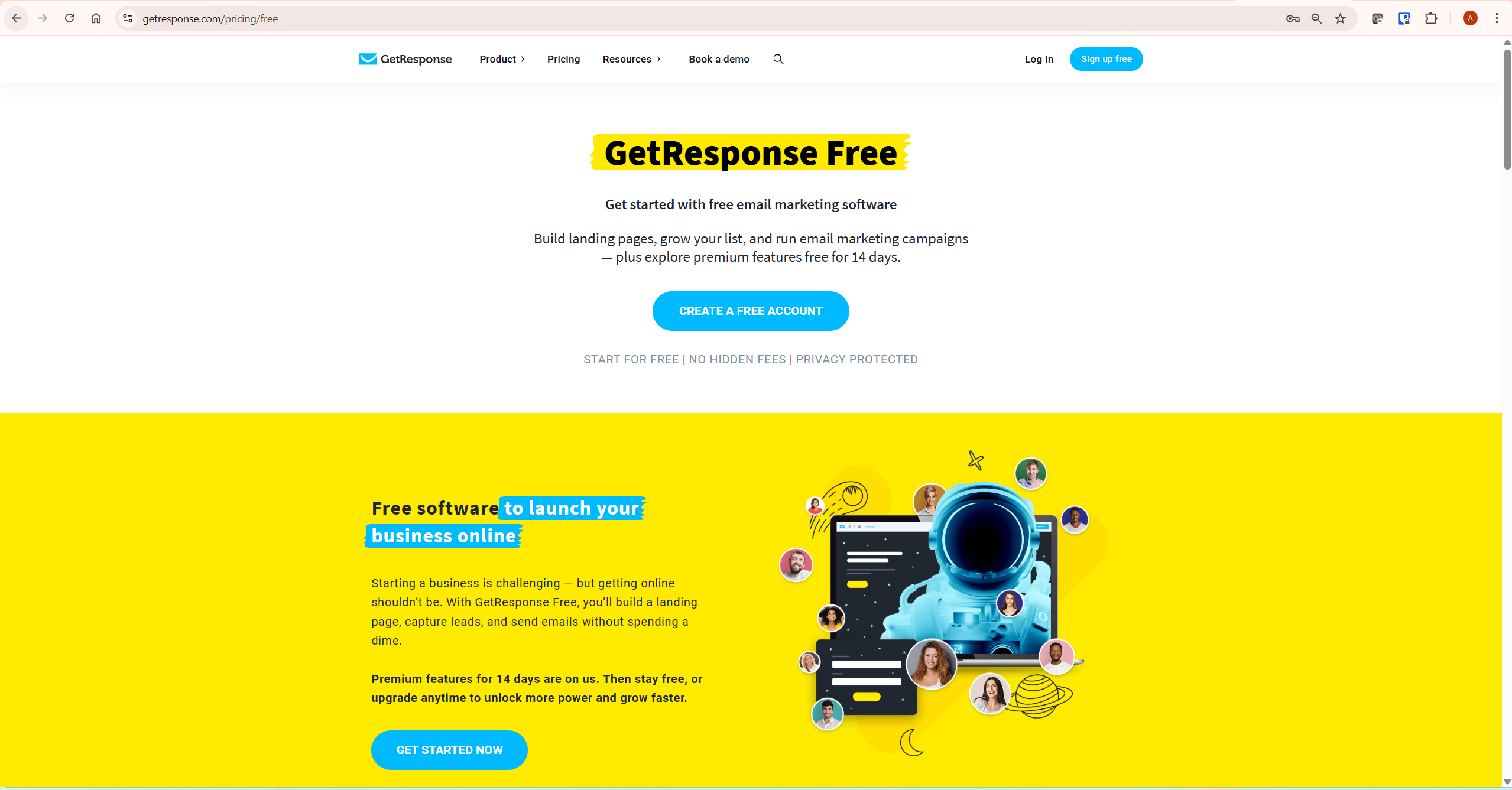
Does GetResponse Have a Free Plan — or Just a Trial?
This is the most searched question about the GetResponse free plan, and it deserves the clearest possible answer.
GetResponse offers two separate things that most people confuse:
- A 14-day premium trial — when you first create any GetResponse account, you get automatic access to all premium features for 14 days. No credit card required. After day 14, premium features switch off unless you upgrade to a paid plan.
- A permanent free plan — after the 14-day trial ends, your account does not close. It reverts to the free tier automatically, and you can use it indefinitely with no expiry date and no payment required.
GetResponse’s website buries this distinction. The homepage pushes the trial hard; the permanent free option lives on a separate page at getresponse.com/pricing/free. The result is that many potential users assume GetResponse has no genuine free option and look elsewhere. It does. It is just not prominently advertised.
What Happens After the GetResponse Free Trial Ends?
This is the second most common question about the GetResponse free plan — and one none of the top-ranking articles answer precisely.
On day 15, your account automatically reverts from full premium access to the permanent free tier. Here is exactly what changes:
- You keep all your contacts, landing pages, and workflows — nothing is deleted. Your data stays intact.
- Autoresponders stop working — any time-based email sequences you built during the trial will pause. They do not delete, but they do not send.
- The GetResponse badge appears on outgoing emails — every email now carries branding in the footer until you upgrade.
- Landing page traffic is capped at 1,000 unique visitors per month — pages go offline once the cap is hit.
- The contact limit drops to 500 — if you added more than 500 contacts during the trial, existing contacts remain but new ones queue.
The strategic move: use the 14-day trial to build your entire email infrastructure — automation workflows, landing pages, forms, templates — so everything is ready when you either upgrade or continue on the free plan. You are not losing the work you did. You are just losing the ability to send automated sequences until you pay.
GetResponse Free Plan: Full Feature Breakdown
Here is a precise breakdown of everything included in the permanent GetResponse free plan — not the trial, the actual free tier you keep indefinitely.
Email Sending and Contacts
- 500 contacts maximum — hard ceiling. New contacts queue for 32 days once you hit 500. Important: unconfirmed contacts and removed contacts both count toward this limit during the 14-day trial period. After the trial, only active contacts count.
- 2,500 emails per month — applies to all message types: newsletters, automation messages, and notification emails. Notification emails like confirmation messages are excluded from the count.
- GetResponse branding on all emails — a badge in the footer of every outgoing email. Cannot be removed on the free plan.
- No autoresponders — time-based email sequences are not available on the GetResponse free plan. One-off newsletter sends work fine.
Landing Pages and Forms
- Unlimited landing pages — build and publish as many as you want.
- 1,000 unique visitors per month cap — total across all pages. Once hit, all pages go offline until the next month resets the count.
- No A/B testing — landing page split testing is locked to paid plans.
- Signup forms and popups — included. You can embed forms on external sites and collect leads even on the free plan.
Automation Workflows
- Unlimited workflow creation and publishing — you can build and activate automation workflows on the GetResponse free plan.
- No dynamic segment filtering — advanced audience targeting within workflows requires a paid plan.
- Basic email-channel triggers only — ecommerce and advanced behavioural triggers are locked to paid plans.
Website Builder
- Full website builder with 5GB bandwidth — build and host a complete website using GetResponse’s drag-and-drop editor. Useful if you do not yet have a separate website.
- Free custom domain connection — connect a domain you already own at no extra cost.
- SEO optimisation tools — basic SEO settings available on the free plan.
Support, Webinars, and Courses
- 24/7 live chat support — available on the free plan, which is better than most competing free tiers offer.
- Webinars capped at 10 attendees — no recordings or on-demand webinars on the free plan.
- AI course creator for up to 250 students — you can create courses but selling them requires a paid plan.
What the GetResponse Free Plan Dashboard Looks Like
When you log into GetResponse on the free plan, this is what you see — a clean four-widget dashboard covering contacts, newsletters, workflows, and landing pages. The interface is identical to paid plans. There are no degraded screens, locked panels, or nagging upgrade popups inside the editor tools themselves.
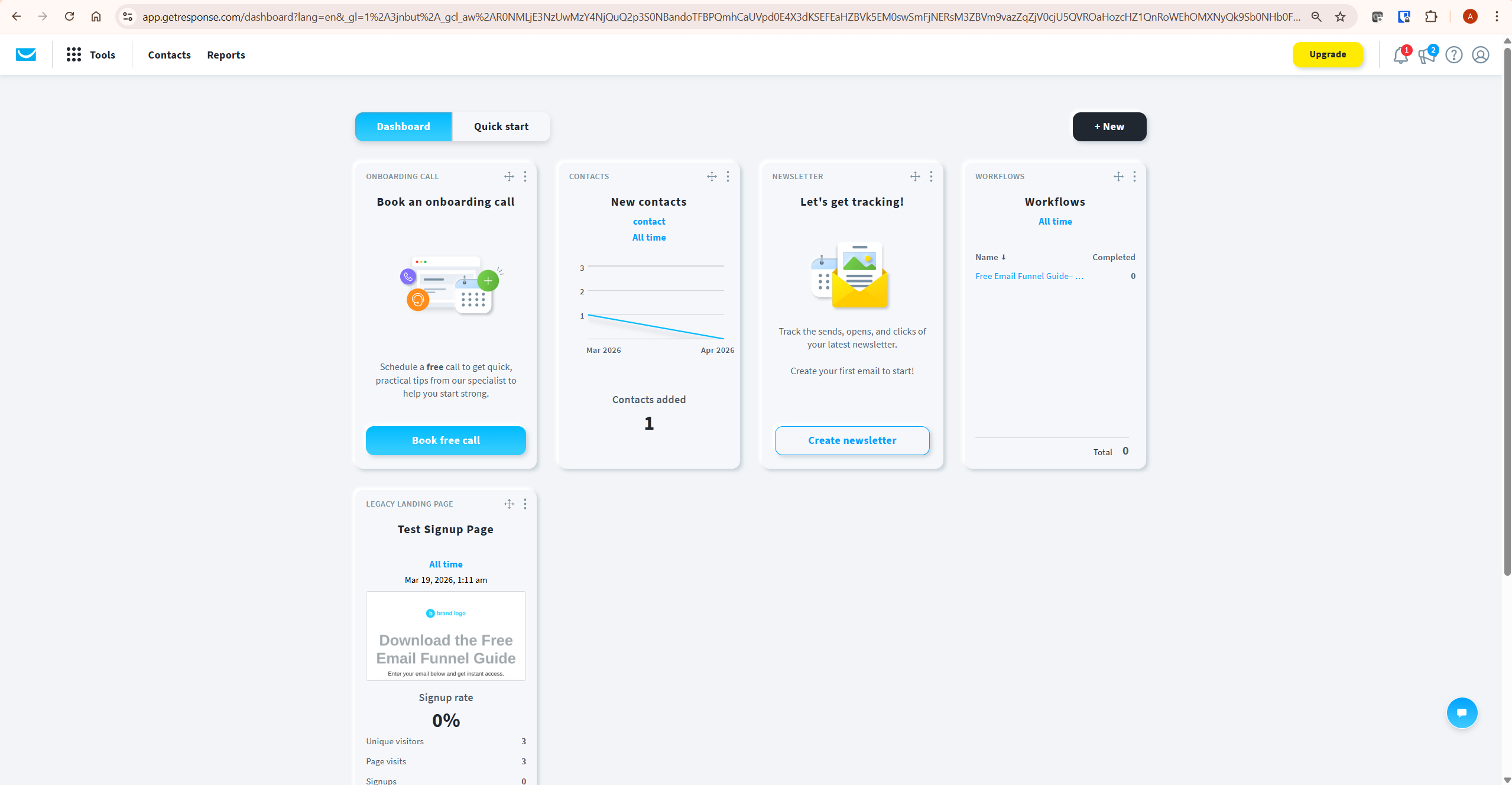
The “Upgrade” button sits in the top right. GetResponse nudges free users toward upgrading but does not restrict access to the core interface or add intrusive prompts inside the tools. For an affiliate marketer building their first opt-in infrastructure, the day-to-day experience on the GetResponse free plan is fully functional.
The Hidden Limitation Most Reviews Miss
There is one restriction on the GetResponse free plan that almost no review covers — and it has caught out more than a few new users.
GetResponse treats each list separately. If the same contact appears on two different lists in your account, they count twice toward your 500-contact limit. For a new user who sets up multiple lists — one for each lead magnet, for example — this can push you toward the 500-contact ceiling faster than expected, even with a small total audience.
The practical fix: on the GetResponse free plan, keep all contacts in a single list and use tags to differentiate them rather than maintaining multiple separate lists. This keeps your contact count accurate and prevents phantom duplicates eating into your 500-contact allowance.
GetResponse Free Plan vs Email Marketing Newsletters Screen
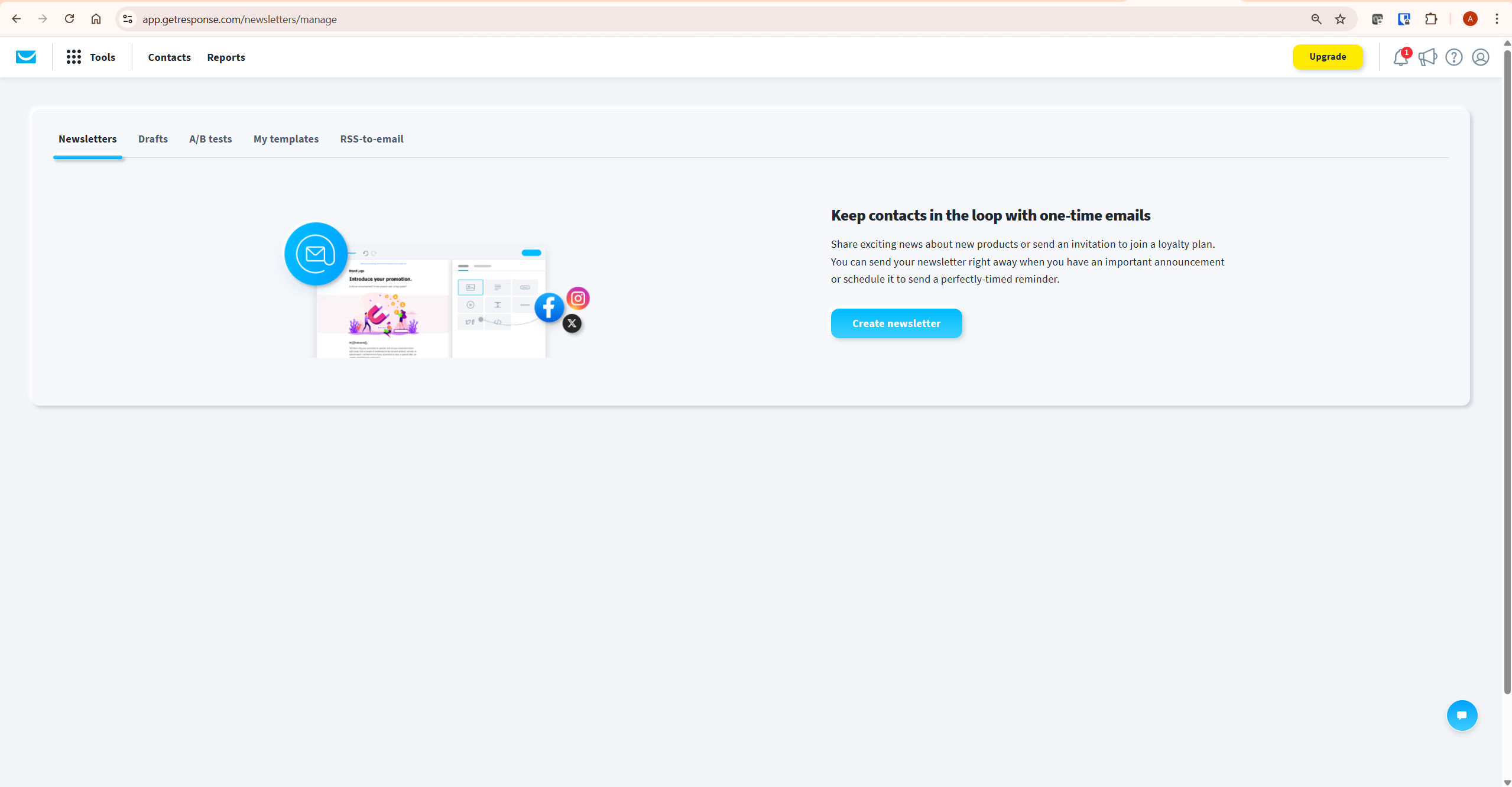
Inside your account, the Email Marketing section is where you create and manage campaigns. On the GetResponse free plan the interface is the same as paid — Newsletters, Drafts, A/B tests, My templates, and RSS-to-email tabs are all accessible. The restrictions are invisible until you try to use autoresponders or exceed your sending limits.
GetResponse Free Plan vs Mailchimp Free: Which Is Better?
MailerLite’s free plan is more generous than GetResponse’s on contact limits and monthly sends — that is the honest reality. But the comparison is not as simple as the headline numbers suggest.
| Feature | GetResponse Free Plan | Mailchimp Free | MailerLite Free |
|---|---|---|---|
| Contact limit | 500 | 500 | 1,000 |
| Monthly email sends | 2,500 | 1,000 | 12,000 |
| Autoresponders | ❌ No | ❌ No | ✅ Yes |
| Landing pages | ✅ Unlimited (1k visits/month) | ✅ Limited | ✅ Unlimited |
| Website builder | ✅ Yes (5GB bandwidth) | ✅ Yes | ✅ Yes |
| Email branding | ❌ GetResponse badge | ❌ Mailchimp badge | ❌ MailerLite badge |
| Free trial of premium | ✅ 14 days | ❌ No | ✅ 30 days |
| 24/7 support | ✅ Live chat | ❌ Email only | ❌ Email only |
The honest verdict: the GetResponse free plan beats Mailchimp on email sending volume — 2,500 vs 1,000 emails per month — and includes 24/7 live chat support that Mailchimp’s free tier does not offer. However MailerLite’s free plan is more generous than both: 1,000 contacts, 12,000 emails per month, and autoresponders included.
Where the GetResponse free plan wins over MailerLite is the 14-day premium trial, which gives you full access to GetResponse’s webinar builder, advanced automation, and conversion funnels before reverting to free. If you are evaluating whether GetResponse’s full feature set suits your workflow, that trial window is genuinely useful.
For a detailed head-to-head comparison, see our GetResponse vs Mailchimp article. According to Campaign Monitor email benchmarks, the average email open rate across industries is 21.5% — a baseline worth knowing as you build your first list.
Is the GetResponse Free Plan Good Enough for Affiliate Marketing?
Directly: as a starting point, yes. As a long-term strategy, no.
Here is what the GetResponse free plan can do for an affiliate marketer:
- Build opt-in forms and embed them on your WordPress site to start collecting subscribers
- Create landing pages for lead magnet capture (up to 1,000 monthly visitors)
- Send manual newsletters to up to 500 subscribers promoting affiliate products
- Build automation workflows during the 14-day trial and keep the structure ready for when you upgrade
- Test the platform thoroughly before committing any money
Here is what the GetResponse free plan cannot do for an affiliate marketer:
- Run automated welcome sequences or lead magnet delivery emails — no autoresponders
- Send professional emails without a GetResponse badge in the footer
- Handle a list beyond 500 contacts
- Support a content site generating more than 1,000 monthly landing page visitors
GetResponse holds a strong 4.2/5 rating on G2 from over 500 verified user reviews — with ease of use and customer support cited most frequently as strengths. The honest assessment after using GetResponse for InnovateHub Finance: the free plan is a legitimate way to begin. But the moment your content starts ranking and visitors start converting, you will outgrow the GetResponse free plan within months. Plan for this. Budget the Starter plan upgrade into your first 90 days rather than treating the free tier as a permanent solution.
When to Upgrade from the GetResponse Free Plan
Four specific triggers tell you the GetResponse free plan is costing you revenue and the upgrade makes financial sense.
Trigger 1: You Need Autoresponders
The moment you want to deliver a lead magnet automatically, run a welcome sequence, or build any kind of nurture flow, the GetResponse free plan becomes a ceiling. A single 7-email welcome sequence promoting one affiliate product can generate more revenue than the Starter plan costs in a month. Upgrade when you are ready to build your first automated sequence — not after. See our guide on how to build an email funnel with GetResponse for the exact setup.
Trigger 2: You Are Approaching 400 Contacts
Do not wait until you hit 500. Upgrade when you reach 400–450 contacts. New subscribers going into the queue means you lose them for up to 32 days — real people who opted in and then received nothing because your account was at its ceiling. That is lost revenue and damaged trust. Upgrade proactively.
Trigger 3: Your Emails Represent Your Brand
On a personal project, the GetResponse badge in your email footer is tolerable. On a finance site, a marketing site, or any professional authority content business, branded footers undermine the credibility you are working to build. Once your email list represents your brand, remove the badge. The Starter plan at approximately $19/month does this immediately.
Trigger 4: Your Landing Pages Are Generating Real Traffic
1,000 unique visitors per month across all your landing pages sounds comfortable. One article ranking for a decent keyword can send 50+ visitors per day to your opt-in page. That is your entire monthly allowance in 20 days, after which every landing page in your account goes offline until the month resets. Upgrade before you hit this ceiling — not after your pages go dark.
For a complete breakdown of which paid plan makes sense at each growth stage, see our GetResponse pricing guide. And for the full picture of what the platform offers, our GetResponse review covers every plan in depth.
How to Get the Most Out of the GetResponse Free Plan
If you are starting on the GetResponse free plan, here is exactly how to extract maximum value from it.
Use the 14-Day Trial to Build Everything
On day one, activate your account and immediately start building your full email infrastructure using the premium trial access. Create your automation workflows, build your landing pages, set up your forms, and design your email templates. By day 14 everything should be built and ready. When you revert to the free plan, the structures remain — they just will not send automated sequences until you upgrade. You are not losing work, you are banking it.
Use One List with Tags — Not Multiple Lists
As noted above, the GetResponse free plan counts contacts per list, not per account. If the same person appears on two lists they count twice. Keep everyone in a single list and use tags to segment by lead magnet source, topic interest, or engagement level. This maximises your 500-contact allowance and keeps your list management clean from the start.
Set Up Double Opt-In Immediately
With only 500 contact slots, every slot should be a genuine subscriber. Use double opt-in to ensure every contact has confirmed their email address. This improves deliverability, reduces the chance of hitting the ceiling with unverified addresses, and builds a cleaner list that performs better when you upgrade.
Frequently Asked Questions About the GetResponse Free Plan
Is the GetResponse free plan really free forever?
Yes. The GetResponse free plan is a permanent tier with no expiry date and no payment required. It is separate from the 14-day premium trial that activates when you first create an account. After the trial ends your account continues on the free plan rather than closing. You can use it indefinitely.
How many contacts can I have on the GetResponse free plan?
The GetResponse free plan allows up to 500 contacts. Once you reach this limit, new contacts queue for up to 32 days and are added automatically when you upgrade. Your opt-in forms continue working and capturing emails even after hitting the limit — contacts just wait in the queue rather than joining your active list immediately.
Can I send automated emails on the GetResponse free plan?
Partially. You can create automation workflows on the GetResponse free plan but autoresponders — time-based email sequences — are not available. You cannot run welcome sequences, lead magnet delivery, or drip campaigns on the free plan. For automated email sequences you need at least the Starter paid plan.
Does GetResponse add its branding to free plan emails?
Yes. Every email sent from a free GetResponse account includes a GetResponse badge in the footer. This cannot be removed on the free plan. Any paid plan — including the entry-level Starter plan — removes the badge immediately upon upgrading.
What happens to my GetResponse account after the free trial ends?
Your account reverts from full premium access to the permanent free plan. You keep all your contacts, landing pages, and workflows — nothing is deleted. The free plan restrictions take effect: 500-contact limit, 2,500 emails per month, GetResponse branding, and no autoresponders. You do not lose your account or your data.
Is the GetResponse free plan better than Mailchimp’s free plan?
For email sending volume, yes — GetResponse gives you 2,500 emails per month versus Mailchimp’s 1,000. GetResponse also includes 24/7 live chat support on the free plan, which Mailchimp does not. However MailerLite’s free plan is more generous than both, offering 1,000 contacts and 12,000 monthly emails with autoresponders included. The GetResponse free plan’s strongest advantage is the 14-day premium trial, which lets you test the full platform before deciding.
Can I use the GetResponse free plan for affiliate marketing?
Yes, as a starting point. The GetResponse free plan lets you build opt-in forms, create landing pages, and send manual newsletters to up to 500 subscribers. What it cannot do is run the automated email sequences that generate consistent affiliate revenue. Once you are ready to build your first automated welcome sequence and lead magnet funnel, upgrade to the Starter plan. That is when the GetResponse free plan becomes a launchpad rather than a limitation.
Related GetResponse Articles
- GetResponse Review 2026: The Honest Verdict for Affiliate Marketers
- GetResponse Pricing in 2026: Plans, Features & What You Actually Pay For
- GetResponse vs Mailchimp: Which Email Marketing Platform Is Better?
- GetResponse vs ActiveCampaign: The Ultimate 2026 Guide
- How to Build an Email Funnel with GetResponse (Step-by-Step Guide)
This article is based on direct use of GetResponse for InnovateHub Finance and platform research as of April 2026. Free plan features and limits are subject to change — always verify current details at getresponse.com/pricing/free before making decisions.