
GetResponse Review 2026: Is It Worth It for Affiliate Marketers?
Affiliate Disclosure: This article contains affiliate links. If you sign up for GetResponse through a link on this page, I may earn a commission at no extra cost to you. I only recommend platforms I have genuinely evaluated.
Last verified: July 2026, using GetResponse’s official pricing page, feature documentation, and independent deliverability test data.
GetResponse is one of the most established email marketing platforms available in 2026 — and after evaluating it through the same rigorous lens I apply to any operational tool after 30 years in professional finance, the verdict is clear: for affiliate marketers, content publishers, and small business owners who need email marketing, automation, and landing pages under one roof at a competitive price, GetResponse delivers genuine value. The automation builder is genuinely capable, the landing page tools are better than most competitors at this price point, and the platform’s deliverability record is solid.
That said, it is not the right tool for everyone. The free plan is limited to 500 contacts, the interface takes time to navigate efficiently, and some advanced automation features require the higher-tier plans. This review gives you the honest picture — what GetResponse does well, where it falls short, and which plan fits your actual workflow.
- GetResponse covers email marketing, automation, landing pages, webinars, and paid ads management under one subscription — one of the broadest feature sets at its price point
- The free plan supports up to 500 contacts with unlimited email sends — genuinely useful for early-stage list building
- Email Marketing plan ($15.58/mo annual, 1,000 contacts) is the correct starting point for most affiliate marketers — covers newsletters, autoresponders, and basic automation
- Marketing Automation plan ($48.38/mo annual) unlocks the full visual automation builder — essential for anyone building welcome sequences, lead nurturing, or affiliate funnel automation
- Deliverability is strong — independent tests consistently place GetResponse above industry average open rate benchmarks
- The affiliate programme pays recurring 33% commission — one of the strongest recurring affiliate structures in the email marketing category
Quick Answer: Is GetResponse Worth It?
For affiliate marketers and content publishers building an email list alongside organic content — yes. GetResponse’s combination of email marketing, visual automation builder, and landing page tools at competitive pricing makes it one of the most complete platforms for this use case. The free plan covers basic list building up to 500 contacts. The Email Marketing plan at $15.58/month covers newsletters and autoresponders for most early-stage affiliate sites. The Marketing Automation plan becomes justified once you need visual workflow automation for lead nurturing or affiliate funnel sequences. Start with the free plan and upgrade when the contact limit or automation depth constrains your workflow.
GetResponse Review: Plans and Pricing 2026
GetResponse pricing is based on contact count across four plan tiers. All prices below are for 1,000 contacts on annual billing. For a complete breakdown of every plan and contact tier, see my dedicated GetResponse pricing guide.
| Plan | Annual Price (1K contacts) | Key Features | Best For |
|---|---|---|---|
| Free | $0 | 500 contacts, unlimited emails, 1 landing page, basic newsletter | Early-stage list building |
| Email Marketing | $15.58/mo | Unlimited emails, autoresponders, basic segmentation, landing pages | Affiliate marketers, bloggers |
| Marketing Automation | $48.38/mo | Visual automation builder, advanced segmentation, webinars (100 attendees) | Funnel builders, course creators |
| Ecommerce Marketing | $97.58/mo | Ecommerce integrations, abandoned cart, promo codes, web push notifications | Online store owners |
Pricing verified July 2026 for 1,000 contacts on annual billing. Prices scale with contact count. Always confirm current figures at getresponse.com before purchasing.
What Is GetResponse and Who Is It For?
GetResponse is an all-in-one online marketing platform covering email marketing, marketing automation, landing page building, webinar hosting, and paid ad management. Founded in 1998, it serves over 350,000 customers across 183 countries and processes billions of emails monthly.
For affiliate marketers specifically, GetResponse addresses the core list-building and nurturing workflow: capture leads through landing pages, welcome them with automated sequences, segment by behaviour and interest, and promote relevant offers through targeted broadcasts. The platform handles all of these in a single interface without requiring multiple tool subscriptions.
According to EmailToolTester’s independent deliverability testing, GetResponse consistently achieves above-average inbox placement rates across major email providers — an important baseline consideration before choosing any email marketing platform.
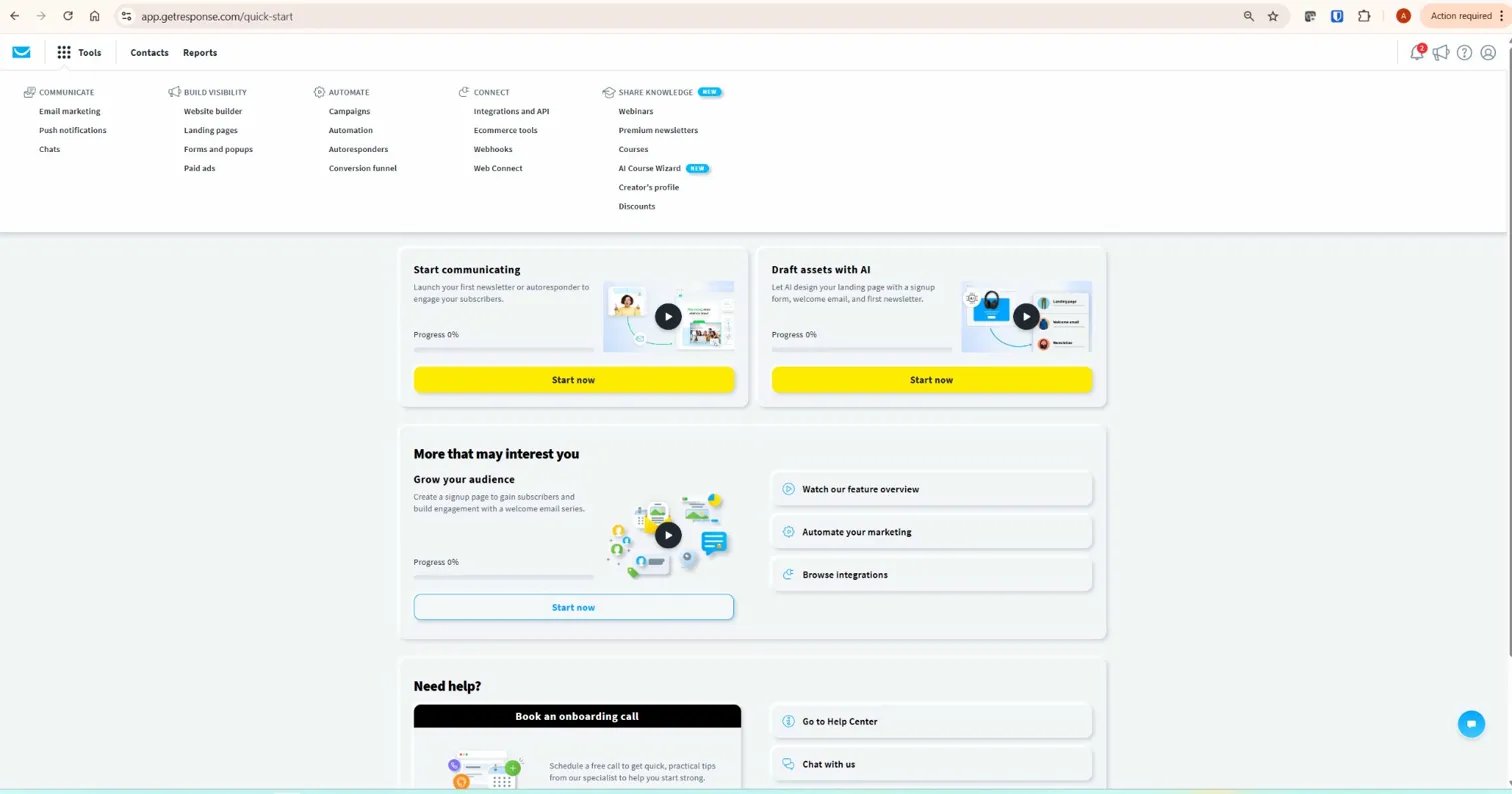
GetResponse Review: Core Features Assessed Honestly
Email Marketing and Newsletter Tools
GetResponse’s email editor provides a drag-and-drop builder with 200+ professionally designed templates, a plain text editor, and an HTML code editor for custom designs. The template library covers transactional, promotional, newsletter, and autoresponder formats across industries. A/B testing is available on all paid plans — test subject lines, sender names, email content, and send times simultaneously.
Autoresponders — time-based email sequences triggered by subscription — are available from the Email Marketing plan upward. For affiliate marketers building welcome sequences, product recommendation series, or educational email courses, autoresponders cover the majority of standard use cases without requiring the full automation builder.
Marketing Automation Builder
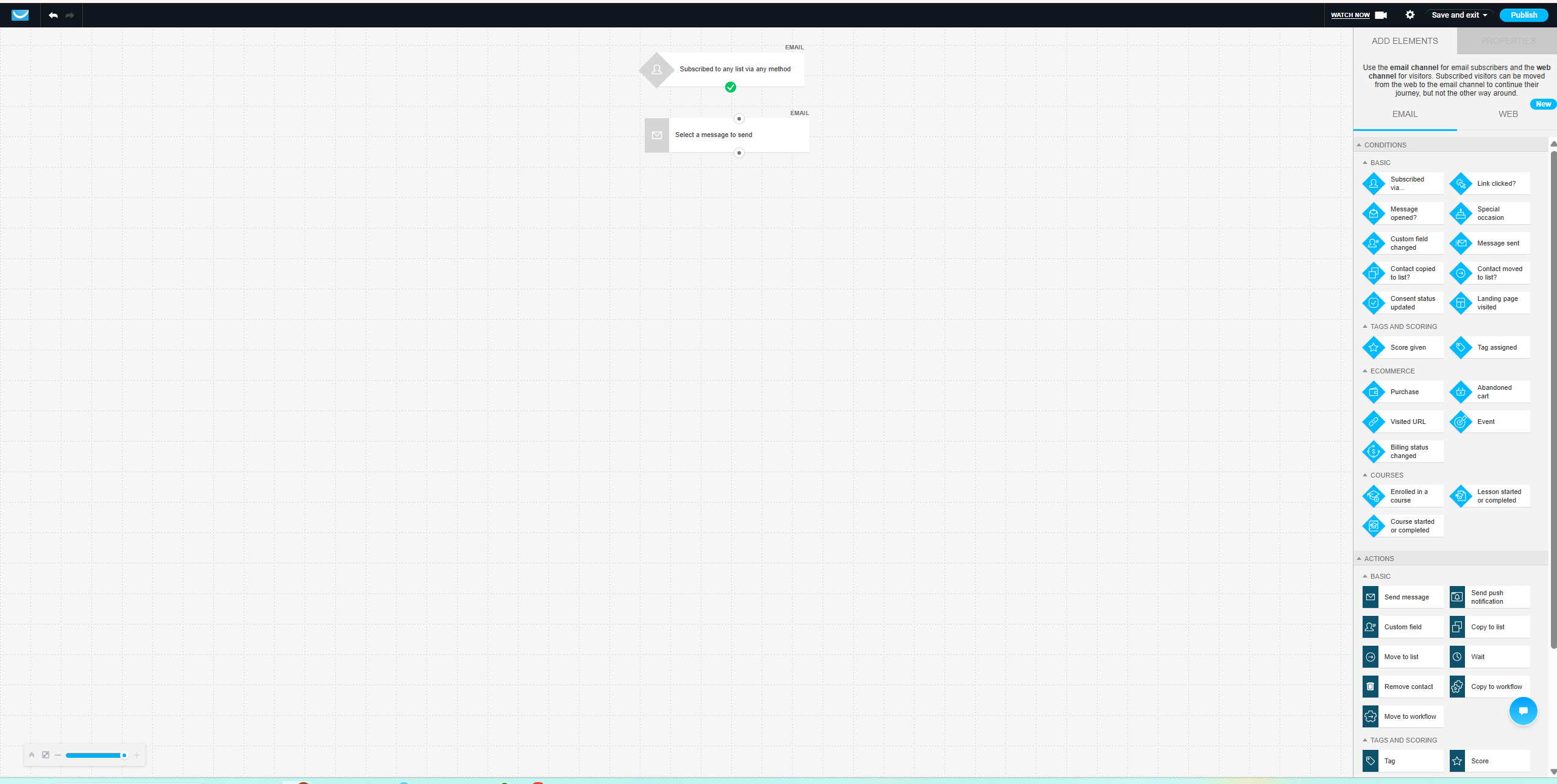
The visual automation builder — available on Marketing Automation plan and above — is GetResponse’s strongest differentiator from basic email marketing tools. It uses a drag-and-drop canvas to build conditional workflow sequences: if a subscriber opens an email, wait 2 days, then send a follow-up; if they click a specific link, tag them and move them to a different sequence; if they do not open within 7 days, send a re-engagement message.
For affiliate marketers, the automation builder enables the kind of behaviour-triggered sequences that significantly outperform time-based autoresponders — sending the right message based on what a subscriber actually does rather than simply how long they have been on the list. My guide to GetResponse automation for affiliate marketing covers the complete workflow setup.
Landing Page Builder
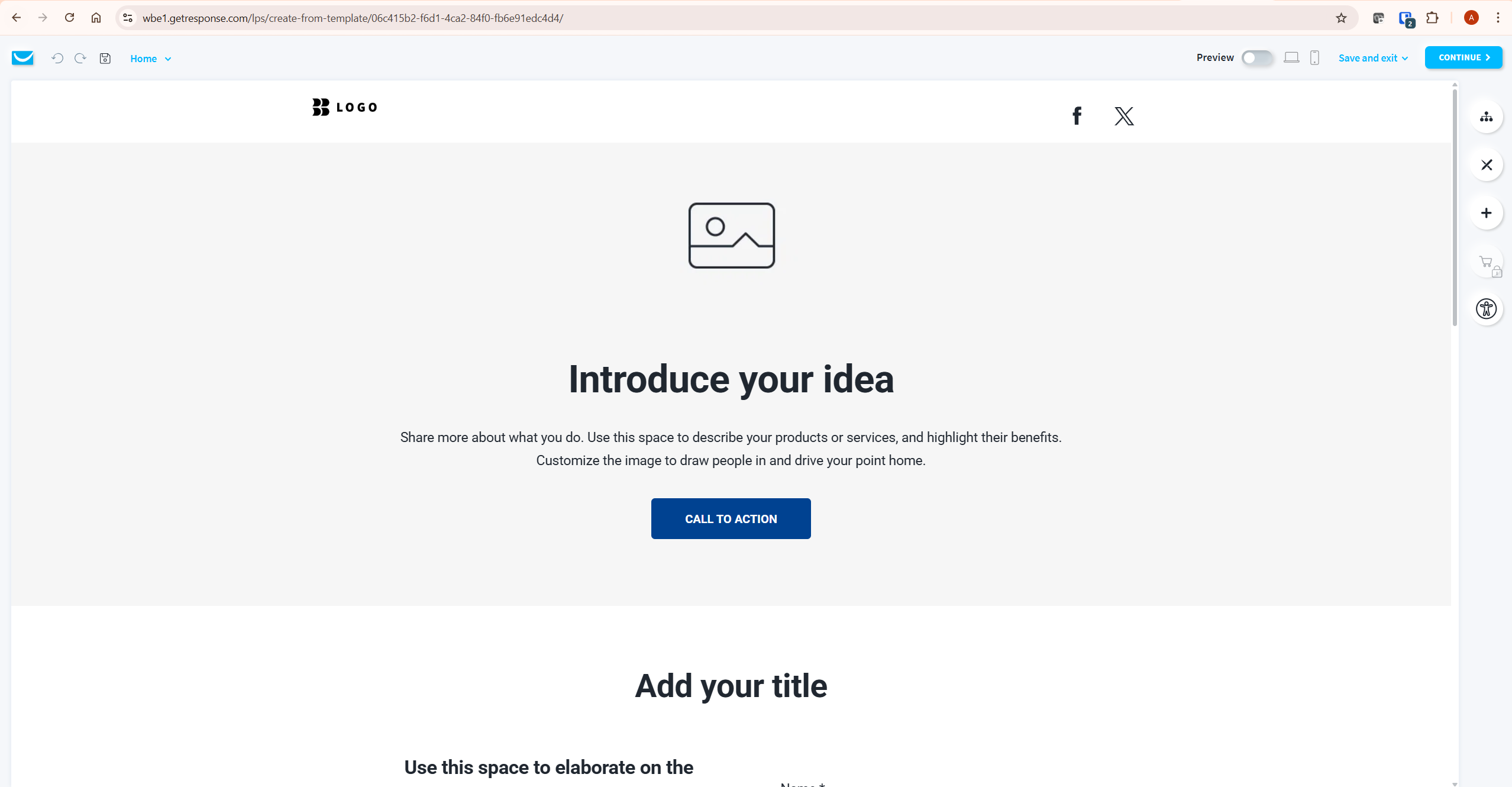
GetResponse includes a landing page builder on all plans including free — one page on the free plan, unlimited on paid plans. The builder provides 200+ templates optimised for lead capture, webinar registration, sales pages, and thank-you pages. Custom domains are supported on paid plans.
For affiliate marketers who need to capture email addresses before directing traffic to affiliate offers, GetResponse’s landing page builder eliminates the need for a separate tool like Leadpages or Unbounce. The quality is not at the level of dedicated landing page platforms, but for standard opt-in pages and lead magnets, it covers the majority of use cases adequately. My GetResponse landing page guide covers the full setup process.
Email Deliverability
Deliverability — the percentage of emails that reach the inbox rather than the spam folder — is the most important technical metric for any email marketing platform. GetResponse maintains its own dedicated IP infrastructure, provides DKIM and SPF authentication support, and offers deliverability monitoring tools that surface issues before they affect campaigns at scale.
Independent testing by EmailToolTester places GetResponse consistently above industry average inbox placement rates. For affiliate marketers whose revenue depends directly on subscribers seeing and opening their emails, this is a meaningful practical advantage over lower-cost alternatives with weaker deliverability infrastructure.
Conversion Funnels
GetResponse’s Conversion Funnel feature — previously called Autofunnel — provides pre-built funnel templates that combine landing pages, email sequences, and sales pages into a complete lead-to-sale workflow. Templates cover lead magnet funnels, webinar funnels, and product sales funnels.
For affiliate marketers, the most useful application is the lead magnet funnel: a landing page offering a free resource, an automated welcome sequence, and a series of promotional emails directing subscribers to affiliate offers. My guide to building an email funnel with GetResponse covers the complete setup step by step.
Webinar Hosting
GetResponse includes webinar hosting from the Marketing Automation plan — up to 100 attendees, with paid webinar capability and on-demand replay on higher tiers. For content publishers and course creators who use webinars for lead generation or product promotion, having webinar hosting integrated with email marketing and automation removes a separate tool subscription. My GetResponse webinars guide covers the full feature set.
GetResponse Pros and Cons
What GetResponse Does Well
All-in-one platform breadth. Email marketing, visual automation, landing pages, webinars, and conversion funnels under one subscription. For affiliate marketers who would otherwise pay separately for email marketing and landing page tools, GetResponse’s consolidation provides real cost efficiency.
Visual automation builder. The drag-and-drop conditional workflow builder is genuinely capable and one of the strongest in its price tier. Behaviour-triggered sequences based on opens, clicks, tags, and custom events are available without requiring enterprise-level investment.
Deliverability infrastructure. Dedicated IP infrastructure, DKIM/SPF support, and consistently above-average independent deliverability test results. For affiliate marketers, inbox placement directly affects revenue.
Free plan with real utility. 500 contacts, unlimited email sends, and one landing page on the free plan is more useful than most competitors’ free offerings. It provides a genuine evaluation environment and a functional starting point for new list builders.
GetResponse affiliate programme. 33% recurring commission on referred subscriptions — one of the strongest recurring affiliate structures in the email marketing category. For affiliate marketers who promote marketing tools to their audience, this is a meaningful income opportunity. My GetResponse affiliate programme guide covers the full details.
Where GetResponse Falls Short
Interface navigation takes time to learn. GetResponse covers a broad feature set and the interface reflects that breadth. New users typically spend meaningful time finding where specific tools are located before establishing an efficient workflow.
Free plan contact limit is low. 500 contacts is enough to start but constrains growth quickly. The jump to the Email Marketing plan at $15.58/month for 1,000 contacts is not expensive, but the contact limit ceiling on the free plan arrives faster than on some competitors.
Advanced automation requires higher-tier plan. The visual automation builder is locked to the Marketing Automation plan at $48.38/month. Basic autoresponders on the Email Marketing plan cover time-based sequences but not behaviour-triggered conditional workflows.
Landing page builder quality trails dedicated tools. GetResponse’s landing page builder is adequate for standard opt-in pages but does not match the design flexibility or conversion optimisation features of dedicated platforms like Leadpages. For marketers who need highly customised landing pages, a dedicated tool remains the better choice.
GetResponse Affiliate Marketer Checklist
| Step | Action | Why It Matters |
|---|---|---|
| 1 | Set up DKIM and SPF authentication before sending any emails | Authentication is the single biggest factor in inbox placement rates |
| 2 | Create a lead magnet and landing page before building your list | Incentivised opt-ins produce higher quality subscribers than generic sign-up forms |
| 3 | Build a welcome sequence of 3–5 emails before your first broadcast | New subscribers are most engaged in the first 7 days — a welcome sequence captures that window |
| 4 | Segment subscribers by interest or behaviour from day one | Segmented campaigns consistently outperform unsegmented broadcasts on open and click rates |
| 5 | Set up automation workflows before scaling list growth | Manual follow-up does not scale — automation should be in place before traffic increases |
| 6 | Monitor deliverability reports weekly during the first 30 days | Deliverability issues caught early are far easier to resolve than established spam reputation problems |
| 7 | Review unsubscribe and complaint rates after every broadcast | High complaint rates damage sender reputation — remove disengaged subscribers before they become a problem |
How GetResponse Compares to Alternatives
GetResponse vs Mailchimp: Mailchimp is better known and easier to start with for absolute beginners. GetResponse leads on automation depth, landing page quality, webinar hosting, and pricing at scale. My GetResponse vs Mailchimp comparison covers the full picture.
GetResponse vs ActiveCampaign: ActiveCampaign has a more powerful CRM and deeper automation logic. GetResponse leads on all-in-one breadth including webinars and landing pages, and is more affordable for equivalent contact counts. My GetResponse vs ActiveCampaign comparison covers this in detail.
GetResponse vs ConvertKit: ConvertKit is better suited to individual creators who want simplicity and a clean subscriber-first model. GetResponse leads on feature breadth and pricing for equivalent list sizes. My GetResponse vs ConvertKit comparison covers which is better for affiliates.
GetResponse vs MailerLite: MailerLite is simpler and cheaper for basic email marketing needs. GetResponse leads on automation depth, webinar hosting, and conversion funnel features. My GetResponse vs MailerLite comparison covers the key differences.
What To Do Next
Start with GetResponse’s free plan — 500 contacts, unlimited emails, and one landing page at no cost. Use that environment to set up your first landing page, connect your lead magnet, and send your first welcome email. That process tells you whether the interface suits your workflow before you commit to a paid plan. When your list approaches 500 contacts or you need behaviour-triggered automation, upgrade to the relevant paid tier. You can get started through my GetResponse affiliate link.
Frequently Asked Questions
Is GetResponse free to use?
GetResponse offers a free plan supporting up to 500 contacts with unlimited email sends, one landing page, and basic newsletter functionality. No credit card is required. The free plan is a genuine starting point for new list builders — not a deliberately limited trial. It becomes a constraint when your list approaches 500 contacts or when you need behaviour-triggered automation workflows. For a complete breakdown, see my GetResponse free plan guide.
Is GetResponse good for affiliate marketing?
Yes — GetResponse is one of the most affiliate-friendly email marketing platforms available. Unlike some competitors that restrict or ban affiliate marketing content, GetResponse explicitly supports affiliate marketers and provides the automation tools, landing page builder, and conversion funnel features that affiliate email workflows require. The platform’s deliverability infrastructure is also well-suited to promotional email content. My guide to GetResponse automation for affiliate marketing covers the complete setup.
What is the difference between GetResponse Email Marketing and Marketing Automation plans?
The primary difference is the automation builder. The Email Marketing plan ($15.58/month for 1,000 contacts) includes autoresponders — time-based email sequences — but not the visual conditional workflow builder. The Marketing Automation plan ($48.38/month) unlocks the full drag-and-drop automation canvas with behaviour-triggered conditions, tags, scoring, and multi-path sequences. For affiliate marketers who need welcome sequences only, the Email Marketing plan is sufficient. For anyone building behaviour-triggered nurturing flows, Marketing Automation is the minimum viable plan.
How does GetResponse deliverability compare to competitors?
GetResponse consistently achieves above-average inbox placement rates in independent testing. EmailToolTester’s deliverability tests place it among the stronger performers in the email marketing category. The platform’s dedicated IP infrastructure, authentication support, and deliverability monitoring tools contribute to this record. For affiliate marketers where inbox placement directly affects revenue, GetResponse’s deliverability performance is a meaningful practical advantage.
Does GetResponse have a free trial?
GetResponse offers a 30-day free trial on paid plans in addition to the permanent free plan. The free trial provides full access to all features on your chosen paid plan without requiring a credit card. This is one of the more generous trial structures in the email marketing category — 30 days is sufficient time to build and test a complete email workflow before committing to a subscription. For full details, see my GetResponse free trial guide.
Is GetResponse worth it for a small affiliate site?
For a small affiliate site just starting list building — yes, at the free plan level. The 500-contact free plan covers the early stage without any cost. For a site with an established audience and consistent traffic where email marketing is part of the monetisation strategy, the Email Marketing plan at $15.58/month is a justified investment. The Marketing Automation plan becomes worth evaluating once you need behaviour-triggered sequences rather than simple time-based autoresponders. For a complete analysis, my guide on is GetResponse worth it covers every scenario.
