
Semrush vs Google Search Console: Honest Comparison for Affiliates (2026)
Disclosure: This site earns revenue through affiliate partnerships with other platforms. This article does not currently contain affiliate links for Semrush. All recommendations are based on independent research. Semrush pricing verified from official Semrush sources in May 2026.
If you are asking whether Semrush vs Google Search Console is the right comparison to make — the honest answer is that it is not quite the right question. Google Search Console is a free tool that shows you verified data about your own site directly from Google. Semrush is a paid SEO platform that gives you competitive intelligence, keyword discovery, and strategic research about your entire niche. Most affiliate content publishers need both — not one or the other. I am Andreas Maratheftis, 30 years in professional finance and the founder of InnovateHub Finance. This guide gives you the complete picture on what each tool does, where each one is essential, and how to use them together to make better content decisions.
Semrush vs Google Search Console: Quick Verdict
Google Search Console is free, gives you verified data from Google about your own site, and is non-negotiable — every publisher should have it connected from day one. Semrush is a paid platform starting at $139.95/month that gives you competitive keyword research, competitor analysis, site auditing, and content planning tools that GSC cannot provide. The Semrush vs Google Search Console comparison is not about choosing one over the other — the two tools serve different purposes and work best when used together. If you can only afford one right now, use Google Search Console. Add Semrush when your site is generating enough income to justify the investment, and when competitive intelligence starts influencing your content decisions.
Semrush vs Google Search Console: Comparison Table
| Feature | Google Search Console | Semrush | Verdict |
|---|---|---|---|
| Cost | Free — no paid tiers | From $139.95/month (Pro, monthly billing) | GSC wins on cost |
| Data source | Verified Google data — your site only | Estimated data — your site and competitors | GSC more accurate for your own site |
| Keyword research | Shows queries you already rank for | Full keyword discovery — 27 billion+ keywords | Semrush |
| Competitor research | Not available | Full competitor keyword and traffic analysis | Semrush |
| Rank tracking | Average position data (limited) | Daily tracking — Pro: 500 keywords, Guru: 1,500 keywords per account | Semrush |
| Site audit | Indexing, coverage, crawl, and experience reports | 140+ checks, prioritised by severity | Semrush |
| Backlink data | Links to your site only | Full backlink analysis including competitors | Semrush |
| Indexing and coverage | Full — direct from Google | Not available | GSC |
| Core Web Vitals | Core Web Vitals field data from Google | Site audit covers performance signals | GSC (verified data) |
| Content marketing tools | Not available | Full platform — briefs, topic research, AI writer (Guru plan) | Semrush |
| Integration | Integrates with Semrush | Integrates with GSC — combines both data sets | Use both together |
If you are still deciding whether Semrush belongs in your affiliate SEO workflow, start with our Is Semrush Worth It? guide before comparing it against Google Search Console.
What Is Google Search Console — and How Does It Differ from Semrush?
Google Search Console is a free tool provided by Google that shows you how your website performs in Google Search. The key performance, indexing, and experience data inside GSC comes directly from Google’s own systems, not from estimates or third-party modelling. This makes it the single most accurate source of SEO performance data available for your own site.
The core reports in GSC cover: the search queries your pages rank for and their average position, click-through rate, and impressions; which pages are indexed and which have coverage errors; Core Web Vitals scores for mobile and desktop; manual actions or security issues Google has identified; and links pointing to your site. All of this is available at no cost, requires only site ownership verification, and updates continuously from Google’s own data.
What GSC does not do: it cannot show you keywords you are not already ranking for, it cannot analyse competitor sites, it cannot identify technical issues beyond crawl and index errors, and it has no backlink research or content planning tools. These are not weaknesses — they are simply outside GSC’s purpose, which is to show you verified performance data for your own site.
What Is Semrush — and Why Does the Semrush vs Google Search Console Question Keep Coming Up?
Semrush is a paid SEO and digital marketing platform covering keyword research, rank tracking, competitor analysis, site auditing, backlink analysis, and content planning. Its core value for an affiliate content publisher is competitive intelligence — understanding what keywords competitors rank for, which content gaps exist in your niche, and what technical issues are suppressing your rankings. For a full breakdown of everything Semrush includes, read our complete Semrush review.
Semrush’s data is estimated — it uses keyword position tracking, clickstream data, and statistical modelling to produce its insights. This means it is extremely useful for competitive research and content strategy, but it is not as precise as GSC for measuring your own site’s actual performance. Semrush and GSC measure different things using different methodologies, which is why the two tools complement rather than replace each other.
What Can Semrush Do That Google Search Console Cannot?
This is the most important section in the Semrush vs Google Search Console comparison — understanding why Semrush adds value on top of GSC — and it applies directly to how an affiliate content publisher should think about the investment.
Keyword discovery. GSC shows you queries you already rank for. Semrush’s Keyword Magic Tool accesses a database of 27 billion+ keywords and surfaces terms you are not ranking for yet — including what competitors rank for that you do not. For an affiliate site building topical authority, finding new keyword opportunities is the highest-value research activity. GSC cannot do this. Our guide on keyword research with Semrush covers the full workflow step by step.
Competitor analysis. GSC shows your site’s data only. Semrush lets you enter any competitor domain and see their keyword rankings, top-performing pages, estimated traffic, and backlink profile. For an affiliate publisher, knowing which articles on a competitor site drive the most traffic — and which keywords they rank for that you have not written about — is a direct input to your content plan. Our Semrush competitor analysis guide covers this workflow in detail.
Full site audit. GSC reports crawl errors, coverage issues, and Core Web Vitals. Semrush’s Site Audit checks 140+ technical factors — broken internal links, redirect chains, missing meta descriptions, duplicate content, image alt text, structured data issues — and prioritises them by severity with plain-language explanations. For an affiliate site publishing regularly, the Semrush audit surfaces problems GSC never flags.
Backlink research. GSC shows links pointing to your site from Google’s perspective. Semrush’s Backlink Analytics covers your own profile plus any competitor’s — showing referring domains, anchor text distribution, toxic links, and link-building opportunities via the Backlink Gap tool.
Content planning tools. GSC has no content tools. Semrush’s Guru plan includes the SEO Content Template, Writing Assistant, and Topic Research tools — a complete workflow from keyword to published article.
What Can Google Search Console Do That Semrush Cannot?
GSC has three areas where it outperforms Semrush — and all three come from the same fundamental advantage: GSC data comes directly from Google.
Indexing and coverage. GSC is the only tool that shows you definitively whether Google has indexed your pages — and if not, why. “Crawled but not indexed,” “Duplicate without user-selected canonical,” “Page with redirect” — these coverage statuses come directly from Google’s systems. Semrush can flag technical issues that may cause indexing problems, but it cannot tell you what Google has actually indexed. For an affiliate publisher submitting new articles and monitoring whether they are being picked up, GSC is the only reliable source.
Core Web Vitals — verified. GSC shows verified Core Web Vitals data from real user experience, classified by Google as Good, Needs Improvement, or Poor. Semrush’s site audit covers performance signals, but the authoritative data on how Google is actually measuring and experiencing your pages comes from GSC directly.
Click-through rate and impressions. GSC shows your actual impressions and CTR for every query across every page. This data is verified from Google’s own search results. Semrush’s position tracking shows ranking positions, but CTR and impression data for your own queries is only available from GSC. Identifying pages with high impressions but low CTR — meaning many people see your result but few click — is a GSC-only workflow that surfaces title tag and meta description optimisation opportunities.
How Semrush and Google Search Console Work Together
The most powerful use of both tools is not choosing between them — it is connecting them. Semrush integrates directly with Google Search Console, pulling GSC data into the Semrush interface and allowing you to combine verified Google data with Semrush’s competitive intelligence in a single workflow.
The practical workflow for an affiliate content publisher using both tools:
- Use GSC to find underperforming pages. Filter by impressions above 100 and CTR below 3%. These pages are visible in Google but not compelling enough to click. This is a title tag and meta description optimisation task.
- Use Semrush to find missing keyword opportunities. Run the Keyword Gap tool against 2-3 competitors to identify keywords they rank for that you have not covered. These become your next articles.
- Use GSC to monitor new articles after publishing. Submit new URLs for indexing via GSC and track when Google crawls and indexes them. Check for coverage errors on any new article within 2 weeks of publishing.
- Use Semrush to diagnose ranking plateaus. If a page is indexed (confirmed via GSC) but stuck at position 15-20, run a Semrush Site Audit to identify technical issues and check the competitor analysis for that keyword to understand what is outranking you.
- Use GSC for Core Web Vitals issues. When GSC flags a CWV problem on specific pages, use Semrush’s Site Audit to identify the underlying technical causes — oversized images, render-blocking scripts, or slow server response.
This combined workflow also supports AI search visibility. Google Search Console shows which pages Google is already discovering and showing in search results, while Semrush helps identify the related questions, competitor pages, and content gaps your article needs to cover more completely. For affiliate publishers, this matters because strong answer-first content is more likely to perform across traditional Google search and AI-assisted discovery.
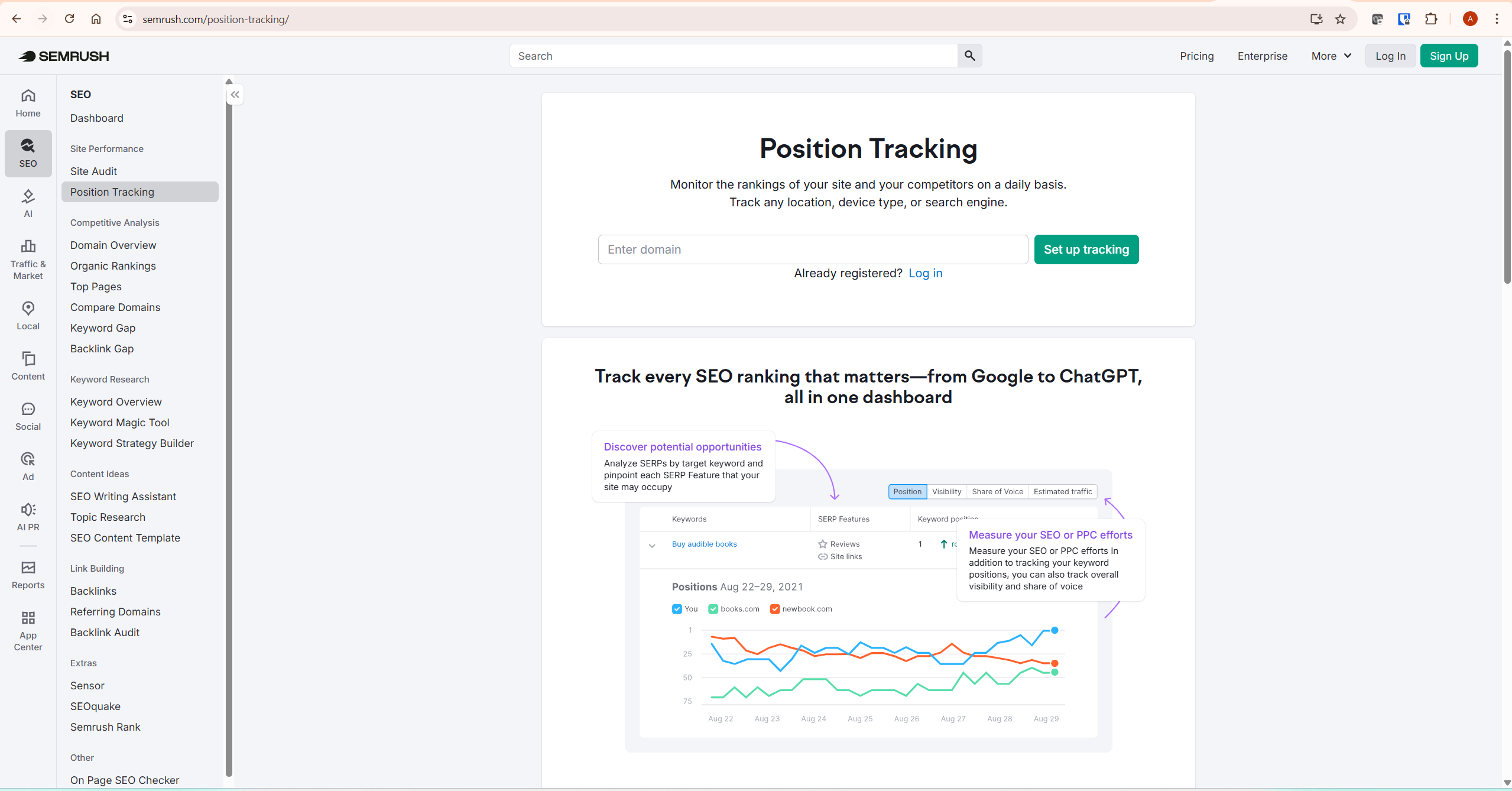
This combined workflow uses each tool for what it does best. Neither tool alone gives you this complete picture. For a deeper look at how Semrush’s position tracking integrates into this workflow, our guide on Semrush Position Tracking covers the setup and interpretation in detail.
Semrush vs Google Search Console: Which Should You Use First?
Google Search Console first — always. It is free, it connects you directly to Google’s data about your site, and it provides information no paid tool can replicate. Connect it the day you launch your site and check it weekly from the start. There is no scenario where starting with Semrush before connecting GSC makes sense.
Add Semrush when two conditions are met: your site has at least 20 published articles targeting specific keywords, and you have a clear content plan that competitive intelligence would meaningfully improve. At under 20 articles, the Semrush free account (10 keyword searches per day, no card required) combined with GSC covers your analytical needs without a paid subscription. The free account is enough to validate keyword ideas and check basic competitor rankings while you build your content foundation.
The financial case for adding Semrush Pro at $139.95/month (or $117.33/month when billed annually) becomes clearer once your site is generating consistent affiliate income and your content decisions are driven by competitive keyword data rather than intuition. For a detailed breakdown of when the investment makes sense at different site stages, our guide on whether Semrush is worth it covers this decision framework directly. For a full breakdown of every plan and what it includes, our Semrush pricing guide covers every tier in detail.
Common Mistakes Affiliate Publishers Make With These Tools
Not connecting GSC at launch. Google Search Console needs time to accumulate data. A site that connects GSC six months after launch has lost six months of impression, CTR, and coverage history. Connect it on day one — it takes under ten minutes and costs nothing.
Treating Semrush data as more accurate than GSC for their own site. Semrush uses estimated data. For your own site, Google Analytics and GSC always have more accurate figures. Use Semrush for competitive research and content strategy. Use GSC for verified performance monitoring of your own pages.
Ignoring GSC coverage errors. The Indexing / Pages report in GSC shows which pages Google has and has not indexed, and gives Google’s stated reason when a page is excluded. A “Crawled but not indexed” status means Google visited the page but has not currently included it in search results. This can happen because of content quality, duplication, weak differentiation, canonical signals, or Google deciding the page is not currently strong enough to index. This is actionable intelligence that no paid tool can surface with the same authority. Our guide on Semrush Site Audit covers the technical fixes that often resolve indexing issues.
Using Semrush without GSC connected. The Semrush and GSC integration combines estimated competitive data with verified Google data in one interface. Running Semrush without connecting GSC means you are missing the most accurate data layer available for your own site. Connect both from the start.
Paying for Semrush before the site is ready for it. Semrush delivers its greatest value when you have enough published content to identify gaps, enough competitor data to benchmark against, and enough traffic to make optimisation decisions meaningful. Starting Semrush with three published articles produces very little actionable output. Our Semrush alternatives guide covers what to use at the early stage before Semrush is financially justified.
What To Do Next
If you do not yet have Google Search Console connected: do this first, today. Go to Google Search Console, add your property, verify ownership via DNS record or HTML tag, and submit your sitemap. This takes under ten minutes and unlocks the most accurate SEO data available for your site — at no cost.
If you already have GSC connected and are evaluating Semrush: use the free Semrush account to run the Keyword Gap tool against your top competitor. If the results surface at least five content opportunities you have not written about, the data depth is sufficient to justify the subscription. If the free tool covers your current needs, wait until your site reaches 20+ articles and your content decisions require competitive intelligence at scale. Start at Semrush’s free keyword tools to evaluate before committing.
Frequently Asked Questions
Is Semrush better than Google Search Console?
They are not comparable in the same way because they serve different purposes. Google Search Console gives you verified data from Google about your own site — indexing status, coverage errors, Core Web Vitals, and actual search performance. Semrush gives you competitive intelligence and research tools — keyword discovery, competitor analysis, and content planning. For monitoring your own site’s performance, GSC is more accurate because its data comes directly from Google. For competitive research and content strategy, Semrush provides capabilities GSC does not have. Most serious affiliate publishers use both.
Do I need Semrush if I have Google Search Console?
Not necessarily — it depends on your site stage. Google Search Console covers everything you need to monitor an early-stage site: indexing status, search performance, coverage errors, and Core Web Vitals. The Semrush free account (10 searches per day, no card required) adds basic keyword and competitor research on top of that. A paid Semrush subscription becomes worth considering when competitive intelligence — understanding what your competitors rank for that you do not — is actively driving your content decisions and when your site is generating enough income to justify the cost.
Can Google Search Console replace Semrush?
No. GSC shows you what is happening on your own site in Google Search. It cannot show you competitor keyword rankings, surface new keyword opportunities, run a full technical audit, or analyse competitor backlink profiles. For an affiliate content publisher who needs to understand their competitive landscape and identify content gaps, GSC alone is insufficient. It is a monitoring tool, not a research platform.
Does Semrush integrate with Google Search Console?
Yes — the Semrush vs Google Search Console integration is one of the most practical features available. Semrush connects directly to Google Search Console within your Semrush project setup. Once connected, Semrush pulls your GSC data — verified rankings, impressions, CTR — and combines it with Semrush’s estimated competitive data in a single interface. This integration makes both tools more useful together than either is separately. When setting up a new Semrush project, connecting GSC is one of the first recommended setup steps.
Is Google Search Console enough for SEO?
In the Semrush vs Google Search Console comparison, GSC is the right tool for monitoring your own site’s performance in Google Search and is the most accurate tool available. For proactive SEO strategy — finding new keywords to target, analysing competitor content, identifying link-building opportunities, and planning a content calendar based on competitive gaps — GSC alone is not enough. It tells you what is happening but not what to do next in terms of competitive opportunity. Adding even the free Semrush account addresses the keyword research gap at no cost.
Final Thoughts
The Semrush vs Google Search Console question has a clear answer for affiliate content publishers: use both. GSC is non-negotiable — free, accurate, and directly from Google. Semrush adds the competitive intelligence and research layer that GSC cannot provide. For an affiliate content publisher, the two tools work best as a pair: GSC for verified performance monitoring of your own site, Semrush for understanding the competitive landscape and planning your next content decisions.
If budget forces a choice in the Semrush vs Google Search Console decision, start with GSC and the Semrush free account. Add a paid Semrush subscription when your site has enough published content for competitive analysis to be meaningful and when the subscription cost is justifiable against your affiliate income.
For a complete breakdown of Semrush’s features and whether the investment is right for your current stage, read our full Semrush review.
- Semrush Pricing Explained — every plan, limit, and add-on in detail
- Is Semrush Worth It? — cost-benefit framework by site stage
- How to Do Keyword Research with Semrush — the full affiliate content workflow
- Semrush Competitor Analysis — 90-minute competitive research workflow
- Semrush Alternatives — what to use before Semrush is financially justified
Semrush pricing verified from Semrush’s official sources in May 2026. Semrush Pro: $139.95/month monthly billing, $117.33/month when billed annually. Semrush Guru: $249.95/month monthly billing, $208.33/month when billed annually. Always verify current pricing at semrush.com/prices before purchasing.
