
Koinly for Taxes Australia: Best Complete 2026 Guide
Affiliate Disclosure: This article contains affiliate links. If you sign up for Koinly through a link on this page, I may earn a commission at no extra cost to you. I only recommend tools I have researched and believe are worth your time.
Tax Disclaimer: This article is for informational purposes only and does not constitute professional tax or financial advice. Australian tax laws are complex and individual circumstances vary. Consult a registered tax agent or qualified tax professional for advice specific to your situation.
Koinly for taxes Australia is one of the most straightforward ways to generate an ATO-compliant crypto tax report — but only if you set it up correctly from the start. The most common mistakes Australian investors make are using the wrong tax year dates, missing the 50% CGT discount for long-held assets, and leaving wallets unconnected so cost basis calculations come out wrong. This guide covers everything you need to do it right.
The ATO classifies cryptocurrency as a CGT asset — not currency — which means every disposal triggers a capital gains tax event. That includes selling crypto for AUD, trading one crypto for another, spending crypto on goods or services, and gifting crypto. The ATO has an active data-matching program that cross-references what you report in your tax return against transaction data from crypto exchanges and platforms. Getting this right matters more in 2026 than it ever has.
In finance, the investors who run into problems with the ATO are often not trying to hide anything — they simply underestimate how many taxable events they created. Crypto-to-crypto trades, staking rewards, wallet transfers with fees, and missing cost basis data can all affect the final report significantly. Koinly addresses this by importing everything automatically and applying the correct ATO tax rules. The guide below walks you through the complete process step by step.
If you haven’t set up Koinly yet, the free plan lets you import all your transactions and see your tax position before paying anything: start with Koinly free here.
Koinly for Taxes Australia: Quick Answer
Set your Koinly home country to Australia and base currency to AUD. Connect all your exchanges and wallets via API or CSV. Let Koinly calculate your capital gains and income. Download your ATO myTax report. Log in to the ATO’s myTax portal and copy the figures from your Koinly report into your tax return. Lodge by the ATO deadline — generally 31 October for self-lodgers, or the next business day if that date falls on a weekend. That is the complete workflow — the sections below cover each step in detail including the rules that affect your calculations most.
Australian Crypto Tax: What You Need to Know Before Using Koinly
Understanding the ATO’s treatment of crypto before setting up Koinly for taxes Australia ensures your report is configured correctly from the beginning. Getting the settings wrong produces an inaccurate report even if all your transactions are imported correctly.
The Australian Tax Year Is Not the Calendar Year
Australia’s financial year runs from 1 July to 30 June of the following year. When Koinly asks you to select a tax year, you are selecting this July-to-June period — not a January-to-December calendar year. For the 2025–26 tax year, you are reporting transactions from 1 July 2025 to 30 June 2026. The standard self-lodgement deadline is 31 October each year — however, because 31 October 2026 falls on a Saturday, the deadline is expected to move to the next business day. Always confirm the exact due date in your ATO account or with a registered tax agent before lodging.
Crypto Is a CGT Asset — Not Currency
The ATO classifies crypto assets as property subject to Capital Gains Tax — not as currency or foreign exchange. This classification is confirmed in ATO Tax Determination TD 2014/26. Every time you dispose of a crypto asset, you trigger a CGT event. Disposal includes selling for AUD, trading for another crypto, spending crypto on goods or services, and gifting crypto to another person.
What Is and Isn’t a Taxable Event
The ATO has confirmed the following directly in its guidance:
- Taxable: Selling crypto for AUD, trading crypto-to-crypto, spending crypto on goods or services, gifting crypto
- Not taxable: Transferring crypto between your own wallets — as long as you maintain ownership. Note: if a network fee reduces your balance during a transfer, that fee amount is a disposal and has CGT consequences.
- Income: Staking rewards, mining income, airdrops, and interest from lending are generally treated as ordinary income at fair market value in AUD on the day you received them
The 50% CGT Discount — Koinly Applies This Automatically
If you hold a crypto asset for more than 12 months before disposing of it, you are eligible for a 50% CGT discount on the capital gain as an individual investor. This is one of the most valuable tax concessions available to Australian crypto investors and one of the most frequently miscalculated manually. Koinly tracks your acquisition dates for every asset and automatically applies the 50% discount to eligible disposals in your ATO myTax report. You do not need to calculate this manually.
Important: traders — investors who conduct business-like crypto trading — are not eligible for the 50% CGT discount. If the ATO classifies you as a trader rather than an investor, different rules apply. Seek professional advice if your trading volume or frequency is high enough that your classification is unclear.
Capital Losses Cannot Offset Ordinary Income
Under Australian tax law, capital losses can only be used to offset capital gains — not ordinary income like salary or wages. If your crypto capital losses exceed your capital gains in a given year, you carry the net capital loss forward indefinitely to offset capital gains in future years. You cannot deduct it against income in the current year. Koinly correctly separates capital gains, capital losses, and income in your ATO report.
How to Use Koinly for Taxes Australia: Step-by-Step Setup
Step 1: Create Your Koinly Account and Configure Settings
Sign up for a free Koinly account at koinly.io. During setup — or via Settings in your existing account — configure the following:
- Home Country: Australia
- Base Currency: AUD
- Cost Basis Method: FIFO (first in, first out) is the most commonly used method for Australian crypto tax reporting and is Koinly’s default for Australia. Koinly supports multiple cost basis methods, but Australian taxpayers should confirm the appropriate method with a registered tax agent if unsure about which applies to their circumstances.
- Tax Year: Confirm the July–June date range is correctly set
Setting Australia as your home country tells Koinly to apply Australian tax rules, generate the ATO myTax report format, and apply the 50% CGT discount to eligible disposals automatically.
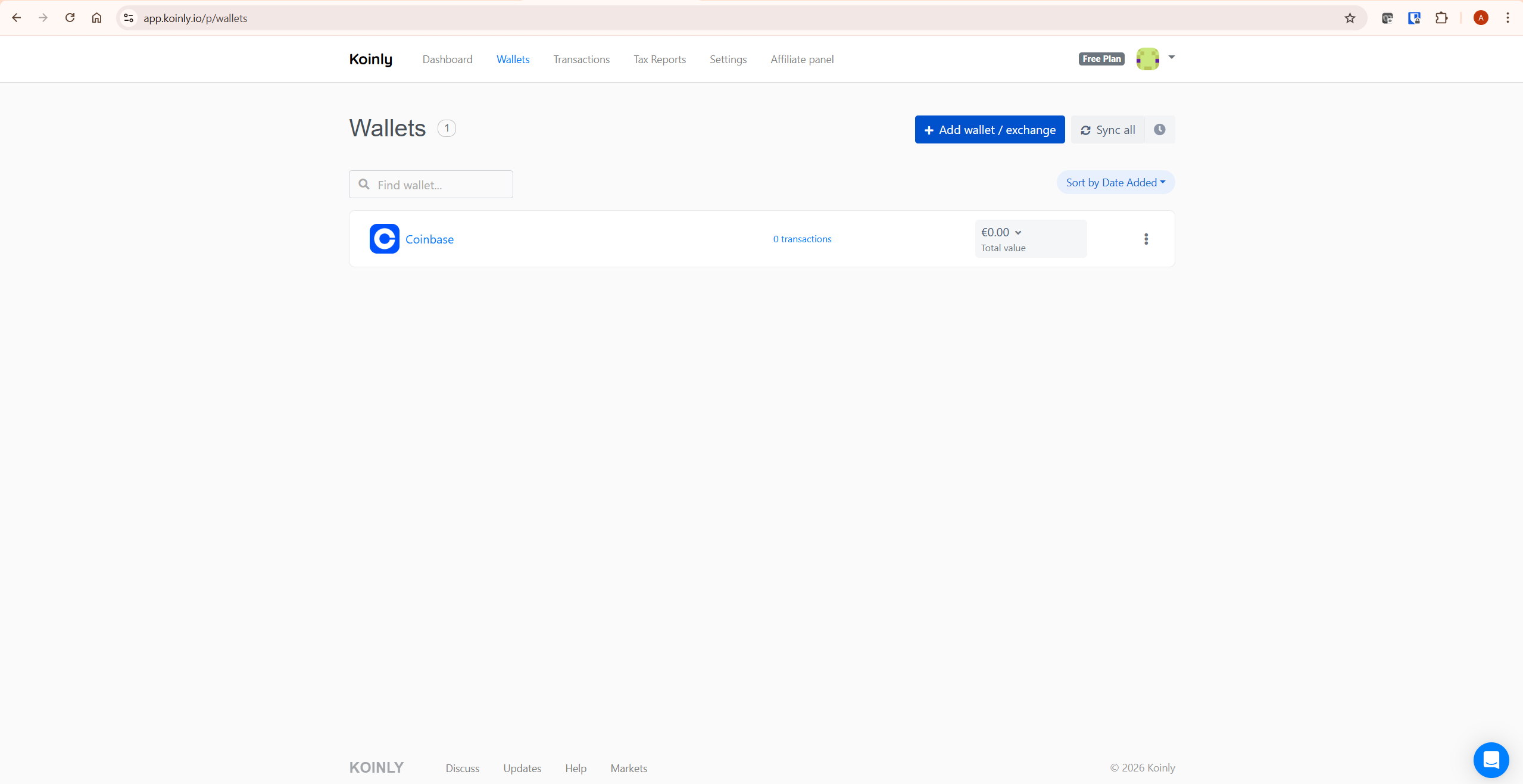
Step 2: Connect All Your Exchanges and Wallets
Connect every exchange and wallet where you held or transacted with crypto during the tax year. Koinly supports all major Australian exchanges including CoinSpot, Swyftx, CoinJar, and Independent Reserve, along with hundreds of international exchanges, wallets, and blockchains.
For each platform, connect via API key for automatic syncing or upload a CSV transaction export file. API connections are read-only — Koinly cannot execute trades or move funds.
Missing any exchange or wallet creates a cost basis problem. When Koinly sees a disposal but has no record of the original purchase, it may assign a zero cost base — calculating your full sale proceeds as a capital gain. This is the single most common cause of inflated gain figures in Koinly reports. Connect everything before generating your report.
Step 3: Review and Fix Data Warnings
After importing, go to the Transactions tab and check for warnings. The two most important to resolve:
- Missing purchase history: A disposal with no matching purchase. Find the original acquisition and add it manually, or connect the missing exchange.
- Unmatched transfers: Koinly’s smart transfer matching identifies movements between your own wallets as non-taxable transfers. If wallets are missing, these appear as unexplained disposals. Connect all wallets to allow Koinly to match them correctly.
For guidance on resolving specific data issues, see Koinly’s official tax accuracy guide: how to ensure your Koinly report is accurate.
Step 4: Review Your Tax Summary
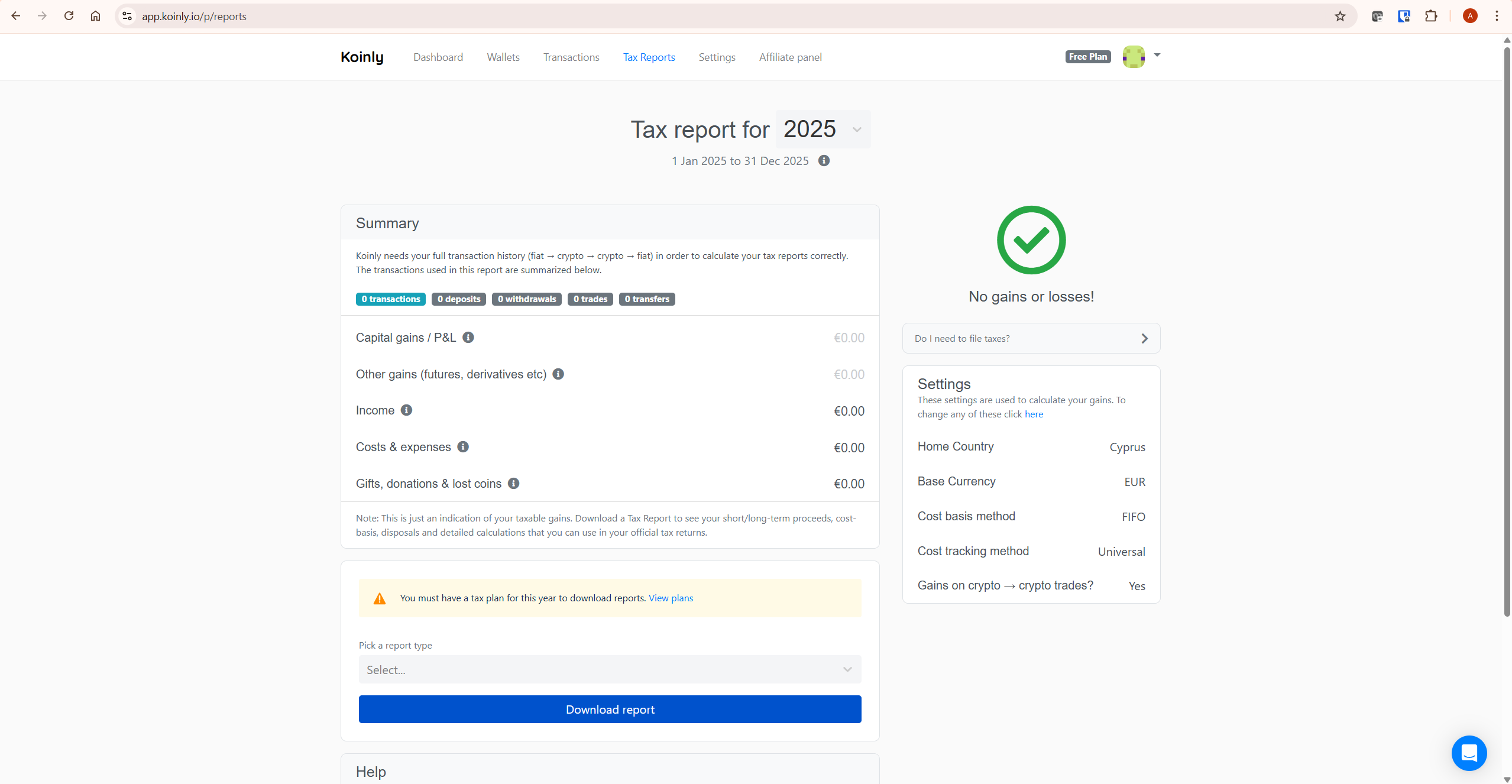
Go to Tax Reports in Koinly and review your capital gains summary for the relevant Australian tax year. On the free plan, you can see your complete gains, losses, income, and net CGT position before purchasing a report. Check that the figures look reasonable given your trading activity. If anything appears significantly wrong, return to Step 3 and resolve outstanding data warnings before purchasing.
Step 5: Purchase a Plan and Download Your ATO myTax Report
Once your data is clean and your summary looks correct, purchase the Koinly plan that covers your transaction volume for the relevant tax year. Plans are priced per tax year — not as annual subscriptions.
- Newbie ($49): Up to 100 transactions
- Hodler ($99): Up to 1,000 transactions
- Trader ($199): Up to 3,000 transactions
Check your transaction count in the Koinly dashboard before purchasing — it tells you exactly which tier you need. From the Tax Reports page, select the ATO myTax report type and download the PDF. This report contains all the figures you need to complete your tax return.
Note: Koinly plans are tax deductible under ATO rules as a cost of managing your tax affairs. Keep a record of your purchase for your own tax deduction claim.
For a full breakdown of Koinly’s plan costs and which tier suits your situation, see our Koinly pricing guide.
How to File Your Koinly Report with ATO myTax
Once you have your Koinly ATO myTax report, the filing process involves copying figures from the report into your myTax return. Here is how to do it.
Step 1: Log In to myTax
Log in to myGov at my.gov.au and access the ATO’s myTax portal through your linked ATO account. Select Manage tax returns and choose the current financial year return.
Step 2: Personalise Your Return
In the Personalise your return section, select the relevant options for your crypto activity:
- For capital gains or losses from crypto: check “You had Australian interest, or other Australian income or losses from investments or property”
- If you have capital gains above $10,000: you will also need to complete the Capital Gains Tax Schedule
- For crypto income (staking, mining, airdrops): select the relevant income section
Step 3: Enter Your Capital Gains Figures
From your Koinly ATO myTax report, copy the following figures into the corresponding fields in myTax:
- Total current year capital gains — your gross profit before losses or discounts
- Net capital gains — after deducting capital losses
- Net capital gains after CGT discount — after applying the 50% discount to eligible long-term gains
Koinly’s ATO myTax report is structured to match these fields directly. You copy the numbers from the report into myTax — there is no manual calculation required.
Step 4: Enter Your Crypto Income
Staking rewards, mining income, airdrops, and lending interest are taxed as ordinary income in Australia — not as capital gains. Koinly’s report includes an Other Income Summary section with these figures. Enter the total in the appropriate income section of myTax. The fair market value in AUD on the day you received each income item is used as the assessable amount — Koinly calculates this automatically.
Step 5: Complete and Lodge
Complete the rest of your tax return as usual and lodge by the ATO deadline. For self-lodgers, this is generally 31 October, or the next business day if 31 October falls on a weekend. If you use a registered tax agent to lodge on your behalf, their lodgement deadline may be later — confirm with your agent.
A Worked Example: Australian Crypto Tax with Koinly
Here is a realistic scenario showing how Koinly calculates your Australian crypto tax position.
Your situation for the 2025–26 tax year (1 July 2025 to 30 June 2026):
- You bought 0.5 BTC in March 2024 for A$25,000
- You sold it in September 2025 for A$40,000 — held for more than 12 months
- Capital gain before discount: A$15,000
- 50% CGT discount applies (held over 12 months): A$7,500 discount
- Net capital gain: A$7,500
- You received A$800 in Ethereum staking rewards during the year
- Total assessable crypto income: A$800
Koinly imports the Bitcoin purchase and sale, identifies the 12-month holding period, applies the 50% CGT discount automatically, and generates the ATO myTax report with A$7,500 as your net capital gain and A$800 as your crypto income. You copy those two figures into myTax. That is the complete filing process for this scenario.
If you had made a capital loss on another asset during the same year — say, A$2,000 loss on Ethereum — Koinly would offset that against your Bitcoin gain, reducing your net capital gain to A$5,500 before the 50% discount.
Common Mistakes When Using Koinly for Taxes Australia
Using the Wrong Tax Year Dates
The July–June tax year is one of the most common setup errors for Australian investors using Koinly. If your Koinly account is set to a January–December calendar year — which is the default for many other countries — your report will include transactions from the wrong period. Always verify your tax year settings show 1 July to 30 June before generating any report.
Not Connecting All Australian Exchanges
Australian investors often use domestic exchanges — CoinSpot, Swyftx, CoinJar, Independent Reserve — alongside international platforms like Binance and Coinbase. Missing any of these creates cost basis gaps. Koinly supports all major Australian exchanges via API or CSV import. Connect every platform before generating your report.
Misclassifying Crypto-to-Crypto Trades
Every swap of one cryptocurrency for another is a taxable CGT event in Australia — confirmed directly by the ATO. Many investors assume crypto-to-crypto trades are only taxable when converted back to AUD. This is incorrect. Koinly correctly identifies each crypto-to-crypto trade as a disposal and calculates the capital gain or loss in AUD at the time of the transaction.
Forgetting About the 50% CGT Discount
Investors who calculate their tax manually often miss the 50% CGT discount entirely or apply it incorrectly. Koinly applies this automatically based on your acquisition dates. If your report shows a significantly higher tax liability than you expected, check whether any long-held assets were accidentally imported with incorrect acquisition dates — this is the most common reason the discount doesn’t apply when it should.
Treating Staking Rewards as Capital Gains
Staking rewards, mining income, and airdrops are generally treated as ordinary income in Australia — taxed at your marginal rate on the day you received them, not when you sell them. The subsequent sale of those assets then generates a separate capital gain or loss from the income cost base. Koinly separates these correctly in the ATO myTax report — your income section and your capital gains section are distinct.
If you want to check whether your own Koinly data is complete before purchasing a report, start by importing your wallets and exchanges on the free plan. You can review your gains, losses, and income summary before spending anything. If your figures look unexpectedly high after importing, see our guide on why Koinly shows wrong gains and how to fix cost basis errors. Start with Koinly free here to check your position.
What To Do Next
Start by setting up your free Koinly account and configuring Australia as your home country. Connect all your exchanges and wallets — including any Australian platforms — and let Koinly import your transaction history. Review the capital gains summary on the free plan to verify the figures look correct before purchasing anything.
If you’re new to Koinly and want a complete platform overview before starting, see our full Koinly review. For a breakdown of which plan covers your transaction volume, see our Koinly pricing guide. And if your gains figures look wrong after importing, see our guide on fixing incorrect gains in Koinly.
Start with Koinly free here — no credit card required. See your Australian tax position before committing to any purchase.
Frequently Asked Questions
Does Koinly work for Australian crypto taxes?
Yes. Koinly generates an ATO myTax report specifically formatted for Australian tax filing. Set your home country to Australia and base currency to AUD, connect your exchanges and wallets, and Koinly calculates your capital gains, applies the 50% CGT discount to eligible disposals, and separates crypto income. The report is designed to be copied directly into your myTax return.
What is the Australian crypto tax filing deadline?
The Australian tax year runs from 1 July to 30 June. The filing deadline for individual tax returns is 31 October. If you lodge through a registered tax agent, the deadline may be extended — confirm with your agent. The ATO’s myTax portal is the most common way for individuals to file online.
Do I pay tax on crypto-to-crypto trades in Australia?
Yes. The ATO confirms that trading one cryptocurrency for another is a CGT disposal event. The capital gain or loss is calculated as the AUD market value of the crypto you received minus the cost base of the crypto you disposed of. Koinly identifies and calculates these automatically for every crypto-to-crypto trade in your history.
How does the 50% CGT discount work with Koinly?
If you hold a crypto asset for more than 12 months as an individual investor, the ATO allows you to discount the capital gain by 50% before adding it to your assessable income. Koinly tracks your acquisition dates for every asset and applies this discount automatically to eligible disposals in your ATO myTax report. You do not need to calculate it manually.
Does Koinly support Australian exchanges like Coinspot and Swyftx?
Yes. Koinly supports major Australian exchanges including CoinSpot and Swyftx, along with hundreds of international exchanges, wallets, and blockchains. Connect your Australian exchange accounts the same way you would any other exchange — via API key or transaction export file.
Is transferring crypto between my own wallets taxable in Australia?
No — the ATO confirms that transferring crypto between wallets you own is not a disposal and does not trigger CGT, as long as you maintain ownership throughout. However, if a network fee reduces your balance during the transfer, that fee amount is treated as a disposal with CGT consequences. Koinly’s smart transfer matching identifies internal transfers automatically so they are not counted as taxable sales.
Can I deduct my Koinly subscription cost in Australia?
Yes. Koinly plans are tax deductible under ATO rules as a cost of managing your tax affairs. Keep your Koinly purchase receipt and claim it as a deduction in your tax return. The deduction applies in the year you paid for the plan.
The Bottom Line
Using Koinly for taxes Australia is straightforward when you set it up correctly. Configure Australia as your home country, connect all your exchanges including Australian platforms, resolve data warnings before generating your report, and download the ATO myTax report to copy into your myTax return.
The most important things to get right: the July–June tax year dates, the 50% CGT discount for long-held assets, and connecting every exchange and wallet so cost basis calculations are complete. Koinly handles the calculations — your job is to make sure all the data is in there.
The ATO’s crypto asset data-matching program means your reported crypto figures can be checked against transaction and account data from designated service providers. Accurate reporting is not optional — it is expected. Koinly makes it manageable.
Ready to get started? Try Koinly free here — set up your Australian account, import your transactions, and see your tax position before spending anything.
Related reading:
- Koinly Review: Is It the Best Crypto Tax Software in 2026?
- Koinly Pricing: Plans, Limits & Which One You Actually Need
- How to Use Koinly: Complete Step-by-Step Guide (2026)
- Koinly Showing Wrong Gains? How to Fix Cost Basis Errors
- How to Do Tax-Loss Harvesting with Koinly (2026 Guide)
