
TradingView vs NinjaTrader: Honest Comparison (2026)
This article contains affiliate links. If you sign up for TradingView through a link on this page, I may earn a commission at no extra cost to you. I only recommend tools I have genuinely evaluated.
For most traders, TradingView is the better all-purpose platform — especially for charting, crypto, global markets, alerts, and accessibility. NinjaTrader is the better execution environment for active futures specialists who need tick-level order management and deep algorithmic trading tools. I am Andreas Maratheftis, with 30 years in professional finance and daily use of TradingView for market analysis at InnovateHub Finance. The TradingView vs NinjaTrader question comes up constantly among traders evaluating platforms, and the answer is almost never “choose one over the other” — it is “understand what each platform is actually built to do.”
This article covers every meaningful difference — charting depth, execution capability, crypto coverage, the true cost of NinjaTrader’s so-called free plan, and the integration that makes both platforms work together. By the end you will know exactly which platform belongs in your workflow and whether you need one or both.
In my own workflow at InnovateHub Finance, I use TradingView to monitor multiple markets simultaneously and set alerts before each session — the multi-asset coverage and server-side alerts are genuinely irreplaceable for that purpose. If I were trading futures actively every day, I would still use TradingView for pre-session analysis and top-down context, but would want NinjaTrader’s execution environment for order management when actively managing positions in real time. That combined setup is exactly what the most effective futures traders I have seen over 30 years actually use.
Start with TradingView’s free account here — no credit card required. It is the easiest way to test whether the charting, alerts, screeners, and multi-market coverage fit your workflow before paying.
Quick Answer: TradingView vs NinjaTrader
For the majority of retail traders — including all crypto traders, forex traders, and multi-asset investors — TradingView is the better starting point. NinjaTrader becomes the better choice primarily for dedicated futures traders who need advanced execution tools. TradingView is the better platform for charting, global market coverage, crypto trading, and accessibility. NinjaTrader is the better platform for active futures execution, tick-level order management, and algorithmic trading via NinjaScript. NinjaTrader explicitly supports TradingView connectivity, so the practical takeaway is not simply “choose one” — for active futures traders, TradingView serves as the analysis layer while NinjaTrader handles execution.
TradingView vs NinjaTrader: Platform Overview
Understanding what each platform is built to do resolves most of this comparison before any feature discussion begins.
| Feature | TradingView | NinjaTrader | Verdict |
|---|---|---|---|
| Platform type | Cloud-based charting and analysis | Desktop-first trading platform and broker | Different purposes |
| Primary market | Global — stocks, crypto, forex, futures, indices | Futures and forex only — no stocks or ETFs | TradingView broader |
| Crypto coverage | 2,800+ instruments across all major exchanges | Nano crypto futures via Coinbase Derivatives only | TradingView decisive win |
| Access requirement | Free account — no brokerage needed | Funded brokerage account required for full features | TradingView more accessible |
| Operating system | Browser-based — works on any OS | Desktop requires Windows — Mac needs Parallels | TradingView more flexible |
| Free plan cost | No inactivity fees or commission tiers | Free platform but inactivity fee if no live trades placed — verify current terms at ninjatrader.com | TradingView more transparent |
| Paid entry point | Essential plan — verify current pricing at tradingview.com/pricing | Monthly license or lifetime option — verify current pricing at ninjatrader.com/pricing | TradingView lower entry cost |
| Custom scripting | Pine Script v6 — large community library | NinjaScript (C#-based) — powerful but steeper curve | Different audiences |
| Official integration | TradingView listed as NinjaTrader partner tool | NinjaTrader listed as TradingView broker partner | Both platforms support each other |
| Best for | Global traders, crypto, multi-asset analysis | Active US futures traders needing execution tools | Depends on trading style |
My practical recommendation: If you are not primarily an active futures day trader, start with TradingView. If you trade futures actively, use TradingView for analysis and NinjaTrader for execution after testing both platforms in simulation.
Try TradingView free — no credit card required.
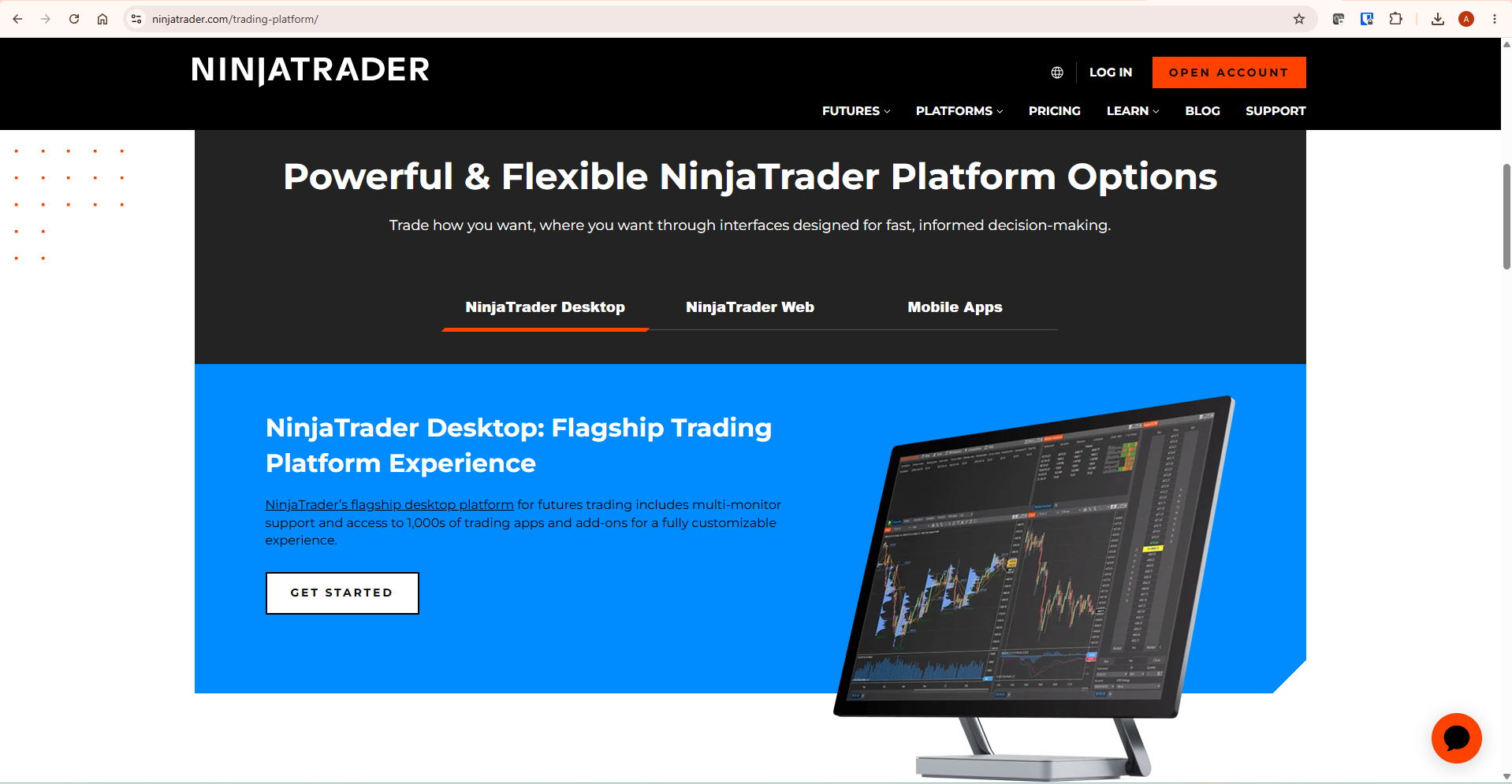
NinjaTrader’s own platform page states their plans include “Third-party tools integration: Seamlessly connect with your favourite third-party trading tools like TradingView.” NinjaTrader also maintains an official TradingView Connection Guide updated March 2026. These platforms support each other’s workflows. For a complete overview of TradingView’s capabilities, our TradingView review covers the full platform.
The True Cost of NinjaTrader: What “Free” Actually Means
The pricing comparison is more complex than it appears — and NinjaTrader’s cost structure is where most comparison articles fail their readers by not explaining it fully.
NinjaTrader offers three license tiers. The Free plan charges no monthly platform fee but applies higher per-side commissions on futures trades. The Monthly license reduces commissions at a fixed monthly cost. The Lifetime license is a one-time payment that drops commissions to their lowest level. All pricing figures should be verified directly at NinjaTrader’s official pricing page as rates can change.
The critical detail buried in NinjaTrader’s account fees documentation: the free plan charges an inactivity fee for accounts that log into the platform but do not place live trades within a 30-day period. This can surprise traders who log into NinjaTrader during a quiet period. For traders who are learning, testing strategies, or taking a break from live trading, this fee adds meaningful cost to what the headline describes as a free platform. Verify the current inactivity fee structure at ninjatrader.com before opening an account.
Original calculation for this comparison: the commission savings from upgrading to NinjaTrader’s Lifetime license depend entirely on your trading volume. High-volume futures day traders who commit to NinjaTrader’s brokerage long-term may find the Lifetime license pays for itself within months. Lower-volume traders may never recoup the upfront cost versus accepting higher commissions on the free plan. Run your own break-even calculation based on your actual monthly contract volume before committing.
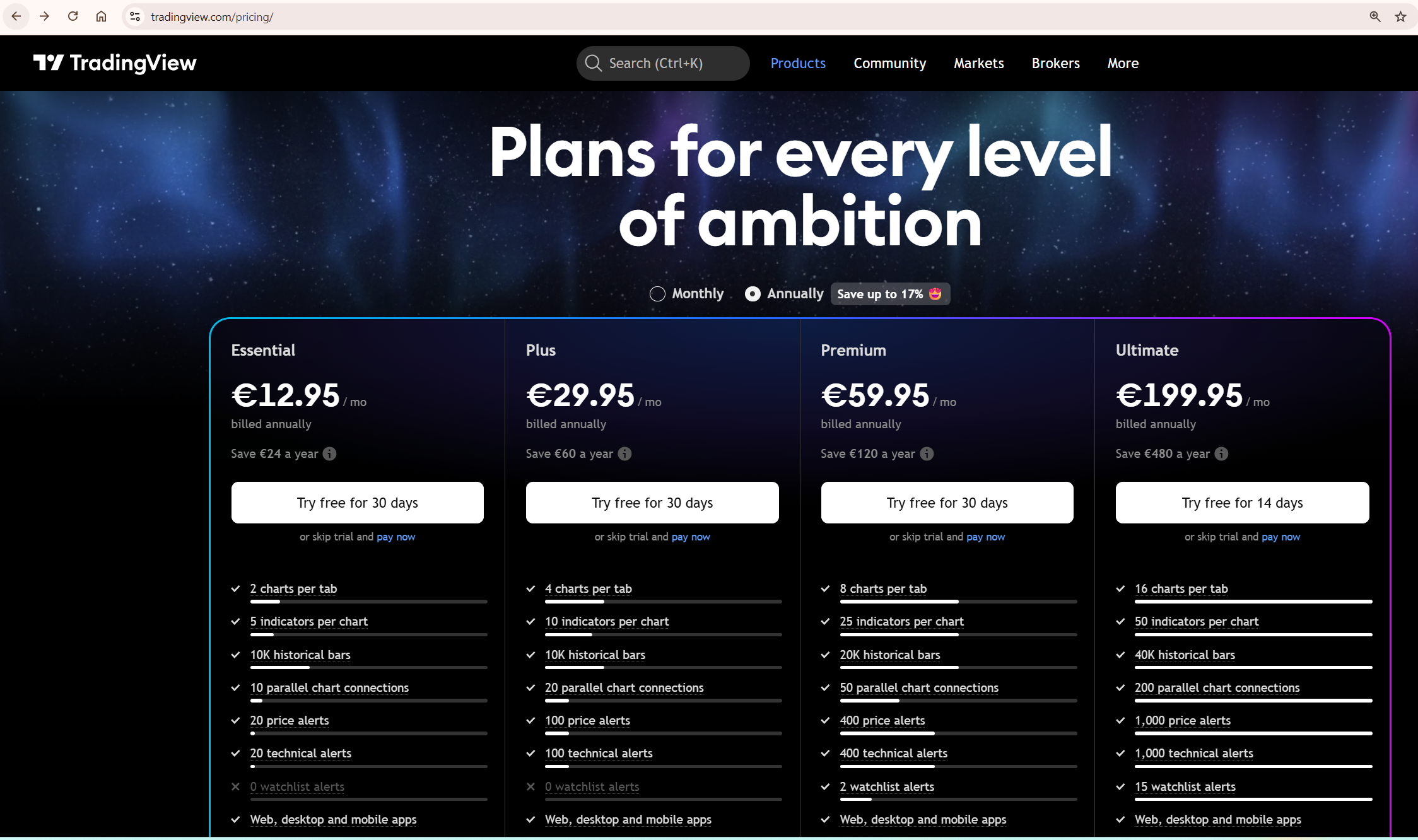
TradingView’s subscription pricing is easier to understand: there are no inactivity fees or commission tiers attached to using the charting platform. For a full breakdown of TradingView’s plan structure, our TradingView free vs paid guide covers every tier in detail. Always verify current pricing at tradingview.com/pricing.
Charting and Technical Analysis
TradingView leads the charting comparison for most trading styles — but NinjaTrader has specific charting advantages for futures traders worth acknowledging directly.
TradingView provides over 100,000 community-published indicators through Pine Script, multi-timeframe analysis across multiple charts per layout on higher plans, and server-side alerts that fire without your computer being on. The charting experience is modern and consistent across desktop, tablet, and mobile. The platform’s broad market coverage — stocks, crypto, forex, futures, indices — means you can run a complete multi-asset analysis in one browser tab.
NinjaTrader offers 400+ built-in technical studies and NinjaScript — an extension of Microsoft C# that allows significantly more complex automation than Pine Script. For traders who need tick charts, range bars, volume charts, and Renko charts alongside standard candlestick charts, NinjaTrader’s chart type support is deeper. The SuperDOM integrates directly with charts, showing order book depth alongside price action in a way TradingView cannot replicate natively.
The honest framing: TradingView’s charting is superior for traders who analyse multiple asset classes, trade crypto, work across global markets, or want a modern browser-based environment. NinjaTrader’s charting is superior for futures traders who need tick-level data and volume-at-price analysis integrated with a DOM. These are different analytical needs, not better or worse charting.
Futures Trading and Execution
NinjaTrader wins the futures execution category — and for serious futures traders this is the most important category in this comparison.
NinjaTrader is built around futures execution. Advanced Trade Management strategies allow traders to define stop-loss and profit target rules that execute automatically without coding. Automated strategies built in NinjaScript can execute trades based on any condition the trader can code. Order types include market, limit, stop market, stop limit, MIT, trailing stop, and complex OCO configurations.
TradingView executes trades through connected broker partners — it is not a native execution environment. The depth of order management available through TradingView’s trading panel depends entirely on the connected broker’s capabilities. For straightforward market and limit orders on stocks and crypto, TradingView’s broker integrations work well. For complex futures order management requiring ATM strategies, conditional logic, and integrated DOM execution, TradingView’s execution layer is not the right tool.
Active futures day traders who need fast execution and complex order management should use NinjaTrader for execution. Swing traders, crypto traders, and multi-asset traders who primarily need analysis before executing through a connected broker will find TradingView’s execution tools sufficient. For traders who want to test futures strategies before committing capital, our TradingView Strategy Tester guide covers the backtesting workflow in detail.
TradingView vs NinjaTrader for Crypto Trading
For crypto traders, this comparison resolves quickly — TradingView is the correct platform for most crypto workflows.
TradingView covers 2,800+ cryptocurrency instruments across every major exchange — Binance, Coinbase, Kraken, OKX, Bybit, and more — with full technical indicator support, real-time alerts, multi-timeframe analysis, and a dedicated Crypto Coins Screener. Every crypto instrument on every major exchange is accessible from the same charting environment with identical tools.
NinjaTrader’s crypto offering consists of nano-sized crypto futures contracts available through Coinbase Derivatives — Bitcoin and Ethereum nano futures only. For traders focused on spot crypto, DeFi research, or a broad range of altcoins, NinjaTrader’s crypto offering is too narrow to function as a primary crypto platform. For traders who specifically want leveraged BTC or ETH exposure through a futures structure, NinjaTrader’s nano contracts are a legitimate niche product.
Our guide to using TradingView for crypto trading covers the complete analytical workflow from chart setup through to alert configuration and screener use.
Pine Script vs NinjaScript: Which Scripting Language to Learn
Both platforms offer custom scripting environments, and the choice between them matters if automated strategy development is part of your trading approach.
Pine Script v6 is TradingView’s proprietary scripting language — purpose-built for trading indicators and strategies, designed to be approachable for traders without a programming background, and supported by a community of over 100,000 published scripts. The syntax is clean, documentation is thorough, and a working indicator can be built in under 20 lines of code. Pine Script runs entirely within TradingView’s environment.
NinjaScript is an extension of Microsoft C#, giving experienced programmers access to a full object-oriented language for strategy development. This enables significantly more complex automation — multi-strategy portfolio management, custom order routing logic, real-time risk calculations, and direct execution integration. The tradeoff is a steep learning curve that can take weeks before becoming productive.
If you want to build custom indicators and simple alert-based strategies, Pine Script is the right choice — faster to learn, larger community, and sufficient for most retail trading needs. If you are building fully automated futures trading systems with complex execution logic, NinjaScript’s C# foundation gives you capability Pine Script cannot match. Our Pine Script tutorial for beginners covers the complete v6 workflow from scratch.
Can You Connect TradingView to NinjaTrader?
Yes — and this is officially supported by NinjaTrader. NinjaTrader’s platform page explicitly lists TradingView as a supported third-party tool integration and maintains an official TradingView Connection Guide. The connection allows you to use TradingView’s charting environment for analysis while routing futures execution through NinjaTrader’s brokerage infrastructure.
The typical connected workflow: run TradingView in your browser for pre-session market analysis, multi-timeframe chart review, alert monitoring, and screener scans. When a setup triggers, switch to NinjaTrader for order entry using the SuperDOM, ATM strategies, and tick-level execution tools. Both platforms run simultaneously — TradingView on one monitor, NinjaTrader on the other is a common setup among active futures traders.
This combined setup is not a workaround — it is the intended use case that NinjaTrader documents and supports. For active futures traders who already use or plan to use NinjaTrader for execution, adding TradingView as the analytical layer is a straightforward upgrade to the overall workflow.
The Combined Workflow: Using Both Platforms Together
For active futures traders, the best answer is often not TradingView or NinjaTrader — it is TradingView plus NinjaTrader. TradingView is stronger for broad market analysis, alerts, screeners, and multi-asset context. NinjaTrader is stronger for futures execution, SuperDOM, ATM strategies, and tick-level trade management. Because NinjaTrader supports TradingView connectivity, this combined workflow is practical rather than theoretical.
The combined workflow: use TradingView for pre-session market analysis — check broader market context across indices, crypto, and forex, run screener scans, review multi-timeframe setups, and set alerts on key levels. Then use NinjaTrader for live futures execution — the SuperDOM, ATM strategies, and tick-level chart data give you the execution precision that TradingView’s broker integration cannot match for active futures day trading.
Original cost perspective for this combined setup: TradingView’s analytical depth adds meaningful value to an existing NinjaTrader workflow at a relatively low monthly cost. For a futures trader already using NinjaTrader who wants better multi-asset analysis and alert monitoring, adding TradingView as an analytical layer is a straightforward decision. Verify current TradingView plan pricing at tradingview.com/pricing before committing.
Honest Limitations of Each Platform
No comparison is complete without a direct statement of what each platform does poorly.
TradingView’s honest limitations: the free plan’s indicator limit is genuinely restrictive for active traders. TradingView has no native futures execution environment with advanced order management — all execution goes through third-party brokers with varying capability. Pine Script, while accessible, cannot match NinjaScript for complex automated strategy development.
NinjaTrader’s honest limitations matter more for the majority of retail traders because most traders are not dedicated futures execution specialists. The desktop platform requires Windows — Mac users must run it through Parallels or Boot Camp. The interface has a steep learning curve that can take weeks to navigate effectively. The “free” label can be misleading for users who log in but do not place live trades, because an inactivity fee may apply — verify current terms at ninjatrader.com. NinjaTrader is a futures-only broker — there are no stocks, ETFs, or options. Crypto coverage is limited to BTC and ETH nano futures. NinjaScript requires genuine programming knowledge to use effectively.
Who Should Use Which Platform
Use TradingView if: you trade crypto, forex, or global stocks, you want professional-grade charting without a brokerage account, you prefer a browser-based interface on any device and OS, you use Pine Script or want community script access, or you trade across multiple asset classes simultaneously.
Use NinjaTrader if: active futures day trading is your primary strategy and you specifically need ATM order management, tick-level chart data, and fast execution through NinjaTrader’s brokerage. Also use NinjaTrader if you are building complex automated futures strategies in NinjaScript and need direct execution integration.
Use both together if: you are an active futures trader who also wants TradingView’s analytical depth for pre-session market research, multi-asset context, and alert monitoring. NinjaTrader supports TradingView as a third-party integration — this is a practical setup that extracts maximum value from both platforms.
Which Platform Should You Choose? Real Trader Scenarios
The right answer depends entirely on your trading style and market focus. Here is how the decision maps to specific trader types.
| Trader Type | Recommended Platform | Primary Reason |
|---|---|---|
| Crypto trader | TradingView | 2,800+ instruments, full exchange coverage |
| Forex trader | TradingView | Broad currency pair coverage, browser-based access |
| Swing trader — stocks | TradingView | Multi-timeframe analysis, screener, Pine Script alerts |
| Futures scalper | NinjaTrader | SuperDOM, ATM strategies, tick-level execution |
| Algo futures trader | NinjaTrader | NinjaScript C# automation, direct broker integration |
| Multi-asset investor | TradingView | Stocks, crypto, forex, indices in one platform |
| Active futures day trader | Both together | TradingView for analysis, NinjaTrader for execution |
| Mac user | TradingView | Browser-based — no Windows dependency |
What To Do Next
If you trade crypto, forex, or global stocks — start your TradingView free account and test the platform against your actual analysis needs before evaluating NinjaTrader. Open a free TradingView account here.
If you are an active futures trader evaluating both platforms — open a NinjaTrader simulated account and run TradingView alongside it for two weeks. Use TradingView for pre-session analysis and NinjaTrader’s simulator for execution practice. At the end of those two weeks you will have a clear picture of which platform’s execution environment you need for live trading.
For active traders who rely on chart analysis daily, TradingView’s paid plans are worth evaluating as an analytical layer regardless of which broker or execution platform you use. For further platform comparisons, our TradingView vs Thinkorswim and TradingView vs Finviz articles cover the other major platforms traders evaluate alongside NinjaTrader.
Frequently Asked Questions
Is TradingView better than NinjaTrader?
For most traders — including all crypto traders, forex traders, and anyone trading global equities — TradingView is the better all-purpose platform. For active futures day traders who need ATM order management, tick-level execution, and NinjaScript automation, NinjaTrader is the better execution environment. The comparison is most useful when you understand both platforms serve different stages of the trading process.
Is NinjaTrader really free?
NinjaTrader’s platform software has a free tier with no monthly plan fee, but the full picture is more complex. The free plan charges higher commissions per futures trade, may apply an inactivity fee if you log in without placing live trades, and requires a funded brokerage account to unlock full features. For most traders the total cost of ownership on the free plan is higher than the headline suggests. Verify current fee terms at ninjatrader.com before opening an account.
Can I use TradingView and NinjaTrader together?
Yes — and NinjaTrader explicitly supports this combination. NinjaTrader’s platform page lists TradingView as a supported third-party tool integration and maintains an official connectivity guide. Use TradingView for chart analysis, market research, alerts, and multi-asset monitoring. Use NinjaTrader for futures execution with ATM strategies and the SuperDOM. Many active futures traders run both platforms simultaneously.
Does NinjaTrader work on Mac?
NinjaTrader’s desktop platform is Windows-native and cannot run directly on Mac, Chromebook, or Linux. Mac users can run it through Parallels Desktop or Apple’s Boot Camp, but both solutions add cost and complexity. NinjaTrader Web is available from any browser including Mac with reduced functionality. TradingView runs natively in any browser on any operating system with no installation required — a meaningful practical advantage for Mac users.
Which is better for crypto — TradingView or NinjaTrader?
TradingView is substantially better for crypto. It covers 2,800+ instruments across all major exchanges with full technical analysis support, a dedicated crypto screener, and real-time alerts. NinjaTrader offers only Bitcoin and Ethereum nano futures through Coinbase Derivatives. For spot crypto, altcoins, or DeFi research, NinjaTrader’s crypto offering is too narrow to function as a primary crypto platform.
What is the NinjaTrader Lifetime license and is it worth it?
The NinjaTrader Lifetime license is a one-time payment that reduces commission rates to their lowest level. Whether it pays for itself depends entirely on your trading volume — high-volume futures day traders who commit to NinjaTrader’s brokerage long-term may find it cost-effective, while lower-volume traders may not recoup the upfront investment. Run your own break-even calculation based on your actual monthly contract volume, and verify current Lifetime pricing at NinjaTrader’s official pricing page before purchasing.
Is TradingView good for futures trading?
TradingView is good for futures chart analysis — it covers major futures markets including S&P 500 E-mini, Nasdaq, crude oil, gold, and others with full technical indicator support and multi-timeframe layouts. Where TradingView falls short for active futures traders is in execution: there is no native SuperDOM, no ATM strategy builder, and execution depth depends entirely on the connected broker. For charting and analysis of futures markets, TradingView is excellent. For active futures execution with complex order management, NinjaTrader’s dedicated execution environment is stronger.
Trading involves substantial risk and may not be suitable for every investor or trader. Technical analysis tools do not guarantee profitable results. Past performance is not indicative of future results. Always manage your risk and only trade with money you can afford to lose.
